
Download with JDownloader
Extension Actions
Integrates the browser with JDownloader either by interrupting the built-in download manager or from right-click context menu
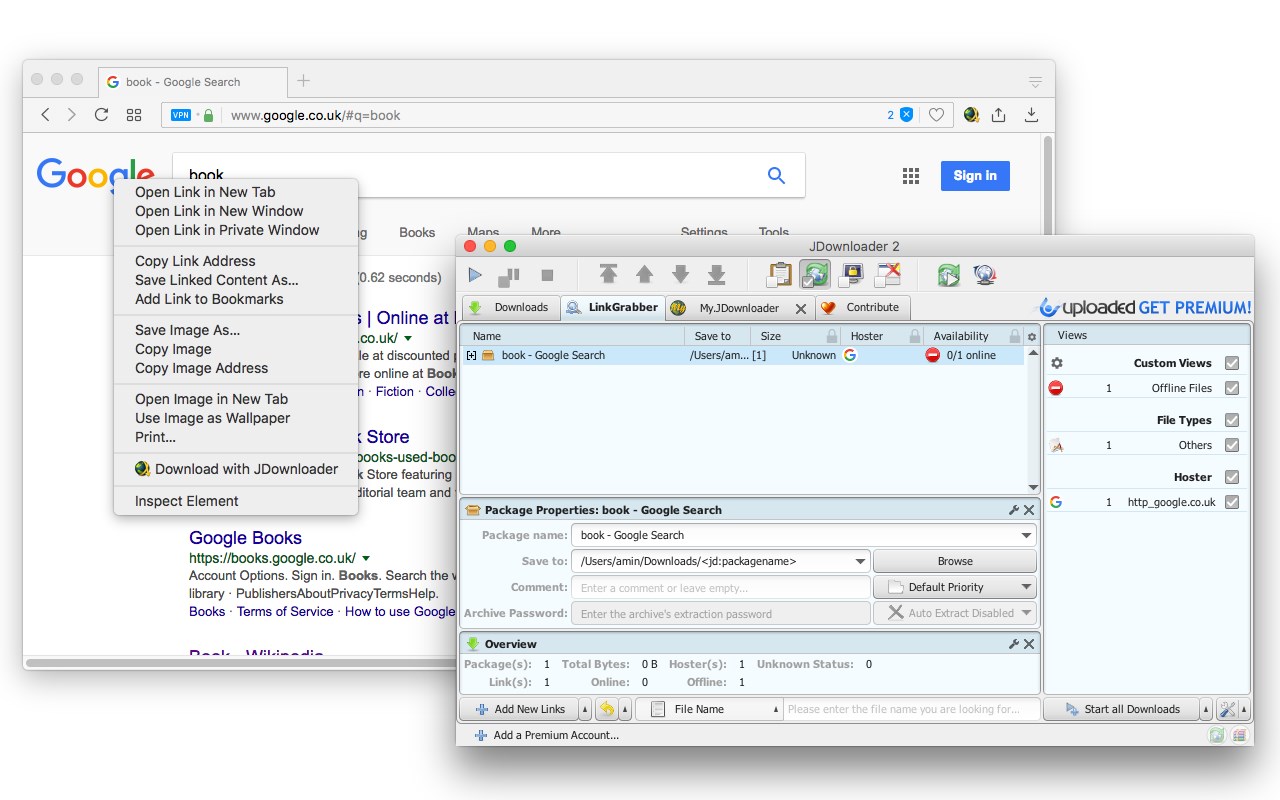
This extension enables connectivity between your browser and JDownloader, a Java-based download manager.
The extension offers two modes of operation:
1. It allows you to send downloading jobs directly from the right-click context menu.
2. It can interrupt the built-in download manager and redirect the requests to JDownloader.
By default, the interruption mode is inactive. Click the action button (toolbar button) once to activate it. To turn off the interruption mode, click the action button again?the interruption mode can help you when a website does not provide direct download links.
Native Integration:
For this extension to communicate with JDownloader and execute native commands, a native client is required. The instructions for installing this NodeJS native client are provided when you use the extension for the first time. Additionally, please note that this extension only connects your browser to the JDownloader, so you must have the JDownloader application installed on your operating system for the extension to work.
You can review the code of the native client at:
https://github.com/belaviyo/native-client/releases.
A brief video tutorial on installing and using the native client is available at:
https://www.youtube.com/watch?v=vSnZp2wflTc
It is important to mention that this extension uses JDownloader's local server to send downloading jobs to the external downloader. The extension can work correctly without installing the native client as long as JDownloader is running in the background. The native client is only necessary to start the downloader when the server is not present.
Logs:
Version 0.1.6
1. Fixed issue with tab names not being sent to JDownloader.
Version 0.1.7
1. Added functionality to download all links with JDownloader.
Latest reviews
- Antonio
- For me, works like a charm/Para mi ha funcionado de lujo
- acewilde
- Doesn't work, even a little bit. I'm not getting another browser on my computer just because your extension doesn't work.
- Hilton
- JDownloader is the Best downloader in the world!!! I really love this downloader. Being able to add files just by using right click + copy. Video Web Sites with multiple Channels can be downloaded entirely with one click. It's time for my annual donation. They actually told me I didn't have to donate any more money, but they are Worth Their Weight in God!!!
- ..
- Useless
- Jay
- The dude that left the one star review is kind of slow. He downloaded a ext for a program....and then complains about having to use.....the program.
- István
- ****. Not work propertly
- Adam
- fix the notification problem on start up, started windows and logged on, got endless jdownloader notification
- Travis
- Crappy! keeps opening a tab about "Check Connection" at least it was able to pickup on the item I wants to download. It's just broken
- Jerzy
- Doesn't work in Microsoft Edge
- rene
- gut
- John
- This is an utter piece of ****. After installing when you try to use it, you are sent to a three page wall of text trying to explain a whole slew of arcane steps and other programs you must install for it to work. Such a shame that is such a mess when in Firefox DownThemAll installs with one click and just works right away.
- Cristian
- if you want to download with your built-in downloader, you can deactivate this extension with one click you need to run JDownloader before trying to use this
- La
- Edge y Jdownloader no funcionan aunque instales la extensión.