Exit Kiosk
Extension Actions
ExitKiosk is a browser extension that helps you exit kiosk mode based on keywords.
ExitKiosk – Seamless Kiosk Mode Exit & Keyword Control for Edge
ExitKiosk is a specialized browser extension created to provide users and administrators with precise control over exiting Edge’s Kiosk mode. It is ideal for environments such as digital kiosks, public terminals, libraries, schools, and other organizational settings where Edge runs in a locked-down mode. The primary function of ExitKiosk is to allow an automatic, secure exit from Kiosk mode via user-defined keywords. When such keywords are typed into the browser—whether as URLs or other input points—the extension triggers a seamless exit, enhancing both flexibility and security during controlled browsing sessions.
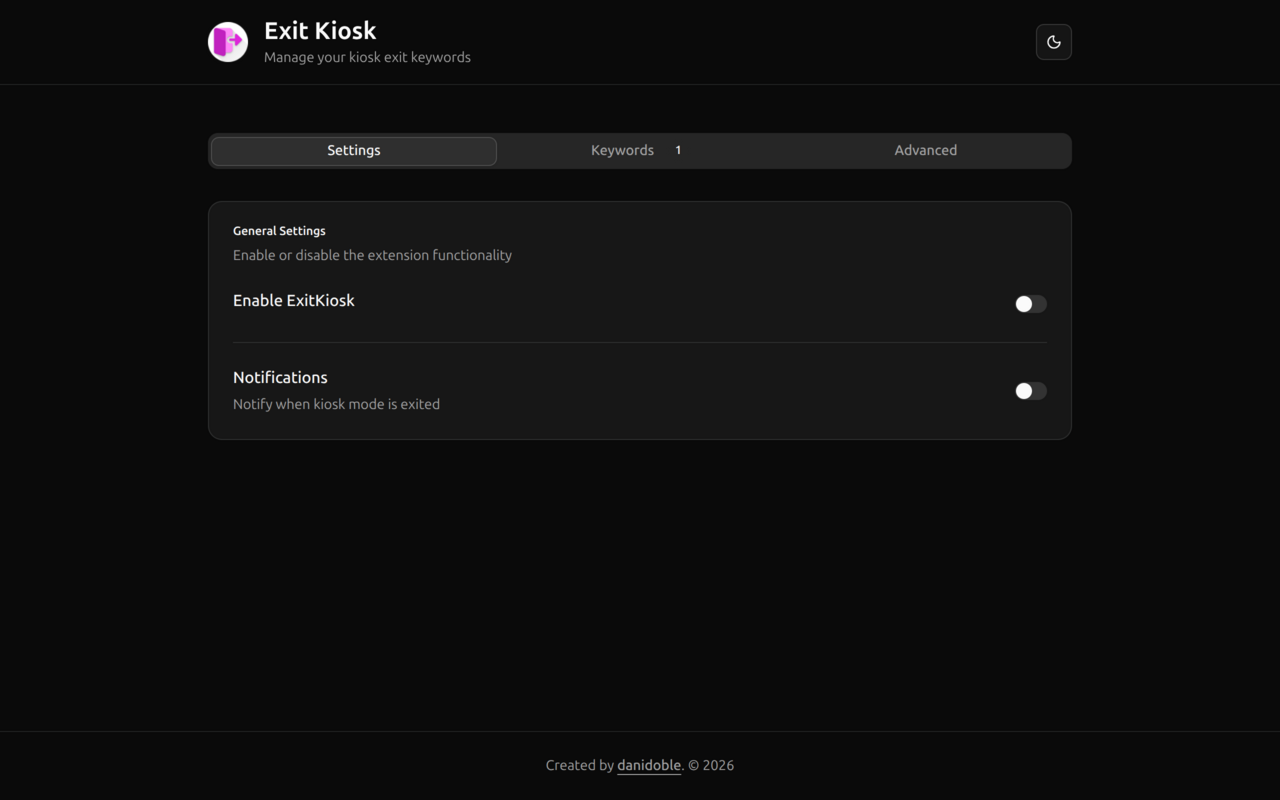
Designed to replace manual or complicated device management procedures, ExitKiosk streamlines the process by introducing automation combined with a straightforward interface. The extension features a modern, visually appealing GUI with native dark mode support, ensuring consistent and eye-friendly display regardless of the environment. This is especially important in public or educational settings where ease of use and clarity are essential. By monitoring browser activity in the background, it ensures that kiosk users or administrators can regain control or reset a session cleanly with minimal risk of disruption or security compromise.
Administrators benefit from a versatile options page where keyword lists can be added, edited, or removed quickly, along with controls for notification preferences and behavior settings. The extension’s popup provides immediate status updates and quick-access actions, making on-the-fly adjustments and monitoring more efficient. It works quietly behind the scenes without interfering with normal browsing activities until a keyword match occurs. Through Edge’s secure sync storage, all preferences are safely stored and synchronized across devices—ideal for organizations managing multiple machines.
ExitKiosk is implemented with Edge’s modern Manifest V3 architecture, ensuring compliance with the latest security and performance standards. Permissions are strictly limited to those necessary for keyword detection and mode control, respecting both privacy and operational safety. Whether deployed across dozens of devices or used on a single personal machine, it offers a reliable toolkit to simplify kiosk management, reduce downtime, and maintain the integrity of locked browser environments.
Key Features:
- Keyword-based kiosk exit: Define custom keywords to trigger automatic exit from Kiosk mode upon entry in the browser.
- Customizable keyword list: Easily manage keywords through an intuitive options panel to tailor kiosk exit triggers to specific needs.
- Instant notifications: Receive browser notifications immediately when a kiosk exit is triggered, keeping users and administrators informed.
- Modern interface: Clean, responsive popup and options UI with full dark mode support ensure a pleasant user experience.
- Secure storage: Preferences including keywords and settings are saved securely using Edge’s sync storage, facilitating easy deployment across devices.
- One-click options: Access key extension functions or reset preferences from the popup interface for rapid adjustments.
- Silent operation: The extension runs quietly in the background without affecting normal browsing unless a keyword-triggered event occurs.
How It Works:
1. Install ExitKiosk from the Edge Web Store or your organization’s software deployment system.
2. Access the extension via the toolbar’s popup to monitor status and utilize quick controls.
3. Configure exit keywords, notification preferences, and extension state through the options page available as a tab or popup.
4. When a user types any specified keyword into the browser’s URL bar or other input areas, ExitKiosk’s background script detects the keyword event.
5. Upon detection, the extension automatically initiates the exit procedure from Kiosk mode, such as closing tabs or windows or signaling a manual exit, and displays a confirmation notification.
6. If enabled, the system logs each trigger event and sends notifications for audit or troubleshooting purposes.
7. Update preferences anytime via the options page; changes are saved securely and synchronized immediately across devices without requiring browser reload.
Privacy: - No personal data collected. ExitKiosk utilizes only Edge’s secure storage for saving extension preferences and does not access or transmit any personal browsing data. See our privacy policy for complete details.