
RAO Text To Speech
Extension Actions
Read any web page out loud with this intelligent, fully customizable, text to speech application. Supports 500+ human-like voices.
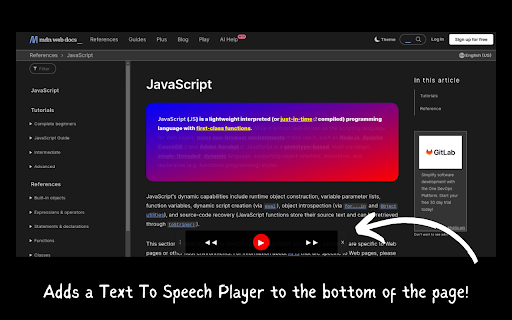
* Adds a Text to Speech Player to the bottom of the page.
* Play, pause, or skip text as it is being read.
* Automatically highlight each sentence as the voice reader reads it.
* Supports over 500+ human-like voices. (All of which are always, 100% free.)
With this extension, you can..
* Teach a voice reader how to pronounce words exactly how you want them pronounced.
* Click on any text to read it automatically.
* Change reading speed, voice pitch, and other important settings.
* Choose which web elements should be read so that the voice reader only reads what you want.
*+Many other additional features and benefits which are continually being updated and improved!