
QuoteReply ChatGPT
Extension Actions
- Extension status: Featured
Quote reply to ChatGPT.
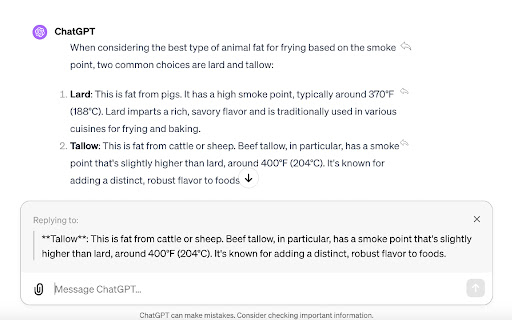
Enhance your ChatGPT experience with the ChatGPT Reply Button extension. This handy tool makes it easy for you to reply to individual AI responses, streamlining your conversations and boosting your productivity.
Whether you're brainstorming ideas, drafting an email, learning about a new topic, or just casually chatting, the Reply Button extension allows you to keep track of the conversation and respond to specific points directly.
Features:
- Directly reply to individual AI responses
- Easy to use: Just click on the reply button next to the response you want to reply to
- Streamlined conversation flow: No need to scroll back to find the specific points you want to respond to
- Perfect for long, in-depth conversations
Note: This extension is an unofficial enhancement for OpenAI's ChatGPT and isn't affiliated with or endorsed by OpenAI.
Latest reviews
- Andrew Panchiy
- Not working!
- Kyle
- works great
- 0hTwT
- doesnt work, using brave browser. all it does is just select the text without doing anything to the respond box
- Arslan Ali
- Love it!
- Eforlina King
- Not quite perfect. When I just want to select some text, this action will pollute my text editing box