


Bitwarden Password Manager
Extension Actions
- ★Featured
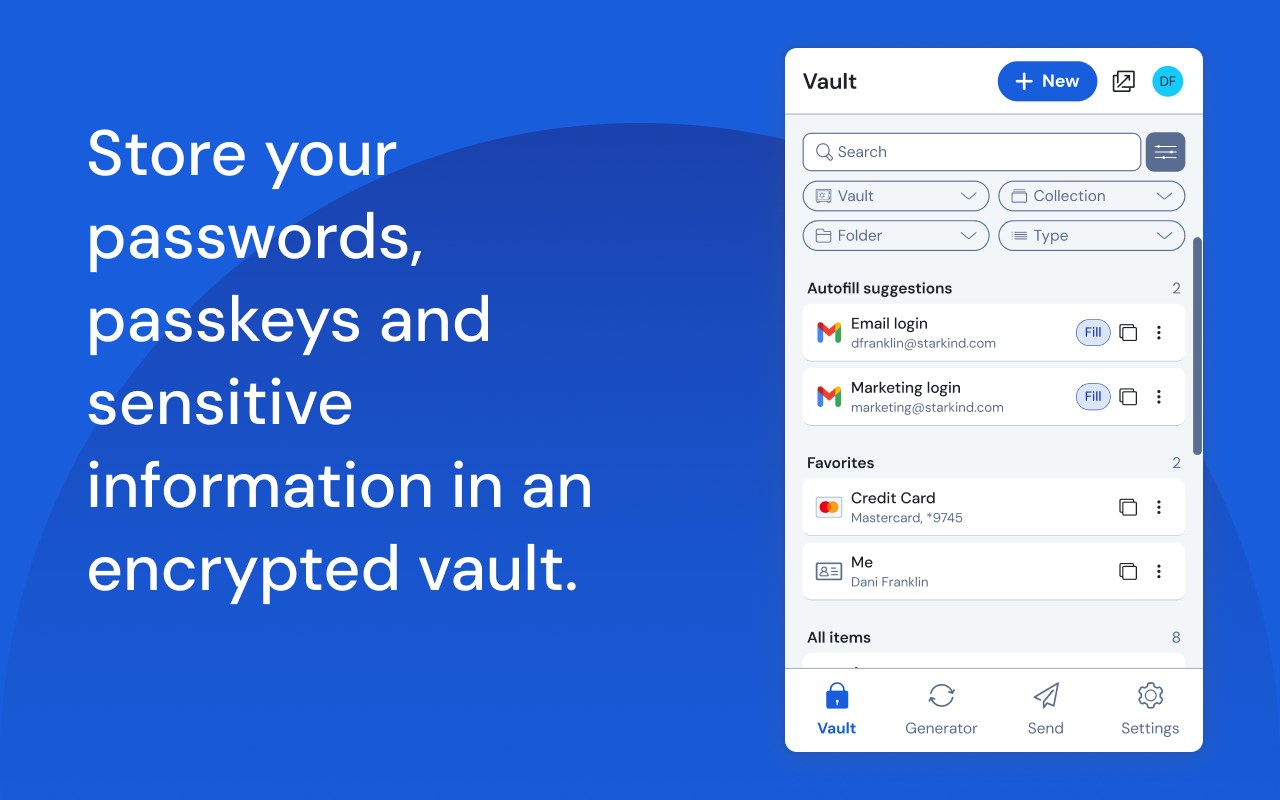
At home, at work, or on the go, Bitwarden easily secures all your passwords, passkeys, and sensitive information
Recognized as the best password manager by PCMag, WIRED, The Verge, CNET, G2, and more!
SECURE YOUR DIGITAL LIFE
Secure your digital life and protect against data breaches by generating and saving unique, strong passwords for every account. Maintain everything in an end-to-end encrypted password vault that only you can access.
ACCESS YOUR DATA, ANYWHERE, ANYTIME, ON ANY DEVICE
Easily manage, store, secure, and share unlimited passwords across unlimited devices without restrictions.
EVERYONE SHOULD HAVE THE TOOLS TO STAY SAFE ONLINE
Utilize Bitwarden for free with no ads or selling data. Bitwarden believes everyone should have the ability to stay safe online. Premium plans offer access to advanced features.
EMPOWER YOUR TEAMS WITH BITWARDEN
Plans for Teams and Enterprise come with professional business features. Some examples include SSO integration, self-hosting, directory integration and SCIM provisioning, global policies, API access, event logs, and more.
Use Bitwarden to secure your workforce and share sensitive information with colleagues.
More reasons to choose Bitwarden:
World-Class Encryption
Passwords are protected with advanced end-to-end encryption (AES-256 bit, salted hashing, and PBKDF2 SHA-256) so your data stays secure and private.
3rd-party Audits
Bitwarden regularly conducts comprehensive third-party security audits with notable security firms. These annual audits include source code assessments and penetration testing across Bitwarden IPs, servers, and web applications.
Advanced 2FA
Secure your login with a third-party authenticator, emailed codes, or FIDO2 WebAuthn credentials such as a hardware security key or passkey.
Bitwarden Send
Transmit data directly to others while maintaining end-to-end encrypted security and limiting exposure.
Built-in Generator
Create long, complex, and distinct passwords and unique usernames for every site you visit. Integrate with email alias providers for additional privacy.
Global Translations
Bitwarden translations exist for more than 50 languages.
Cross-Platform Applications
Secure and share sensitive data within your Bitwarden Vault from any browser, mobile device, or desktop OS, and more.
Bitwarden secures more than just passwords
End-to-end encrypted credential management solutions from Bitwarden empower organizations to secure everything, including developer secrets and passkey experiences. Visit Bitwarden.com to learn more about Bitwarden Secrets Manager and Bitwarden Passwordless.dev!
Latest reviews
- Alex
- Unfortunately, the convenience of using a password vault like bitwarden is negated when it wont open after multiple reinstalls, reboots, and etc. Saying it's caused by an issue with chromium browsers is crazy cause name one modern browser that isn't chromium.
- Ron
- Constantly having to piss around clicking on it and inspecting things to get it to finally prompt me to unlock my vault after each reboot. I've used Bitwarden for about 2 1/2 years and in the last 3 months its reliability has gone to ****.
- Chester
- It started out fine a month ago but in the last few weeks, the extension stopped offering to autofill in Edge and Chrome. Stopped working on my Android phone as well. Logging out and in didn't help.
- Joris
- The extension no longer works in Edge. When you click on the icon, nothing happens. I reinstalled the extension, but nothing changed.
- David
- it's so bad. unusable. logon auths take 30seconds. then if the vault loads, can't add anything new it just spins and timesout.
- Felix
- The seems to be an issue lately with the extension. You click on it and it takes forever to load, if it even loads. Sometimes it just doesn't load at all which forces me to use the desktop app. Please look into this and fix. Thanks.
- Brandon
- I have one complaint about a UI change I noticed a while ago (not sure when the change was actually released). When you hover over a vault item it displays a "Fill" button, yet clicking anywhere on the item causes it to fill the username/password fields located on the page...that kind of renders the fill button useless. Before the change, clicking on the vault item would open the item, and you had to click on the "Fill" button to trigger the fill action. I recommend reverting that change so clicking the item opens the item, and clicking the "Fill" button lets it do what it implies. Right now you guys have a confusing (and sometimes frustrating) UX with filling and viewing. Also never good to bury an action under more clicks when it's not necessary. Other than that UX issue, the extension and it's features are great, I use it on both Chrome and Edge with no functionality issues!
- Soyol Erdene
- Edge extension syncs not working.
- Ivan
- Amazing app that makes our password hygiene impeccable and keeps us safe!
- Jim
- There appears to be an issue with the most recent release where the vault won't sync due to an angular issue: [2026-08-21 10:28:46.416] [error] Unhandled error in angular Error: Invalid time value. Uninstalling and reinstalling 2026.7 resolves the issue.
- Jeffrey
- I'm thoroughly disappointed. The Windows Passkey manager API has been in production since January 2025. It was rolled out to all active releases from 26100.x and up since November 2025. At that time a 25H2 passkey provider build was in beta. It is now August 2026 and the passkey provider not only isn't working on Windows - it no longer works on ANY device. This is not what premium subscribers like myself expect. You're making Dashlane look like geniuses and giving 1Password the full ammunition to take most of your premium customers (already works on Windows 11)
- Chris
- The Bitwarden extension on both Edge and Chrome no longer work. It will no longer allow me to log in. I pay for premium but may have to look for another service if this is not resolved soon.
- Josh
- Nothing loads now, vaultwarden running on proxmox. Signed out, reinstalled. Still nothing loads
- Hussam
- I’ve been experiencing an issue with my self-hosted Bitwarden vault that started around July 31. Before then, everything was working properly. However, I’m now experiencing the following: Browser extension: I’m unable to log in and receive the message: “An unexpected error has occurred.” Desktop application: I can still sign in successfully, but none of my secrets or folders are displayed. I have already tried reinstalling the browser extension, but unfortunately, this did not resolve the issue. Could you please help me troubleshoot this issue and identify what may be causing it? I’d also be happy to provide any additional logs or information you may need. Only the web version is working properly right now.
- Kamen
- secrets stopped loading forcing me to manually copy/paste from the Web version of the app.
- Thomas
- Bitwarden used to be a 5 star app for me, but recent updates have made it difficult to use. My biggest gripe right now is if I attempt to click on the icon, it gives me this message 'Reload this page to apply your updated settings for "Bitwarden Password Manager" on this site.' Now, the way this reads is that it is an Edge thing interfering with Bitwarden, but being the only extension I have this problem with, I can't say for sure. The only thing I can say is that if I click on Refresh, any changes I had on the page will get lost and that part is unacceptable. I still appreciate having Bitwarden, but as I see more changes breaking things and more things moving behind the subscription, I'm tempted to move to a self-hosted solution because I've seen all of this before with LastPass.
- Cayle
- Same issue as other reviewers. I'm not sure if the extension was recently updated, but now whenever I try loading my Vault, nothing loads. Password generator works, but the Vault does not work. I'm running Vault Warden as a Docker container, and I have updated it, but still the same issue. The issue is with the latest version of the extension. I installed the Bitwarden extension for Edge version 2026.6.1 and everything works. I will update my review to five stars if this gets resolved.
- Akash
- After latest update, my self hosted bitwarden extension is just loading after login. not showing any of my passwords. Ive tried resetting the extension still having the issue
- Daniel
- Same issue as other reviewers. I'm not sure if the extension was recently updated, but now whenever I try loading my Vault, nothing loads. Password generator works, but the Vault does not work. I'm running Vault Warden as a Docker container, and I have updated it, but still the same issue. The issue is with the latest version of the extension. I installed the Bitwarden extension for Edge version 2026.6.1 and everything works. I will update my review to five stars if this gets resolved.
- Kenny
- Reinstalled the add-on, seems the bug has been fixed for not showing auto-fillin and running on Edge
- Sivakumar
- The Bitwarden browser extension has not been working properly for the past three days. The extension is not autofilling usernames and passwords as expected. When I open the browser extension and try to access my vault after logging in, it keeps loading for a long time but does not fetch or display the saved credentials. This issue is affecting the normal usage of Bitwarden, as we are unable to quickly access and autofill the required login details. Please investigate this issue and provide a solution as soon as possible.
- Michael
- New user new install. No dice error on login. Cannot use this one I guess. On to another login method!
- Vadim
- Since today, I can't view the list of logins in my storage. The loading animation is stuck and nothing happens. Everything works in Firefox.
- Knoblauch,
- Used to work great, something they pushed recently seems to have broken the extension in Edge. Click the icon and does not load
- Joe
- I'm a paying subscriber. I'm sad that the usual fix for problems is "uninstall and then re-install". I hope the leadership can begin to allow the developers to follow best practices.
- Thủy
- I cannot even log in to my account
- Nate
- I've had to start using the bitwarden desktop app because the edge extension just opens an empty white box and a loading spinner. So as of this latest MS Edge update it's broken. Reinstalling didn't work.
- Damaged
- Whatever they did broke the e extension completely, on top of that i can't even export my passwords at all, it just gives me a json with like 5 folders and no data, woke up today and it complained about corruption, reinstalling the extension fixed THAT issue but it's still broken otherwise, garbage app, do NOT use this app.
- Ryan
- Whatever was released with the 6/30 update completely broke the application on edge.
- Joe
- The Edge browser extension significantly degraded in the last few months, and while the Windows app can fill in the gaps, its UX has also become worse over time. Edge extension - Takes more than 10 seconds to load the first time. It shows a white box in the mean time. - Once logged in, the Vault view never loads. Instead, it just infinitely animates placeholder lines. I must dismiss and reopen the extension's view. Previously: - Some kind of Edge security hardening required a change deep in the Settings somewhere. It took me weeks to figure it out.
- Max
- Autofill no longer quite responsive under MSFT Edge Version 150.0.4078.13. Either don't autofill both fields, or missing the other field. Please fix. Thx
- Maxim
- It's really good, especially if self hosted
- Mark
- Works great, but I believe the resource drain keeps increasing over time so I disable it when I don't need it.
- Marifosque,
- Even after the update. This still doesn't work properly - Either of the two options (Fill button or "click items to autofill) does not work for autofill coming from search result of credentials. The "Fill" button does not appear if from searching for a specific credential. Turning on "click items to autofill" just goes to the credential details from search result.
- Dmytro
- Not working when I want to log in on my server the extension says, "An error has occurred An unexpected error has occurred." every time.
- Nick
- Works pretty well except for one annoying case and one breaking case. Annoying - it doesn't seem register Microsoft's floating login dialog they love so much so I have to copy my password from the extension directly, no autofill. It does recognize it enough to offer a generated password... Breaking - sometimes after rebooting my computer the extension just indefinitely loads, spinning loading circle of eternity in Microsoft Edge. I haven't found a way to recover other than uninstalling the extension and reinstalling.
- Bill
- Upgraded to the current version and now the OTP autofill puts in the username instead.
- James
- BW is a solid password manager. I use it at work and home. The developers should consider the possibility of making the Autofills section be hidden or appear after the Favorites section. Kind of annoying to always have to scroll past a screen of autofills (they're guess of what I want) to my Favorites (my list of what I want).
- Mihai
- Very hard to find anything in it when you have dozens of subdomains on one domain.
- Terrance
- This extension is useless. Never using again.
- Ndumiso
- I often have to re-install the extension. Due to edge some how forgetting that its installed. Only happens with Bitwarden. Just recently had to re-install it again due to the window not opening when I call it. Very annoying.
- Marifosque,
- Either of the two options (Fill button or "click items to autofill) does not work for autofill coming from search result of credentials. The "Fill" button does not appear if from searching for a specific credential. Turning on "click items to autofill" just goes to the credential details from search result.
- Sunny236
- buggy. laggy. large. memory hog. takes up JS memory and CPU on EVERY SINGLE PAGE LOAD and EVERY SINGLE TAB. It's wild. Try a browser speed test (not a bandwidth speed test, a BROWSER speed test) with bitwarden on and without and you'll see a near 50% page performance drop - that's like saying your page can load 100% faster without bitwarden. This is a JOKE.
- Chris
- Autofill is terrible. Most websites prevent the autofill function.
- Jeremiah
- I really wish someone on the product team was intelligent enough to add functionality not to save passwords, without having to go in and block domains individually. It is just so stupid, all you need to add is a "Don't ask me again" button, but instead the product team seems to think being asked 100 times over for the same website is somehow more customer friendly.
- brandon
- This has been my favorite password manager since the beginning. But recently features are either broken or just missing. "login with device" is no were to be found. When trying to add a new login & password "error please try again" "biometrics doesn't work. I have bitwarden my default and able to make changes. Please fix so i can go come back.
- Les
- Low stars because the latest Edge add-on is missing the "Login with Device" option. Reset the browser to defaults. Cleared ALL data, cookies, history, etc. Uninstalled and reinstalled the Add-on. None of these fix the issue. Login with Device option is missing. Please fix. Have moved to using Chrome for now as the Login with Device option is still present in that version of the add-on.
- Chris
- 2026-02-26 (2 stars): Extension doesn't seem to be honoring 'Unlock with biometrics' flag anymore ------------------- 2025-03-09 (5 stars): The extension was updated on 2026-03-05 and so far, the biometrics appear to be working again. Not sure if my extension wasn't getting the auto-update, so I uninstalled and re-installed, checked the version of the desktop app (already up to date on 2026.2.1), and verified that 'Require verification for browser integration' was enabled.
- Tyler
- I love bitwarden, but this extension has gotten worse. I no longer can unlock my vault with the master password. I now have to log off and log back in in order to open it. Pain in the rear.
- Chris
- Extension doesn't seem to be honoring 'Unlock with biometrics' flag anymore