
Markly - AI-Powered Smart Bookmark Manager
Extension Actions
You save it, Markly sorts it — AI-powered smart bookmark manager
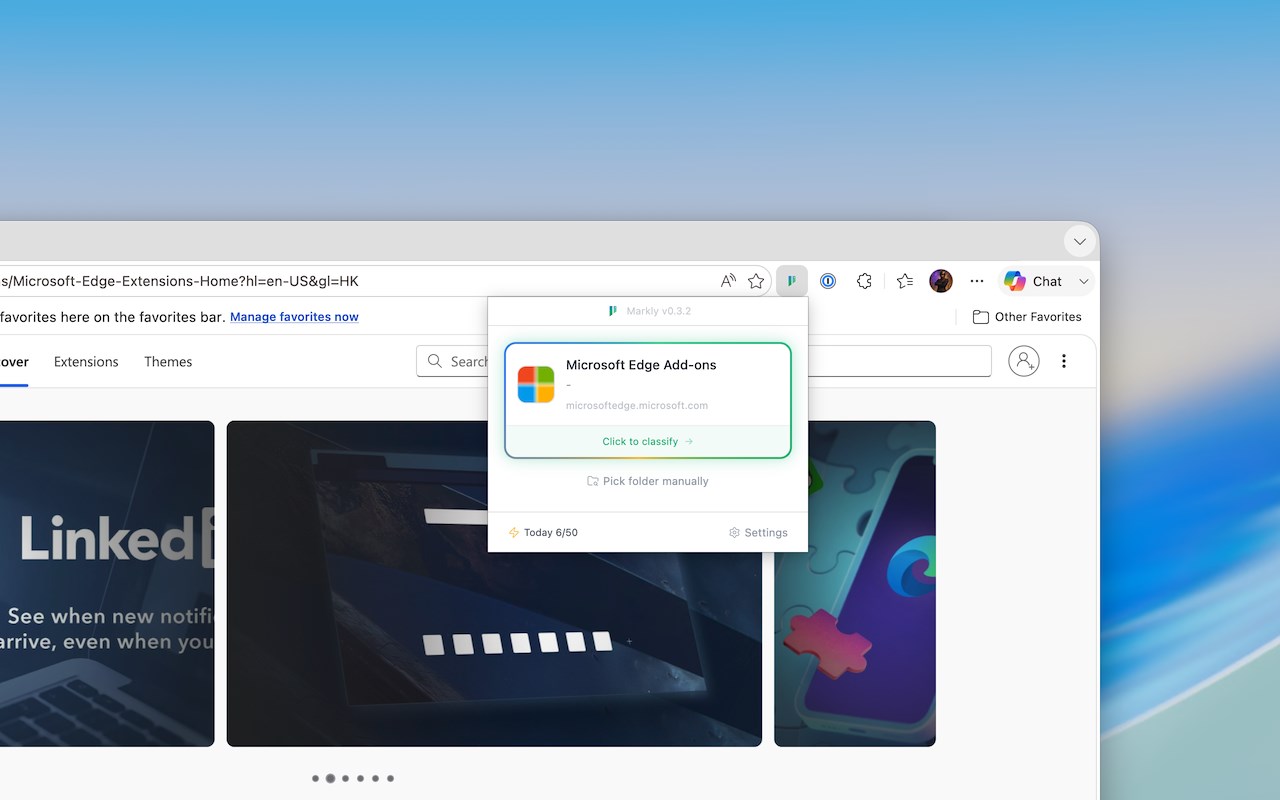
Short Description:
You save it, Markly sorts it — AI-powered smart bookmark manager with one-click categorization.
Full Description:
Markly — AI-Powered Smart Bookmark Manager
Tired of messy, unsorted bookmarks? Markly uses AI to automatically analyze and categorize your bookmarks into the right folders — so you can focus on saving, not sorting.
Key Features:
AI Smart Categorization — Save a bookmark and Markly's AI instantly recommends the best folder for it. No more manual organizing.
Multiple Save Modes — Choose from Manual, Auto, or Silent mode. Auto mode analyzes and saves without confirmation. Silent mode works in the background, even after you close the tab.
Smart Organize — Let AI reorganize your entire bookmark library in one click. Preview changes before applying, with automatic backup and one-click undo.
Keyboard Shortcuts — Ctrl+D to smart-bookmark the current page, Ctrl+Shift+D to quick-save to your last folder, Ctrl+B to open the side panel.
Customizable New Tab — A grid-based start page where you can pin bookmarks, add widgets (clock, pomodoro timer, memo, and more), set wallpapers, and customize fonts.
Bookmark Management — Full-featured bookmark browser with search, drag-and-drop, folder creation, import/export (HTML & JSON), duplicate removal, and empty folder cleanup.
History Tracking — View, search, move, rename, or delete your recent bookmark saves from the side panel.
Dark Mode — Full dark mode support that follows your system preference or can be set manually.
Multilingual — Available in English and Chinese.
Custom AI — Bring your own API key to use your preferred AI provider (OpenAI, Anthropic, etc.) without consuming platform credits.
Privacy First — Your bookmarks stay in your browser. AI analysis is only triggered when you save.
How It Works:
1. Click the Markly icon or press Ctrl+D on any page
2. AI analyzes the page content and recommends the best folder
3. Confirm or adjust, and your bookmark is saved — perfectly organized
Whether you have 50 bookmarks or 5,000, Markly keeps them tidy so you can find anything instantly.