
Save to ClickUp
Extension Actions
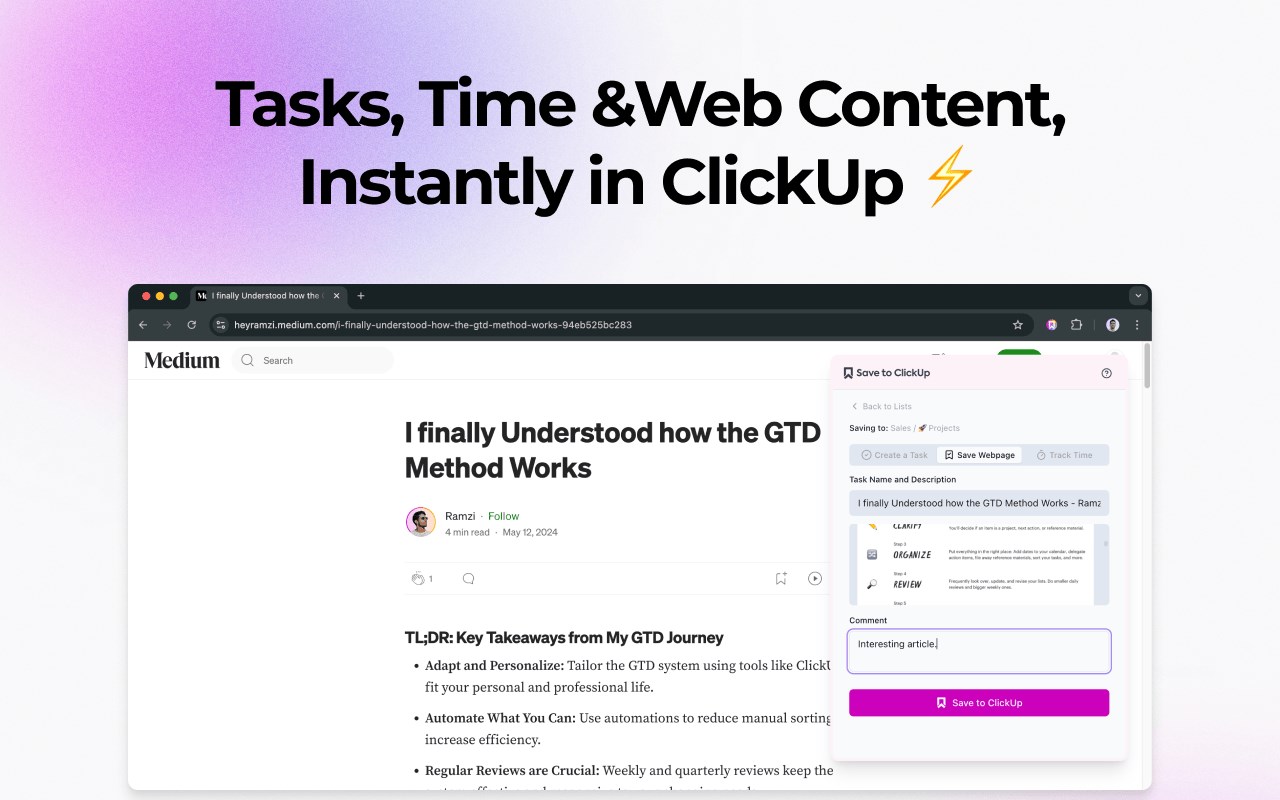
Save content directly to ClickUp tasks
✨ What It Does
- 📎 Save any webpage content to ClickUp tasks instantly
- ⏱️ Track time automatically or manually
- 🗂️ Organize content into your workspaces and lists
- 💬 Add custom notes and descriptions
- 🌓 Dark and light theme support
- ⚡ Fast and reliable performance
🎯 Perfect For
- Project managers collecting research
- Content teams gathering inspiration
- Developers saving code snippets
- Time-tracking professionals
- Anyone who wants to save web content to ClickUp
🚀 Getting Started
1. Install the extension from your browser's store
2. Connect your ClickUp account securely via OAuth
3. Start saving web content and tracking time directly!
💡 Key Benefits
- Save time by quickly capturing web content
- Track your work hours automatically
- Keep all your research organized in ClickUp
- Preview task descriptions before saving
- Streamline your workflow with cached data
- Collaborate better with your team
- Works seamlessly across Chrome, Firefox, and Edge
🛡️ Security & Performance
- Secure OAuth authentication
- Rate limiting protection
- Fast, responsive interface
- Reliable offline capabilities
Wanna know more: www.savetoclickup.com