
Weather Forecast - Weather Tab for Chrome
Extension Actions
Simple Weather report on your new tab!
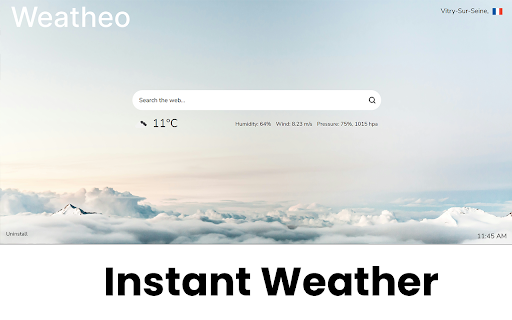
Receive weather updates from any corner of the globe with Weather Tab by Weatheo. Designed for a seamless and minimalist tab experience, My Weather Tab lets you access your local weather information as soon as you open a new browser tab. Plus, it enables swift searches directly from this new tab, ensuring you find what you need without hassle.
FAQ
How do I open a new tab in Chrome?
To open a new tab in Chrome, click on the plus icon (+) next to the last tab at the top of the browser window. Alternatively, you can press Ctrl+T (Cmd+T on Mac) on your keyboard.
How do I open a new tab next to the current tab?
In Chrome, when you open a new tab using the plus icon (+) or the Ctrl+T (Cmd+T on Mac) shortcut, it automatically opens next to the current tab. If you're using a browser extension that modifies tab behavior, refer to its settings for options to customize this.
How do I change the new tab window?
To change what displays when you open a new tab in Chrome, you'll need to use a browser extension like My Weather Tab. Once installed, go to the extension’s settings where you can customize the new tab page to your preference. This might include setting a particular theme, choosing which widgets to display (such as weather updates), or changing search engine settings.
Latest reviews
- support getsms.one
- Excellent!
- Steven Keycheap support team
- Exactly like advertised. Weather on your new tabs
- N
- I check the weather everyday without efforts . thxx dev :)
- --
- Finally found the best wearther tab. Simple and no ads