
iLanguageCloud
Extension Actions
CRX ID
jgnohfgfghkpfofkljhmikdpohajopan
Status
- Live on Store
Description from extension meta
Create, save, and share word clouds.
Image from store
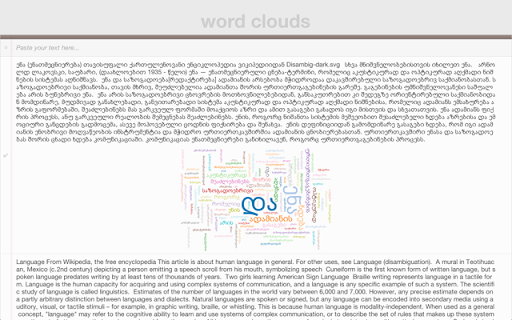
Description from store
Create word clouds with iLanguage Cloud. Paste text from a website or any another application. Full support for any language, and any unicode charset with no need to install additional plugins.
To vote for features or report bugs, check out our GitHub repository at http://github.com/iLanguage/iLanguageCloud
iLanguage Cloud uses Jason Davies' HTML5 D3 SVG word cloud layout engine, you can find his source code on his GitHub page: https://github.com/jasondavies/d3-cloud
Latest reviews
- Julio De Carvalho
- simple, practical, good for a quick insight
- Alicia Parker
- too confusing, no instructions, can't save
- Michelle Kerpash
- Does not allow you to save word cloud or change its color/font/shape
- Sonjanita Moore
- can't take a photo of it to use later confusing navigating
- Gail Byrd
- Doesn't work on Chrombook
- Judy Bryson
- I could not get it to work at all. No menu, no instructions.
- Melissa Prohaska
- Little support. How are you suppose to share with students if you don't offer a help option. This app offers so much more in Google Play. Too bad most of the education world is moving towards chromebooks and not Google Play tablets
- Iris Z
- It was alright... It only included a few of the many words I typed.
- Graham Telfer
- doesn't work at all. advertised to work with any language but fails with Japanese.