
Webpage to PDF
Extension Actions
- Extension status: In-App Purchases
Convert any web page or local HTML file into a PDF document that resembles as closely as possible what you see in the browser.
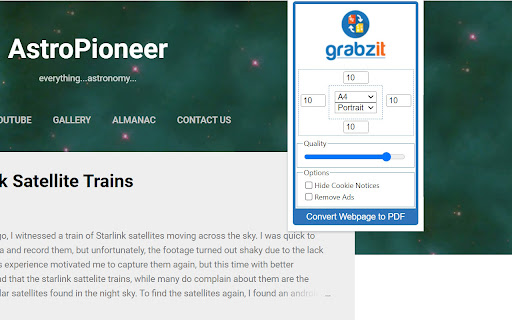
Quickly convert any webpage or local HTML file into a PDF document. This extension reads the content of the current web page and sends it to GrabzIt's API for conversion before automatically downloading it to your computer. The PDF conversion tries to make the PDF closely resemble the actual web page using the correct styling. You can even secure your PDF by setting a password for the document.
Once you have installed your extension just follow the instructions in the extension popup to sign up and get converting!
While using GrabzIt is and always will be free forever. After your automatic premium free trial expires you can optionally upgrade to hide cookie notices, increase your monthly allowance, and set headers and footers.
Latest reviews
- Santiago Jose
- Works great every time! The PDFs keep the original styling and layout very accurately
- Milana Denys
- Absolutely love this extension! Super easy to use — one click turns any webpage into a PDF exactly as seen in the browser.
- Willintin Anderson
- No login, no limits, just pure performance. Thank you, developer!
- Trogan Michael
- One click and done saves beautiful, searchable PDFs in seconds. Love it!
- Ahmad Abdulrahman
- Hobbyist collector: Converted vintage site replicas to PDFs. Handles local HTML files too—versatile and fun. Pure joy to use!
- Victor Artem
- As a grad student, I convert journal articles to PDFs daily this extension nails the styling without distortion. Signup was quick, and the free tier handles my needs perfectly. Crisp outputs every time!
- Sameer Khaleed
- One-click PDF magic! Works on any site I've thrown at it. Clean interface, no ads. Fantastic!
- David Bryan
- This extension exceeded expectations. Secure, high-quality conversions make it indispensable. Total winner!
- James Alex
- A must-have if you read a lot online and want to save articles or resources for future reference.
- Brain Jack
- Consistent and dependable. I've used it dozens of times; never had a failure. Highly recommend for anyone who saves web content.
- Asuka Nishimura
- Print-friendly and beautiful every time.
- Daniela Ricardo
- Hands-down the #1 webpage-to-PDF extension. If you ever need to save a web page exactly as it appears, this is the only tool you need. Install it now — you won’t regret it!
- Bryan James
- Dependable extension. I’ve used it multiple times and it always delivers a usable PDF.
- Clara Lea
- Great tool for archiving web content. I now have offline PDFs of important articles.
- Extropian Transhumanism Transcend
- have to login to use
- Ashley Hamer Pritchard
- Got the first page right and then filled the rest with large gray boxes