
Black Menu for Google™
Extension Actions
The easiest access to the Google universe with Gemini AI and sidebar support
Black Menu for Google gives you quick access to your favorite Google services with a convenient drop-down menu that lets you use Search, Gmail, Translate, and many others without leaving the page you’re on. Click on menu items to get a small windowed preview or click on the open in new button on the right to open them in a new tab.
Customize the menu by pointing at ‘Add’ and dragging/clicking the services you want from a comprehensive list of services. To remove services, drag them to the right to remove them.
Access these and more with Black Menu for Google:
Google Search. Quickly search the web or switch tabs to search for images, books, news, etc.—all within the mini window.
Google Translate. Type or paste text into the box to get a quick translation for that comment you received in a foreign language. View your translate history and save your favorite ones.
Google Maps. Find the next restaurant to try out by using the mini map that has search, Street View, and layers for satellite, traffic, public transport and cycling.
YouTube. Watch popular videos or those recommended to you. Do a search and filter the results to find that one video you wanted to share. Sign in to find useful shortcuts at the bottom.
Google News. Read top news from your locale or any country you choose. Also browse sections like World, Business, Sci/Tech and Entertainment. Use search to find news about any topic.
Gmail. Get a full-featured Gmail inbox to check or send mail from. Reply to colleagues, edit labels, forward emails, or archive them—do almost everything Gmail can do right from the menu.
Google Drive. Browse folders or search for files in a nice familiar layout. View your documents as a list or see images in a grid view. Click the add button to upload files or make new ones.
Google Calendar. See your upcoming events summarized in a list. Toggle which calendars you’d like to see from the side drawer or just search for specific events.
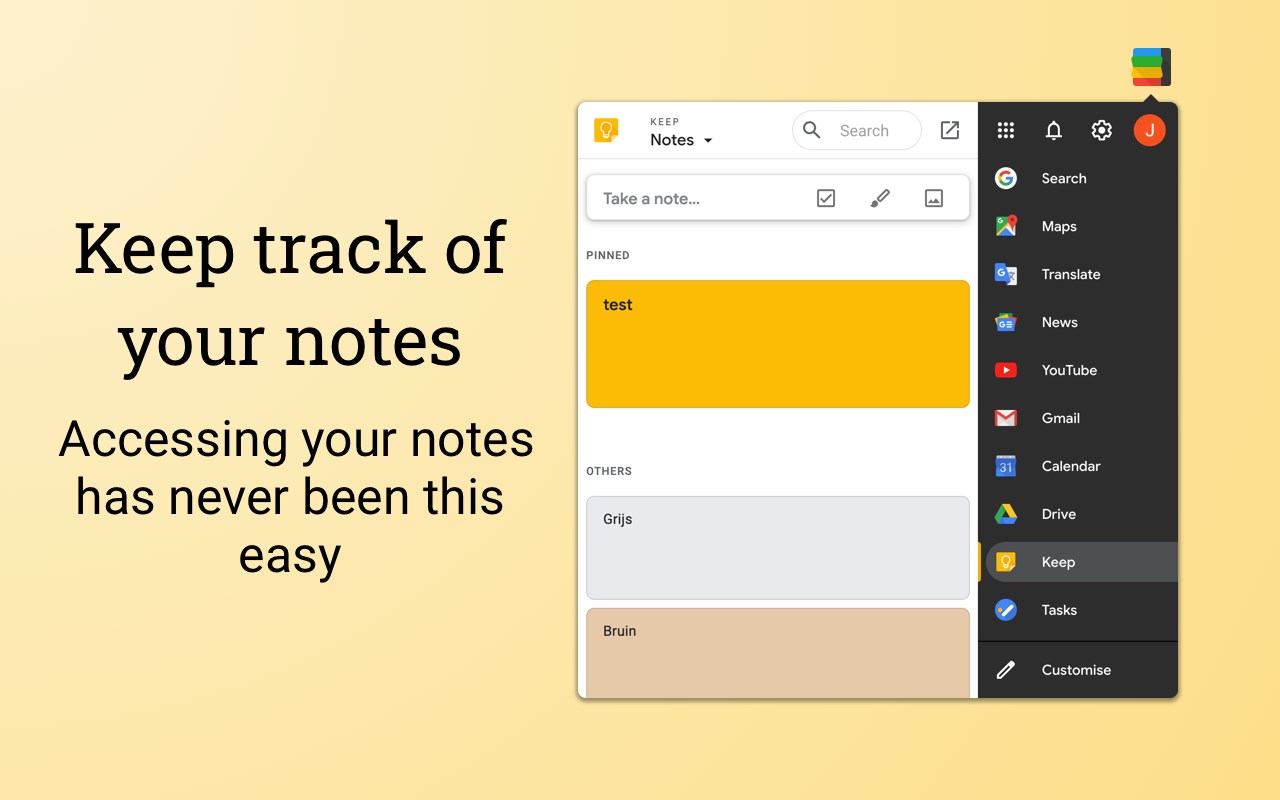
Google Keep. Create lists, reminders, or paste snippets from the web. All your notes are here, including archived ones. Organize and rearrange them as you want.
Apps page. Access shortcuts to common (and obscure) Google websites like Google Contacts, Google Groups, Google Art Project, Google Follow Your World and 1000+ more!
Right click the Black Menu icon to send me feedback, suggestions, or to report a problem.
Latest reviews
- brandon
- https://monica.im/share/bot?botId=gemini_3_pro_preview_think
- Seiscentos
- Funcionou perfeitamente até a última atualização. Agora, quando clico sobre o ícone, não aparece a lista de atalhos que eu personalizei para ficarem visíveis. Passei a usar o G App Launcher no lugar, mas confesso que o Black Menu é mais interessante de ficar fixado na barra de ferramentas do meu navegador (Edge). Espero que consertem isso na próxima versão.
- Paul
- turned into a piece of ****
- keven
- Just Perfect, complete the only thing missing in the Edge! Maravilhoso, completa a única coisa que falta no Edg, os atalhos das ferramentas google
- ilija
- generally i am very satisfied with this extension, very useful and very convenient.... i am using it for a few years already and i am planning to keep using it in the future.... however, after latest update i am unable to see my gmail emails in the extension.... does anyone else have that problem and were you able to fix it?
- Lukáš
- Zatím to nejlepší na využívání Google služeb v MS Edge. Velký dík yvývojáři.
- Karim
- Very nice 👍
- Micki
- バージョンアップした後にその旨を通知するタブを開かないでください
- Gabriel
- Muito versátil, se tornou a minha principal extensão. Permite acessar rapidamente sites e apps do Google sem a necessidade de abri-los numa nova página com um ótimo design em pop-up.
- Gary
- 这个插件太好用了吧~~~
- Evan
- 这个插件太好用了吧~~~
- Cecil
- 这个插件太好用了吧~~~
- Cary
- 这个插件太好用了吧~~~
- Bert
- 这个插件太好用了吧~~~
- Lan
- 5c5810fd.weaksharedptr.com注册送永久流量的,专线支持GPT,可以试试,节点多,又快又稳,晚高峰看8K视频完全不卡!(手机电脑全平台互通)
- David
- 谷歌翻译效果很差,调用的不是真正的谷歌翻译,是一个免费的山寨版垃圾翻译
- Ferran
- Extensión obligada. Tienes todo el universo Google a un click, se puede personalizar al gusto y tiene mucho mantenimiento. Está extremadamente lograda.
- Ethan
- Was looking for a simple extension to access google keep and this does that perfectly and more. I highly recommend it.
- Arkhip
- В браузере Edge не происходит авторизация в Google!
- Teeranai
- make my life easier
- Jinhong
- Google keep會顯示 "403. That’s an error.We're sorry, but you do not have access to this page. That’s all we know."
- Marco
- Ottima... oserei quasi dire indispensabile per chi usa le applicazioni Google ma non vuole usare Chrome.
- Haggerty,
- Lol installed from chrome web store on chrome and chrome and edge on edge so I have 2 identical extensions. Great though!
- 대영
- 딱 필요로 하고 있던 기능입니다.
- sergious
- THIS ITSELF IS A SMALL BROWSER.. EXCELLENT TOOL !!
- Niels
- Edit: Developer has responded and fixed this issue lightning fast. 5 Stars well deserved. --- Works like a charm! However, I cannot get the Google Mail function to work. It keeps telling me "No offline messages", I think this might be a bug. When that is fixed, definitely a 5 star app!
- Feng
- There is no better extension
- Nick
- A must have extension!
- Tomy
- The left panel could be a little wider, but basically a very good accessory. I've been using it for a long time.
- brian
- Simply perfect.
- TechRebel
- first thing i installed when moving to edge lel
- Guillermo
- I use it everywhere I'm working on, and that includes different browsers and os.
- Bertino,
- Excellent application!
- Angelica
- I LOVE THIS!!!!
- Andres
- An easy way to access to google services from Edge without see these annoying "install google-chrome" banner e_e
- Kenn
- This is one of 2-3 extensions that I always install as soon as I get on a new computer or different browser account. Extremely handy.
- REACH
- NICE NOW...