
Blue Marble
Extension Actions
Professional template overlay system with drag & drop interface and persistent storage for pixel art.
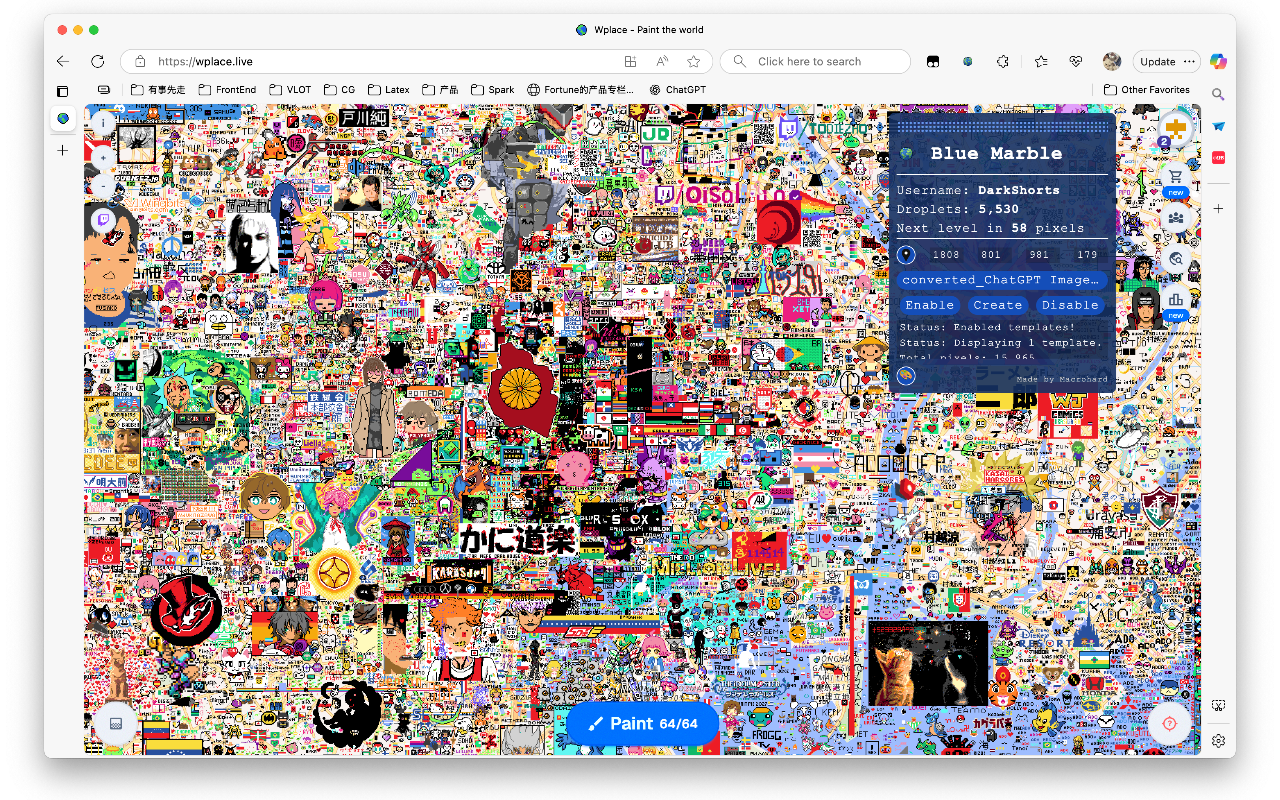
Transform your wplace.live experience with Blue Marble, a professional template overlay system designed for pixel art creators.
Key Features:
🎯 Template Management
- Upload and manage pixel art templates with pixel-perfect precision
- Automatic coordinate detection when clicking on the canvas
- Real-time template positioning and scaling
🖱️ Intuitive Interface
- Drag & drop overlay that can be moved anywhere on screen
- Clean, modern UI with collapsible panels
- One-click enable/disable functionality
💾 Smart Storage
- Templates saved locally in your browser
- Automatic backup and restore capabilities
- No account required - your data stays private
🔄 Real-time Features
- Instant coordinate synchronization
- Live template updates as you work
- Seamless integration with wplace.live
🎨 Creative Tools
- Built-in access to color conversion tools
- Support for various image formats
- Optimized for pixel art workflows
Privacy & Security:
- All data stored locally on your device
- No external servers or data collection
- Manifest v3 compliant with modern security standards
- Open source and community-driven
Usage:
1. Install the extension
2. Navigate to wplace.live
3. Click on the canvas to get coordinates
4. Upload your template image
5. Click "Create" to overlay your template
6. Use "Enable/Disable" to toggle visibility
Perfect for pixel art communities, collaborative art projects, and creative expression on wplace.live.
Note: This extension is not affiliated with wplace.live. Please ensure compliance with the site's Terms of Service and community rules.
Latest reviews
- Shengjie
- Bravo!