
Windowed - floating Youtube/every website
Extension Actions
Changes fullscreen buttons to go into a popup. Works for every website that uses fullscreen, including Youtube, Vimeo, Netflix
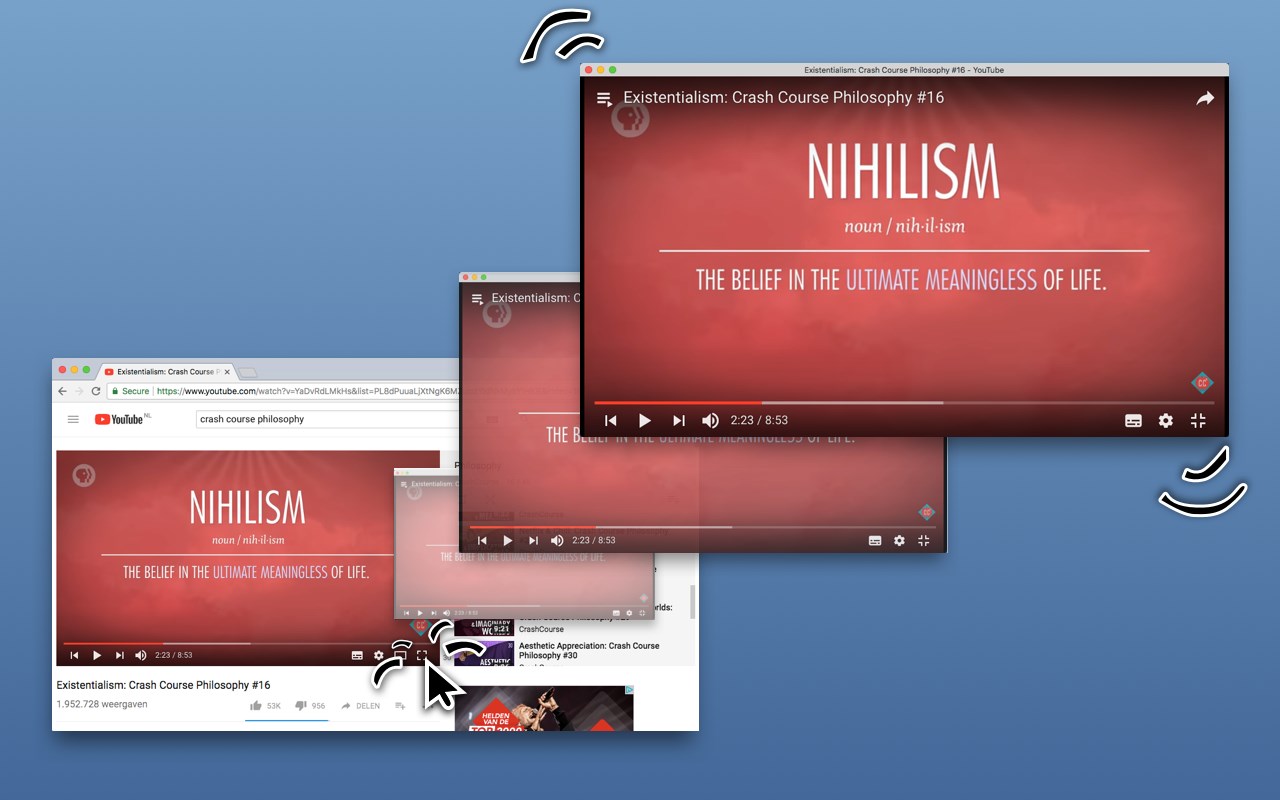
Changes fullscreen buttons to go into a popup. Works for every website that uses fullscreen, including Youtube, Vimeo, Netflix
Changes fullscreen buttons so they will put a window around the fullscreen app. This allows you to put a Youtube video about a subject next to the paper you are writing or watch a show on Netflix while chatting. This extension will not reload the video you are watching, nor use some custom controls: it puts the website in its own fullscreen mode.
It will present you with a small menu when you click fullscreen, so you can choose to go fullscreen or windowed.
Confirmed to work (and yes, I put them here in the hopes people searching for these websites will get here):
- Youtube
- Embedded youtube even
- Netflix
- Twitch
- Voot.com
- Vimeo
- NFL Gamepass
- Internet Archive
- Facebook
- Most other websites...
Does not work on
- Flash videos (these are outside of the scope of browser extensions, I tried really hard)
- Videos with native html controls (as they use native fullscreen, not javascript fullscreen)
It is possible there are websites where this does not work, even though they are not flash. If you happen to find one, please let me know! :)
Source code: https://github.com/dralletje/windowed
🤨 🤩 🤤 🧛🏻♂️ 🦄
Michiel Dral
Latest reviews
- Scul
- This extension is fantastic! it does what I was looking for, to show in my case only the youtube videos windowed with no browser information.
- Joshua
- Does exactly what I wanted it to do. I really wish Edge would add this as an option in the browser. Great for my setup, since I have one curved monitor.
- Rick
- Very useful tool for giving control over video windows; pop it out, resize how you want.
- Cyril
- awesome !
- 박성빈
- You deserves more users. This extension is insane
- liz
- GOD LIKE
- Gary
- A very useful and flexible tool to help manage how videos appear when you press the full screen button.
- Cristian
- Best one out there. Especially with the implementation of fullscreen into a popup. As this retains all video controls unlike other PIP addons which only have play/pause. Always come to this with every windows install. Installed both on Edge and Chrome
- Carlos
- almost perfect should be added a way to customize which options show when i chose the ask option and the others screen modes should all be able to leave with esc button
- David
- YOU'RE THE BEST! This plugin is a must have for me. Thank you.
- ■□
- Beware: 113+ can no longer by-pass the built-in PiP button's.
- Gigi
- I love it but it bothers me when the context menu becomes white when using DarkReader extension
- Stephen
- Exactly what the rest of the apps are trying to do but better!
- Bendimered,
- The best and most complete plug-in for video
- Alex
- One of my most-used extensions. Works great on YouTube TV. I also use it extensively while studying for school. It allows me to easily place my lecture videos next to any homework or papers I'm writing.
- Mackson
- the only one that worked in Star+ for me
- Thamisa
- Really works! Thanks! My life will be easier now.
- Юрій
- Superb! It's perfect!
- Marco
- I love this extension, I really wish there was a way to enable the "window mode" by default on every website (maybe it's already present but I haven't been able to find it)
- Олесь
- Love your extension. Use it everyday for years. Unfortunately I've found one issue. This extension doesn't work as expected with sites that were installed as an app. After exiting in-window mode the site stops working as an app and starts as a tab. Can this be fixed?
- Juan
- Working with multiple screens it's the only tool I've found useful to have multiple streams with no bezels
- Mikael
- Just what I was looking for. Makes videos pop-out to you desktop.
- Andrew
- Holy **** thank you SO MUCH. I've been looking for something like this ever since I switched from Mac. Can finally watch side by side full screen videos. Works amazingly.
- wang
- VERY GOOG hope add all page siting
- Paddy
- Fantastic! works perfectly and allows exact re-sizing
- Andreas
- Really cool, searched a while for finding this tool! Works even fine on twitch!
- Zhen
- not funtion
- Rob
- Perfect, exactly what I needed!
- Chad
- Been using this a couple weeks, works great.
- Didiek
- no option for always on top another windows?
- Mohymenul
- its does not work
- Blake
- I'm using this with Stadia and can confirm it works. You may want to put 'Stadia' in your 'Confirmed to work' key-word list. I appreciate the extension, saves me from having to do it myself!