
TranslateSetting
Extension Actions
CRX ID
kfgcdfhmodedolojlfmnpkdlnaaboiee
Description from extension meta
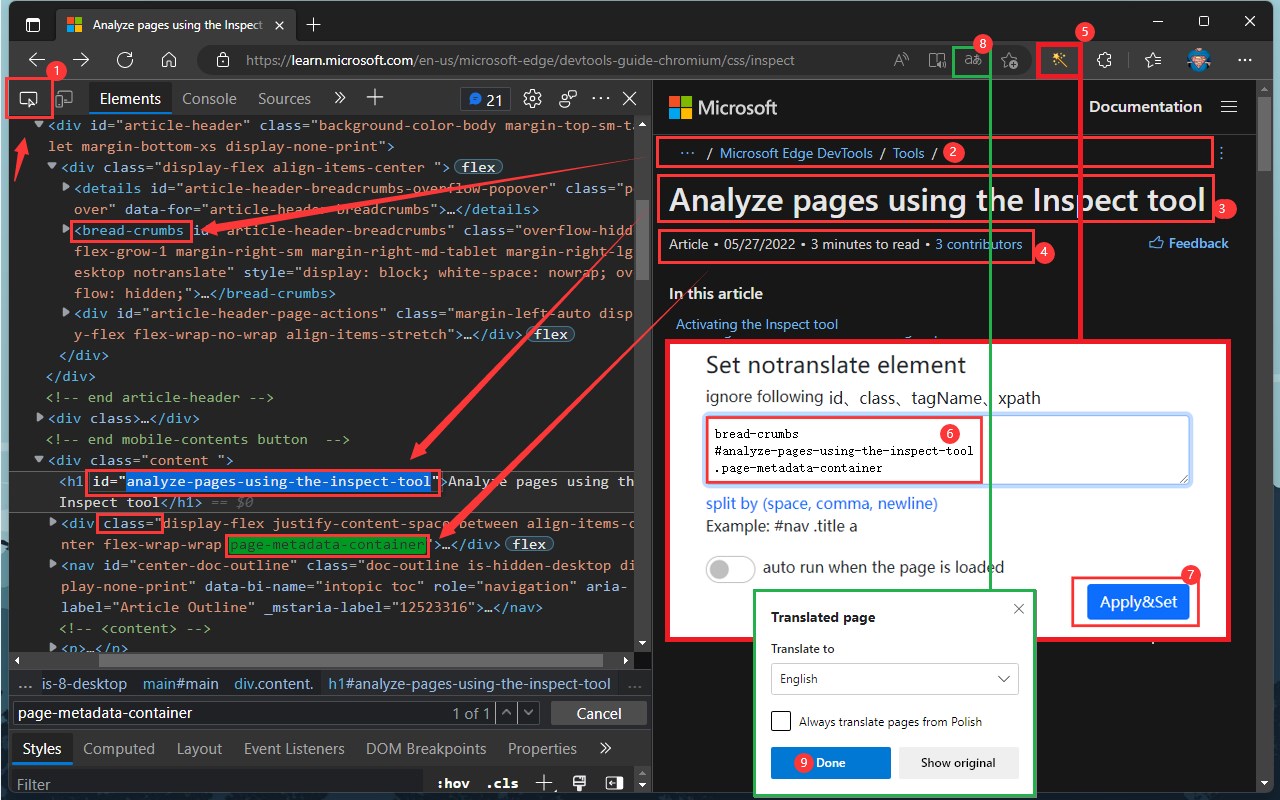
setting skip translation
Image from store
Description from store
The extension can be set to skip the specified text translation of the page.
https://learn.microsoft.com/en-us/microsoft-edge/devtools-guide-chromium/css/inspect
To try out the Inspect tool:
1. Open the Inspect Demo page in a new window or tab.
2. Right-click anywhere in the demo webpage and then select Inspect, to open DevTools.
3. In the upper left corner of DevTools, click the Inspect tool (Inspect tool icon.) button. Or, when DevTools has focus, press Ctrl+Shift+C (Windows, Linux) or Command+Shift+C (macOS).
4. In the rendered webpage, hover over items and watch the information overlay and grid highlighting.
5. Click an item in the rendered webpage.
6. Then follow the screen capture.
Latest reviews
- Winds
- nice,期待下个版本添加新功能。