
HD BrowserRedirection Extension
Extension Actions
Allows to redirect Browser Requests to a client through TCP, RDP Channel or ICA Channel.
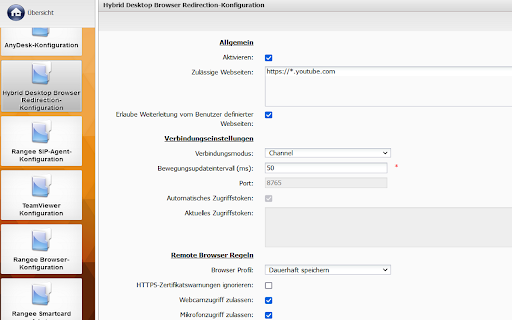
This extension redirects webpages in common remote session protocols running on Clients with HD BrowserRedirection server component installed.
The website is rendered locally on the Client system which allows a native browsing experience.
It is also possible to access webcams and microphones connected to the Client without the use of any additional redirecting protocols.
Requirements:
- HD Browser Redirection installed and licensed on the Client system
- (optional but recommended) HD Browser Redirection Connector App on Serverside
- (optional) HD Channel Agent + Addon Channel (currently available for Citrix ICA)
HowTo:
- https://kb.rangee.com/HowTos/Allgemein%20-%20HybridDesktop%20Browser%20Redirection/
Release Notes:
Version 1.2.0.0
- Added seamless integration mode
- Optimize configuration exchange between addon and connector app
Version 1.0.0.6
- Optimize configuration exchange between addon and connector app
- Added a reconnect retry for lost connections each 5 seconds
Version 1.0.0.5
- Added channel communication support (currently only ICA)
Version 1.0.0.4
- Added option which allow to define a list of websites to redirect for the end user
- Added the option to redirect the current website with a click on the extension icon
- Optimized detection of the browser redirection server state
Version 1.0.0.3
- Removed version missmatch warning in options dialog
Version 1.0.0.2
- Added support for moving a tab from one to another window
- UI changes in redirector background page
Version 1.0.0.1
- Minor UI changes in options dialog
- Send a update position request 2 seconds after a redirected tab is requested.
Version 1.0.0.0
- Initial Release