
Web Bear Search
Extension Actions
CRX ID
khoapclcikhbeaggmmfcnckcnhfniijj
Status
- Live on Store
Description from extension meta
Change default search engine to make Web Bear Search your default search in Chrome browser omnibox.
Image from store
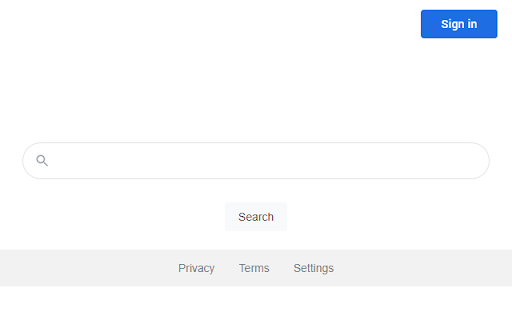
Description from store
The "Web Bear Search" extension allows you to quickly and more efficiently search for the desired text directly through the address bar (omnibox) in the "Web Bear Search" engine.
Features of "Web Bear Search" extension:
- Fast and simple installation
- Free and safe Google Chrome extension
Terms of Use: https://webbearsearch.com/terms.html
Privacy Policy: https://webbearsearch.com/privacy.html
By click on the "Add to Chrome" button and installing the "Web Bear Search" extension, you are agreeing to install this extension, you are agreeing Privacy Policy, and you are agreeing Terms of Use.
Latest reviews
- Nolan Hartnett
- malware, no idea where I picked it up. I was wondering why my google chrome looked so weird. Didn't find out that this extension had snuck its way in until I went into settings to see what was going on.
- Ollie Bentley
- Malware. do NOT install.
- Damion Dam
- If you are like me and got this from a malware browser hijacker once you remove it (delete it) chrome://settings/reset and reset your browser to remove the negative affects. It will reset some of your setting but it's the fastest easiest way to get rid of everything. or you can do it manually like rest your default search engine and everything.
- Kenny Kennth
- This is malware. I never installed this, and it just randomly showed up on my Chrome. It showed up, and when I searched up how to get rid of it a bunch of people talking about malware were the result. Do not install. Ever, or if you do, try your best to warn people.
- Nick Leggio
- This has been stuck on my computer for almost a month now, and I can't get rid of it. When I turn it off in extensions, it still works, when I delete, it still works, and it keeps showing up on my computer. Web Bear installed itself onto my computer, and has began to infect my school account. If anyone gets this, delete it immediately.
- Milo
- This is malware, it installs itself. What you should do is go to your extensions to remove it then go into delete browsing data and press cancel as this will now lead you into your settings. Next you want to press on 'Search engine', press 'Change', and click on google. Now you have the Google search engine back. Done? Great. I recommend you go into 'Manage search engines and site search' and press on the three dots beside Yahoo to delete it.
- Freeman Scott
- Installed itself and started googling java script on Yahoo. Straight up Malware
- Bob-omb boy
- I rate it one star because I can't write a review that's lower. It installed itself on to my chrome account and then onto my mom's, my dad's and my brother's chrome accounts and then onto my business chrome account and then on to my youtube channel chrome account which I use the most often and it's probably coming for my PSA youtube chrome account next!!! This is just malware and should be slaughtered by the Google extension people.
- Joshua Shackleford
- malware that i've previously uninstalled and it reinstalled itself again. you're scum!!!
- Yuh
- I love Web Bear. It tells me to make a casserole before it comes home. Web bear sees the burnt casserole and beats me. I can't get rid of this stupid malware. It tells me that if I try anything it will beat me more. Help me. I want this stupid thing off my browser forever.
- Emma
- i just randomly saw it on my chrome,and i did not install it.
- Long John Silver
- hello I use this app for while now it help me find where I need to go. it work better then my slaves in backyard. super good to use it good quality app. fr though this is just malware that installs itself on your browser.
- Sean Subires
- Malware - It has installed itself on all my chrome browsers
- ??
- MALWARE!!! Installed itself.
- Julia Brown
- horrible malicious malware it installs it self and is nearly impossible to get rid of i don't know what to do this extension records private info
- Lee Schmucker
- worst thing ever installs it self and if i uninstall it i cant use chrome this is so aggravating.
- Maylani Cornier
- this extension installed itself and after getting rid of it, it is still on my chrome and i am incredibly frustrated that i can't find anything about how to remove it
- Channel of Random
- installed itself
- nightmares626 “nightmare”
- i didn't install this.