
Video Downloader professional
Extension Actions
Download online videos in various formats and from any websites.
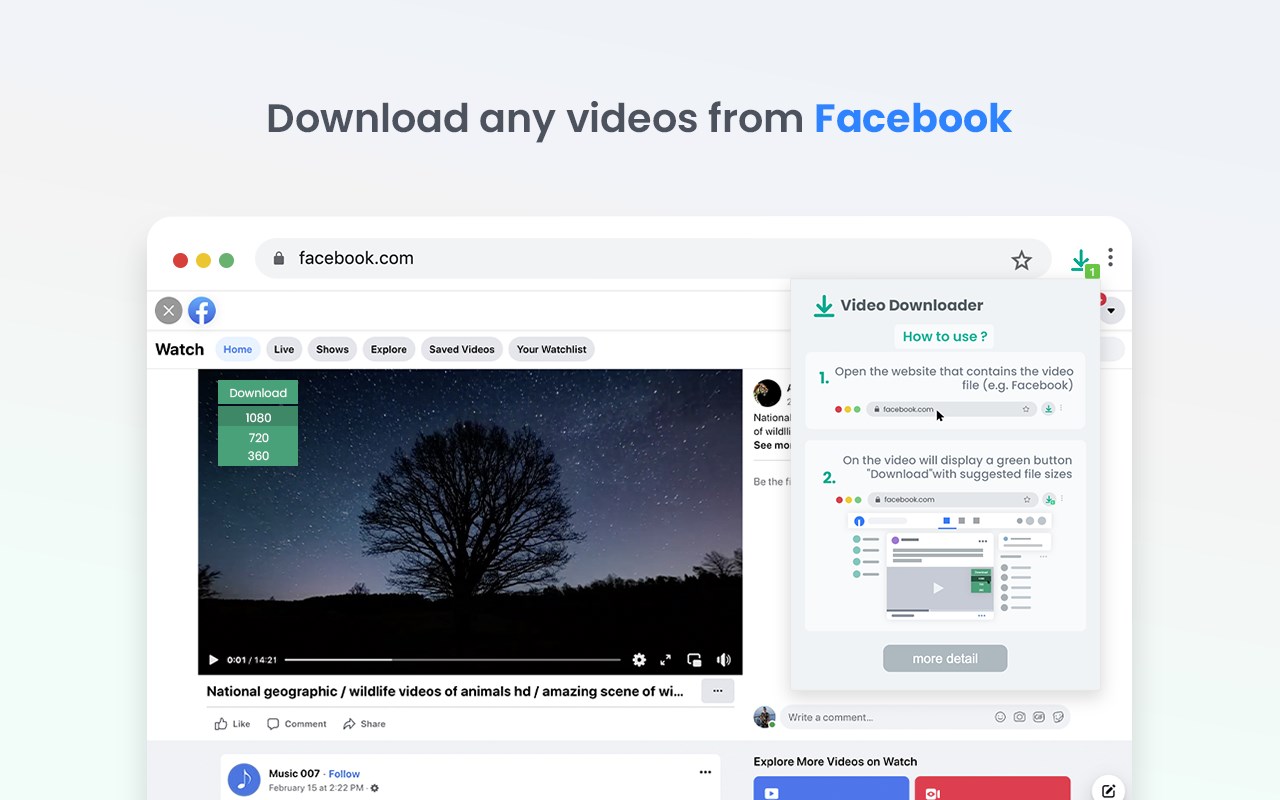
Watch favorite moments with friends or show useful guides to business partners even if you aren't online. Save interested video files to review them later on your PC.
You can try Videos Downloader professional and notice the difference! Use extension for free without any registration. Save in different available formats and qualities according to your needs.
How video downloader works?
- After installing the extension, go to a website that contains video resources.
- All available video files that are on the page will be detected by the extension. Once found, an number mark is shown on the extension icon indicating that media file is available for download.
- A green Download button will appear on the video itself, along with all the available video file sizes.
- You just have to choose the size of the video you want to download.
- Nothing complicated!
Video Downloader provide you an easier way to find out where the actual media file is located on the server.
We really hope that our Video Downloader will be useful to you! We look forward to your feedback and ratings! Also write your suggestions for improving the functionality.
Latest reviews
- robert
- No green button on video in either of the tube sites i tried it. Does not work.
- David
- No download icon displayed either in or below Youtube videos. This may be Google's doing, but they need to add info about it now working in their store page if that is the case.
- John
- If zero stars were a choice I'd give that rating. It doesn't do what is says. There is no download button with file sizes appearing when I play a video.
- Rory
- Doesn't work, so I will be uninstalling, and using an extension THAT WORKS. Useless junk.