
SAP Improvement Request Lookup
Extension Actions
CRX ID
lccihiiinckoagocachopnjpcojkkjnl
Description from extension meta
Look up an improvement request by its ID in SAP Customer Influence portal
Image from store
Description from store
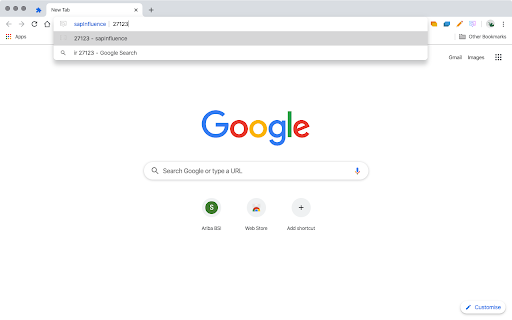
Extension enables you to look up an SAP Improvement Request on the SAP Customer Influence portal by the Improvement Request's ID. Usable in two ways:
1. Click on the extension icon which prompts you for the IR#. If the provided text is a numeric string (as it's the ID), you're taken to the Improvement Request on the Customer Influence portal.
2. Using the browser address bar (omnibox), you can use the extension's keyword "ir". After typing "ir" press space to tab and simply enter the Improvement Request ID in the address bar. If the provided value is valid, you're taken to the Improvement Request on the Customer Influence portal.