
Webpage to DOCX
Extension Actions
- Extension status: In-App Purchases
- Live on Store
Convert any web page or local HTML file to DOCX.
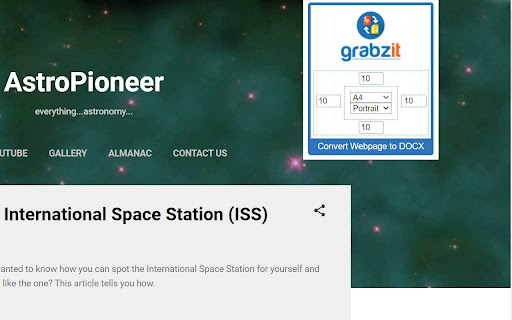
Quickly convert any webpage or local HTML file to a DOCX document, that can be opened in Microsoft Word and other applications. This extension reads the content of the current web page and sends it to GrabzIt's API for conversion before automatically downloading it to your computer.
Once you have installed your extension just follow the instructions in the extension popup to sign up and get converting!
While using GrabzIt is and always will be free forever. After your automatic premium free trial expires you can optionally upgrade to hide cookie notices, increase your monthly allowance, and set headers and footers.
You can even secure your DOCX by setting a password for the document.
Latest reviews
- Sebastian Elvio
- fast conversion and the DOCX files look exactly like the webpage.
- Jayden Aaron
- Love that I can password-protect DOCX files before sharing.
- Aligah Gabriel
- Tried others, but this one's the winner. Clean, quick, and reliable.
- Aisha Lordy
- My go-to for saving web research.
- James Alex
- Pure genius! Effortless DOCX creation from any site. Love it
- Aristide Berenger
- Had a small question—dev replied in under an hour and added my requested feature in the next update. Amazing!
- Alisa Narawit
- I used to manually copy text and images into Word. This extension does it perfectly with one click. Lifesaver for research!
- breezy Santiago
- If you care about privacy — having to send page content to an external API for conversion may be a deal-breaker.
- Simon Frank
- After the free (trial) period ends, some nice-to-have features — like clean conversion (without cookie-notice banners), headers/footers, secure DOCX output — may require paying or subscription.
- Fela Kuti
- The fact that it supports password-protected DOCX output is a nice bonus. Good for sensitive documents or sharing securely.
- Avery John
- Clean formatting and fast download.
- Wang Liu
- Super clean and no ads. Highly recommend!
- Paul Conrald
- This extension is a lifesaver! I was tired of manually copying webpage content into Word docs. Now, one click and it's perfectly formatted in DOCX.
- Adam joud
- Really useful for research — I converted several pages and now have editable docs instead of PDFs.
- Zachary Stewart
- Great tool for capturing web content. I downloaded a report and opened it directly in Word — no fuss.
- John Smith
- Very useful for archiving webpages. I often need offline copies of tutorials and Webpage to DOCX handles them beautifully.
- Saint Musty
- I clicked one button and had a .docx in seconds.
- GEDEON Blaine
- Great productivity boost!
- Henry Leeon
- Very handy tool. Saved me hours when preparing reports from online sources. The formatting stayed intact.
- Sergey Lucktinov
- Free version has a logo on every page multiple times and the layout all messed up. Hard pass, there are better options.
- TK
- It doesn't work, it doesn't save anything
- Bambang N Karim
- Install and when I am about to use it they require to sign-up ...forget it, Uninstall
- Ryan
- This is NOT free. They want you to pay a subscription to use this.
- Calvin Zou
- Free and quick, great tool
- Calvin Zou
- Free and quick, great tool