
Youtube Enhancer
Extension Actions
Activate this extension with color options, instant 📸 screenshots, extended skip time, and video adjustments in one click
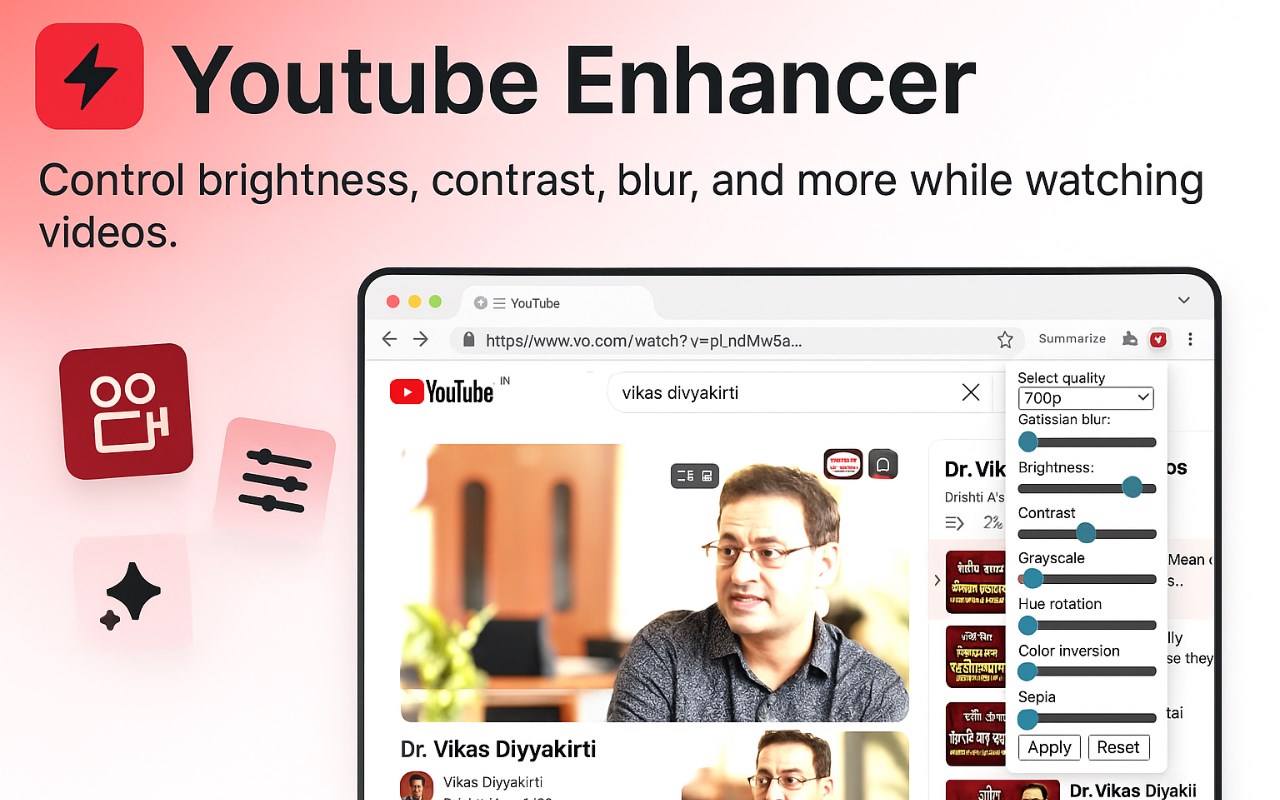
Activate this extension with color options, instant 📸 screenshots, extended skip time, and video adjustments in one click
Tired of the same old YouTube look? Install YouTube Enhancer Edge extension which can change your way of watching YouTube videos. 📺 After installing, you will find the color options below the video player and the "Click Me Screenshot" feature for instant capture. Enhance functionality by expanding skip time to 20 seconds with a control button press plus forward button press.
With a click on the extension icon, you will have a pop-up menu, giving you the option to adjust the brightness, contrast, and video quality. Tune in to a YouTube experience that suits your specific needs and is highly flexible, letting you enjoy every moment of your viewing experience 🎉🎥
Key Features of YouTube Enhancer:
Color Options: Customize YouTube with various color themes.
Instant Screenshots: Capture moments with a single click.
Extended Skip Time: Skip ahead 20 seconds effortlessly.
Video Adjustments: Modify brightness, contrast, and quality.
User-Friendly Interface: Convenient pop-up menu for quick adjustments.
How to Use:
1. Install the Extension
Open the Microsoft Edge Extension Web Store.
Search for "YouTube Enhancer" extension
Choose "Get" and accept installation.
2. Activate and Access
Once installed, open YouTube in your browser.
Click on the extension icon in the Edge toolbar.
3. Customize Viewing Experience
Below the video player, find color options for customization.
Utilize the "Click Me Screenshot" feature for instant captures.
Skip ahead 20 seconds using the control and forward keys.
4. Adjust Settings
Click the extension icon to access a pop-up menu.
Adjust brightness, contrast, and video quality according to preferences.
Explore advanced functions to further customize your YouTube experience.
Who Would Find It Useful:
The YouTube Enhancer Edge extension is designed for a wide range of audience, such as students, workers, and people who enjoy YouTube for fun, just to name a few, who are looking to have a personalized and productive time on YouTube.
Why It's Useful:
This extension has made YouTube viewing a whole new level by offering the option of changing the color, taking a screenshot instantly and skipping the video for a longer time, which is all possible through the user-friendly interface. It improves efficiency and satisfaction; therefore, it fits people’s tastes better and better.