
Autentificering
Extension Actions
CRX ID
lmgcaapealdjjpinfhomnnjahhgbhoge
Status
- Live on Store
Description from extension meta
Authenticator genererer to-faktor autentificeringskoder i din browser.
Image from store
Description from store
Walrus Browser Extension
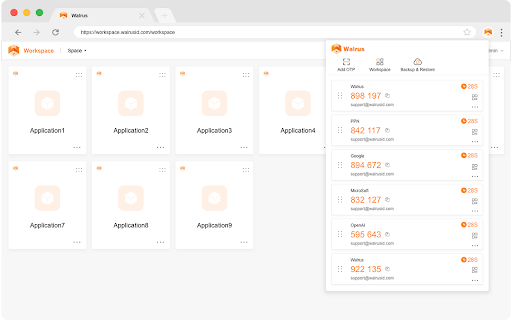
Walrus Browser Extension protects your passwords and securely sign into all your business apps. Easily add OTP by scanning QR codes, simplifying your two-factor authentication process. Save passwords for auto sign-ins to apps.
With the Walrus Browser Extension you can:
*Easily add OTP by scanning QR codes, simplifying your two-factor authentication process
*Automatically sign in to your business apps with just one click
*Easily access your Walrus workspace apps
You need a Walrus account to use the save passwords and auto-login feature. If you cannot access your Walrus account via Walrus Browser Extension, please contact your Company admin.