
Sidebar Bookmarks
Extension Actions
Includes features such as private bookmarks, import and export, encrypted synchronization and more.
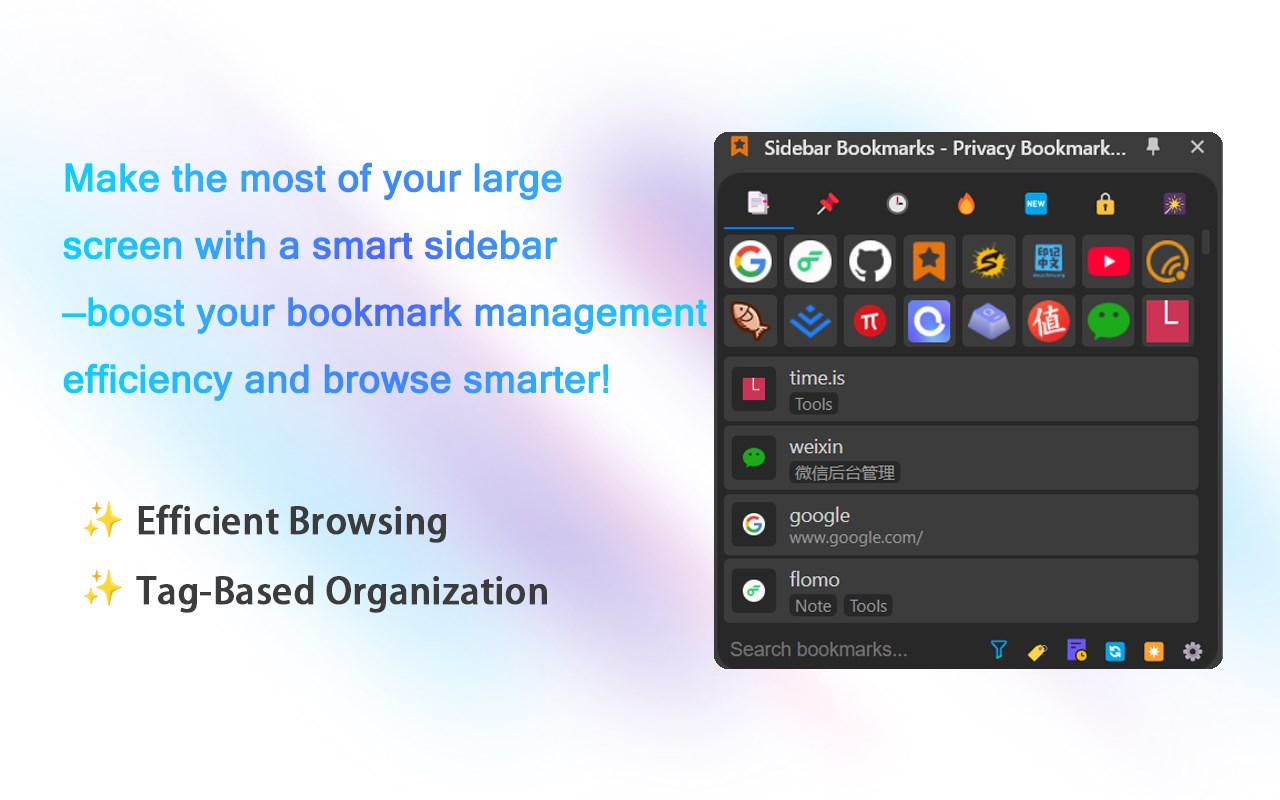
The sidebar bookmark plugin offers the following features:
🆕 Smart Bookmark Analysis: One-click data statistics and automatic cleanup of redundant content for a well-organized bookmark collection.
⭐️ Tag Support: Easily assign tags to bookmarks and filter by tags for better organization.
⭐️ Tag-Based Management: Flexible tag addition, making classification and filtering effortless.
⭐️ Smart Associations: Automatically suggest related bookmarks based on the current webpage, connecting your content efficiently.
⭐️ Quick Access: Pin bookmarks and display them with icons for a more intuitive browsing experience.
⭐️ End-to-End Encryption: Full encryption protection throughout, ensuring data security.
⭐️ Private Space: Independent encrypted folders for isolated data management.
⭐️ Cross-Device Sync: Seamlessly sync across multiple devices, ensuring data is always up to date.
⭐️ Cross-Browser Support: Compatible with all major browsers, ensuring bookmark syncing is not restricted.
⭐️ Backup and Restore: Support for encrypted data import/export, making backup and restoration easy and secure.
⭐️ Dual Protection: Two layers of security—password and encryption—building a robust defense for your data.
⭐️ Smart Sidebar: Fast bookmark access and real-time management, enhancing browsing efficiency.
⭐️ Browsing History: Automatically records your browsing history for easy access and review of key content.
⭐️ Usage Analytics: Intelligent analysis of frequently visited sites, optimizing your bookmark layout.
⭐️ Real-Time Updates: Instant notifications when new bookmarks are added, keeping you updated on your latest collections.
⭐️ Full-Text Search: Millisecond-level search speed, quickly locating your target bookmarks.
Make the most of your large screen with a smart sidebar—boost your bookmark management efficiency and browse smarter!
End-to-end encryption and private protection—double the security, manage your bookmarks with peace of mind!
One-click analysis and cleanup—streamline your bookmarks, keep your collection perfectly organized!
Smart recommendations and browsing history, seamlessly match bookmark content and easily trace key information for a more efficient browsing experience!
Two ways to open the extension sidebar:
1. Click the extension icon. You need to "pin" the extension to the browser toolbar.
2. Use the shortcut key. You can set the shortcut key by yourself
edge://extensions/shortcuts,Default is "Alt+B".
*** This extension includes a one-time purchase for premium features with lifetime access.
Latest reviews
- Dirk
- I find this pretty bad.. Lots of features i don't imagine many (if any) people would use. A simple TreeView would be preferred, but the root is the Favourites Bar + Other Favourites all dumped into 1 list .. Ctrl+Shift+O from built-in Edge is better.
- 曼生
- 搜索框那边输入英文单词只能是小写,大写都搜索不出来。以及能不能设置打开插件默认聚焦在搜索框上,这样方面搜索,不需要移动鼠标点击搜索框。
- Elent
- “支持多台电脑通过账户同步数据”——多台电脑如何同步数据?没有找到入口。
- ok
- 建议: 1.鼠标右键导出文件夹为txt html单文件。 2.添加的网页图标希望可以自定义url,300x300的大小 能有设置选项。 3.拖拽添加网页或图片。
- Richard
- 标签图标应该美化一下,略丑,还有再次打开边栏,上次打开的文件夹会自动收起,影响使用效率,另,设置选项看不懂是什么意思.
- xyzth
- 1.第一次没设置密码为空就点下一步,然后没有重设密码选项。只能删除软件重新安装。 2.主题能不能跟随系统。
- wayne
- 你这个和自带的有什么区别,还不如自带的