
Open JIRA Ticket
Extension Actions
Open JIRA tickets easily using the toolbar.
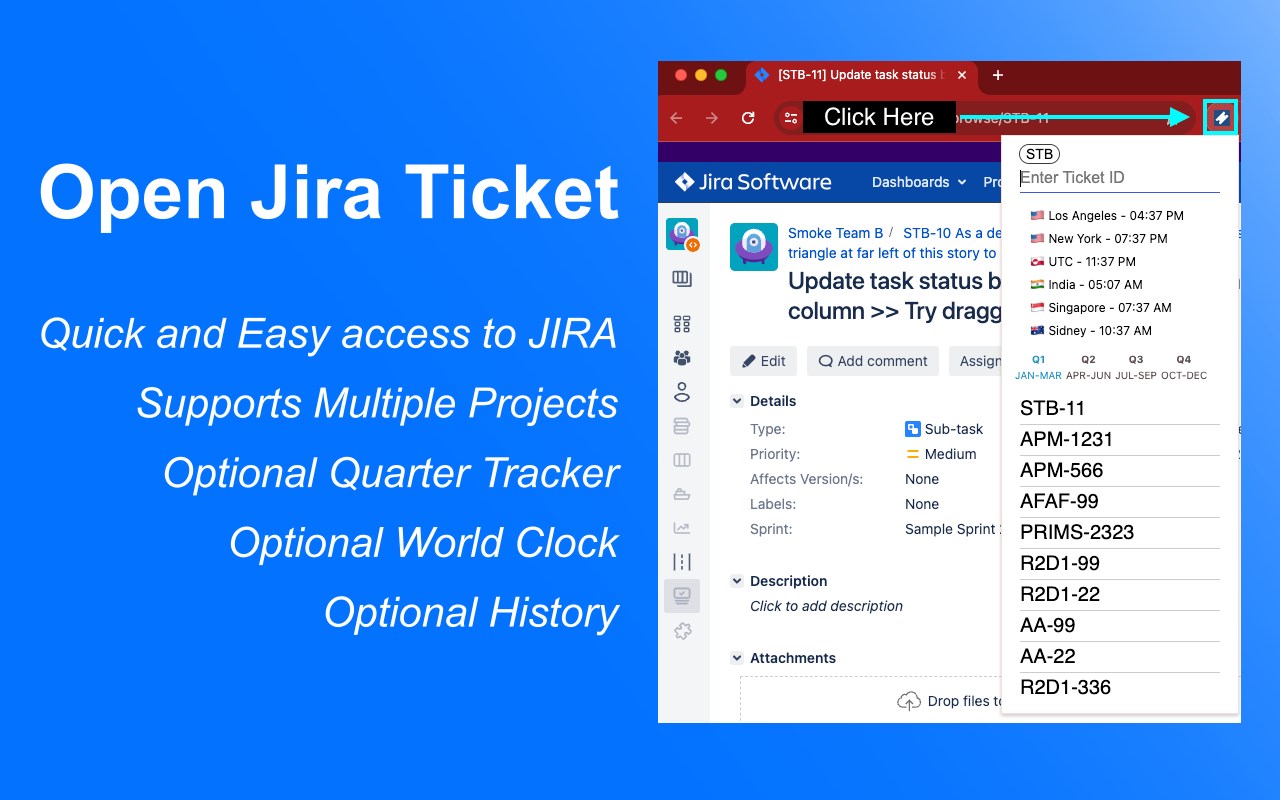
🚀 Open JIRA tickets instantly from your toolbar or address bar!
Tired of manually typing full JIRA URLs? This extension transforms how you access JIRA tickets with lightning-fast shortcuts and smart defaults.
✨ Key Features:
• Quick Access - Open tickets directly from toolbar or address bar
• Smart Defaults - Set your main project once, then just type ticket numbers
• Multi-Project Support - Easily switch between two different JIRA projects
• Search History - Never lose track of previously accessed tickets
• Address Bar Integration - Type "ojira" + space to search from anywhere
• Underscore Support - Works with complex project IDs like A8SIT2_IRM
🎯 Perfect For:
• Teams that share ticket numbers instead of full URLs
• Developers who frequently access the same JIRA projects
• Anyone who forgets to add dashes between project and ticket numbers
• Users who need to switch between multiple JIRA instances
⚡ How It Works:
1. Set your default project (e.g., "STACK")
2. Type just the ticket number (e.g., "123" → opens STACK-123)
3. Use the toolbar for quick access or "ojira" in address bar
4. Switch projects with one click when needed
🆕 Latest Updates:
• Enhanced multi-project support with easy toggling
• Improved UI with modern design and better user experience
• Support for complex project IDs with underscores
• Streamlined setup process
💡 Pro Tips:
• Use the address bar: Type "ojira" + space + ticket number
• Set up secondary projects for different teams or environments
• Access your search history by clicking the extension icon
• Works with any JIRA instance (Cloud, Server, Data Center)
⚙️ Setup (2 minutes):
1. Enter your JIRA URL (e.g., https://yourcompany.atlassian.net)
2. Set your default project key (e.g., "STACK")
3. Optionally configure a secondary project
4. Start using immediately!
❤️ Why Users Love It:
"Finally, no more copying and pasting JIRA URLs!" - Saves 5+ minutes daily
"Perfect for our multi-project workflow" - Seamless project switching
"Address bar integration is genius" - Faster than bookmarking
---
Perfect for Agile teams, developers, project managers, and anyone who works with JIRA tickets regularly!
---
# Disclaimer
I am not affiliated with Atlassian in any way. This is not an official Atlassian product.
Latest reviews
- JOURNEL
- Could be very useful if the project information was taken in its entirety. My project is called A8SIT2_IRM, but once saved, only A8 is saved.
- Jeff
- Super helpful extension!