
Right Translator
Extension Actions
专业级多源翻译扩展,支持Google翻译、Built-in AI和OpenAI
# Right Translator 3.0 - Professional Web Translation Extension
## Multi-source intelligent translation, completely free
An Edge extension dedicated to translation, supporting Google Translate and OpenAI.
---
## Core Features
**🆓 Completely Free**
Core features are free; optionally add your OpenAI API key for AI-enhanced translation
**🔍 Multi-source Translation**
Integrates Google Translate and OpenAI with availability-aware auto fallback
**⚡ Smart Optimization**
Context-aware long-text handling, better terminology; built-in caching to reduce repeats
**📝 In-place Input Translation**
Translate selected text in editable fields, auto-detect page language and replace in place
**🌍 Language Support**
40+ languages and regional variants (BCP 47)
**⌨️ Triple-space Quick Trigger**
Press space 3 times quickly in an input to translate in place (toggle in Settings)
---
## How to Use
### 🌐 Webpage Text Translation
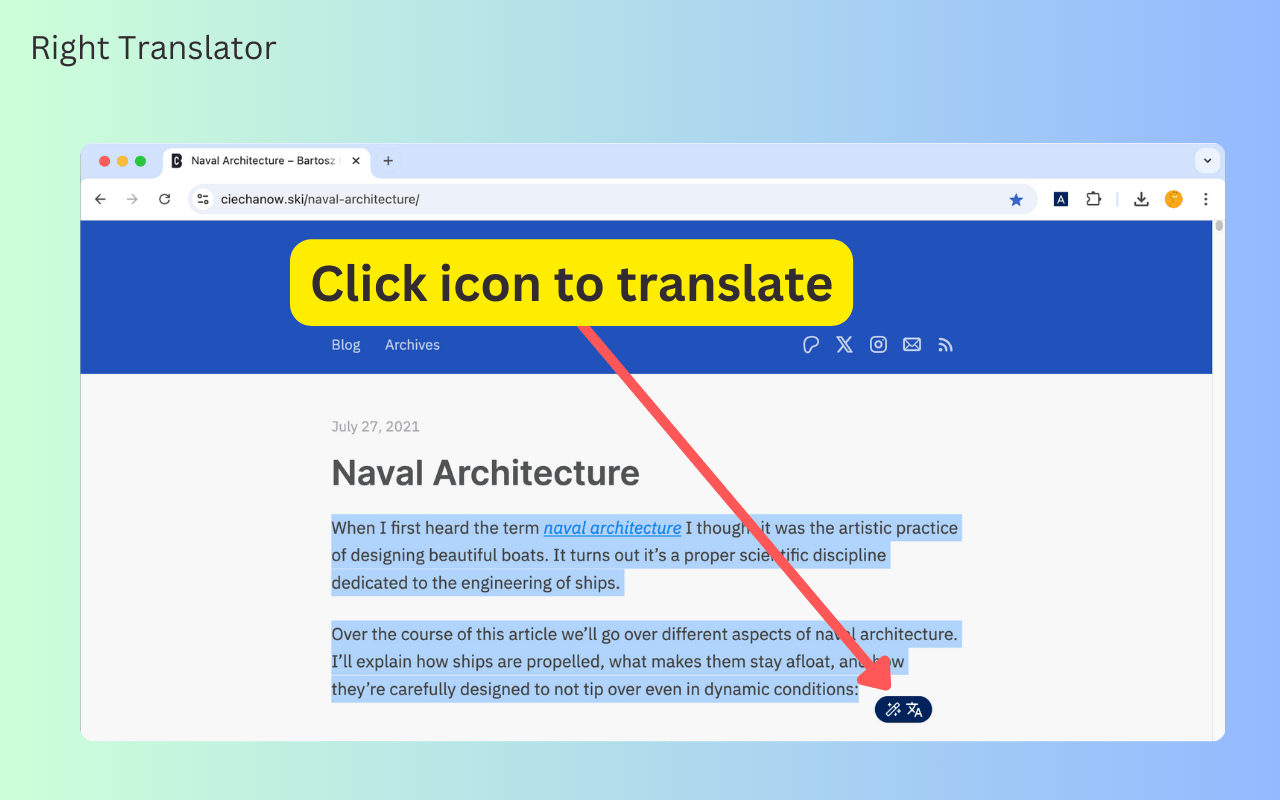
1. Select text on the page
2. Right-click to translate
3. View the draggable overlay with the result
### 📝 Input Field Translation
1. Select text inside an input field
2. Right-click to translate (auto-detects page language)
3. The translated text replaces the original
Tip: Press space 3 times quickly in an input to trigger in-place translation (configurable in Settings)
---
## Privacy & Permissions (Summary)
- Processes text only when the user explicitly triggers it
- Settings and cache are stored locally; no third-party server storage
- OpenAI key is provided by the user and stored locally
---
## Version Updates
### v3.1 Updates
- ✨ Smart input translation (in-place, auto page-language detection)
- 🪄 Service prioritization with auto fallback for reliability
- 📄 Welcome and update pages for major releases
- 🔄 Config versioning and automatic migration
### v3.0.0 Release
- Free to use
- Supports custom OpenAI-compatible API
---
Install now and experience professional multi-source translation
Latest reviews
- 夏洛克
- 要钱,没充值翻译不了
- e54817
- 免费解锁chatgpt、google、youtube、等各种资源 直接商店搜索 ilink网络加速器 亲测好用.
- feng
- 非常好用!但是 UI 可以稍微优化下,如果选择的文本较多,可能窗口就放不下,还没有下拉的滑块,而且窗口不可调节。感谢你的开发,真的很好用