
Indeed Scraper
Extension Actions
Unlock Indeed's job data potential. Export to CSV, JSON, Excel. Perfect for seekers, recruiters, and HR. Easy-to-use extractor.
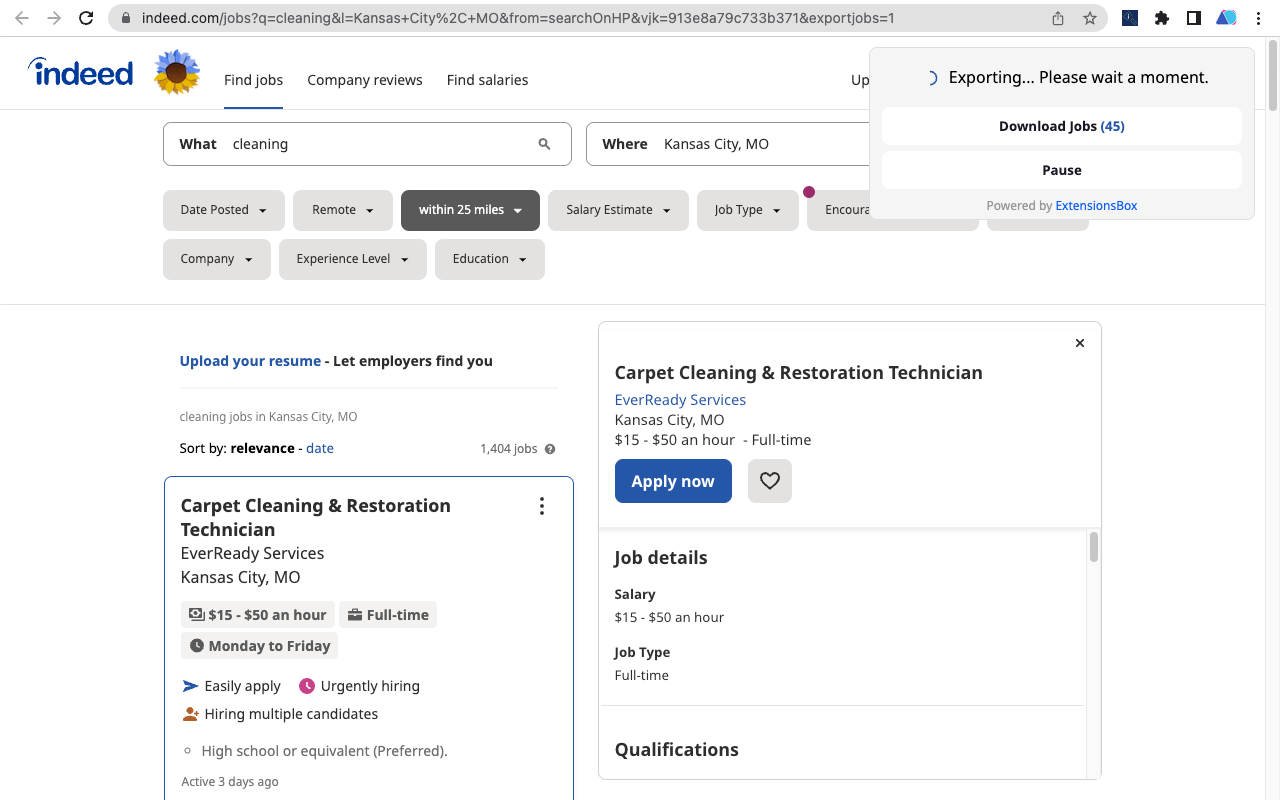
Scraping job details from Indeed
With Indeed's vast database of job listings containing a wealth of valuable information, it is an ideal tool for job seekers to search for jobs by specific cities, states, or zip codes. The information on job openings, salaries, locations, and job seeker profiles can also offer valuable insights for various users, including HR managers, recruiters, etc. By scraping job details from Indeed, users can extract significant information about different jobs, locations, actively hiring companies, ratings, and more. Using our Indeed scraper, you can easily access this information without manually navigating the site or writing any code.
Why scrape Indeed data?
Scraping data from Indeed allows you to get your hands on fresh and extensive data quickly. With over 250 million users worldwide, Indeed is a prominent job site offering a wealth of information. By using an Indeed scraper, you can gain insights into job trends, track hiring patterns, stay informed about the job market, find job openings that match specific criteria, and create more targeted job postings. This can benefit numerous parties, including HR managers, recruiters, and business owners.
What information does it scrape?
Our Indeed scraper can extract data from job posts, including job titles, date posted, company name, location, salary, company ratings, and apply URLs. It also could export the job's full description(available in the Pro version, You need to enable it on the settings page).
How to scrape Indeed data?
Using our tool to scrape data from Indeed is both simple and straightforward. All it takes are these simple steps:
1. Open indeed.com;
2. Use basic queries, such as job title, company name, and location to search on the Indeed website;
3. Copy the URL of the search results page from the browser location bar;
4. Input the URL into the extension's input box, click "EXPORT JOBS TO CSV", wait for the process to complete, and then click "Download Jobs" to receive your data in a CSV file format for use with Excel.
Advantages of using our Indeed scraper.
Our Indeed scraper offers several advantages to users, including:
- No need for coding knowledge - we handle data collection while you focus on your business.
- Real-time results - our tool delivers fresh and accurate data in seconds, eliminating the wait time for requested data.
- Customizable search queries - our tool is flexible and easily customizable to your specific search criteria.
- Time-saving - our tool saves you time and eliminates the need to create your own scraper or test a new device.
- Regularly updated - our tool is regularly updated to ensure compatibility with any changes made to the Indeed website.
How quickly will I receive the results?
Once you make a request, our tool begins the data extraction process immediately. The duration of the extraction will depend on the amount of information that needs to be retrieved from the search.