
Ghostify | Hide Seen, Typing & Story Views
Extension Actions
Control your visibility on Instagram & Facebook/Messenger. Hide typing indicators, read receipts, and story views.
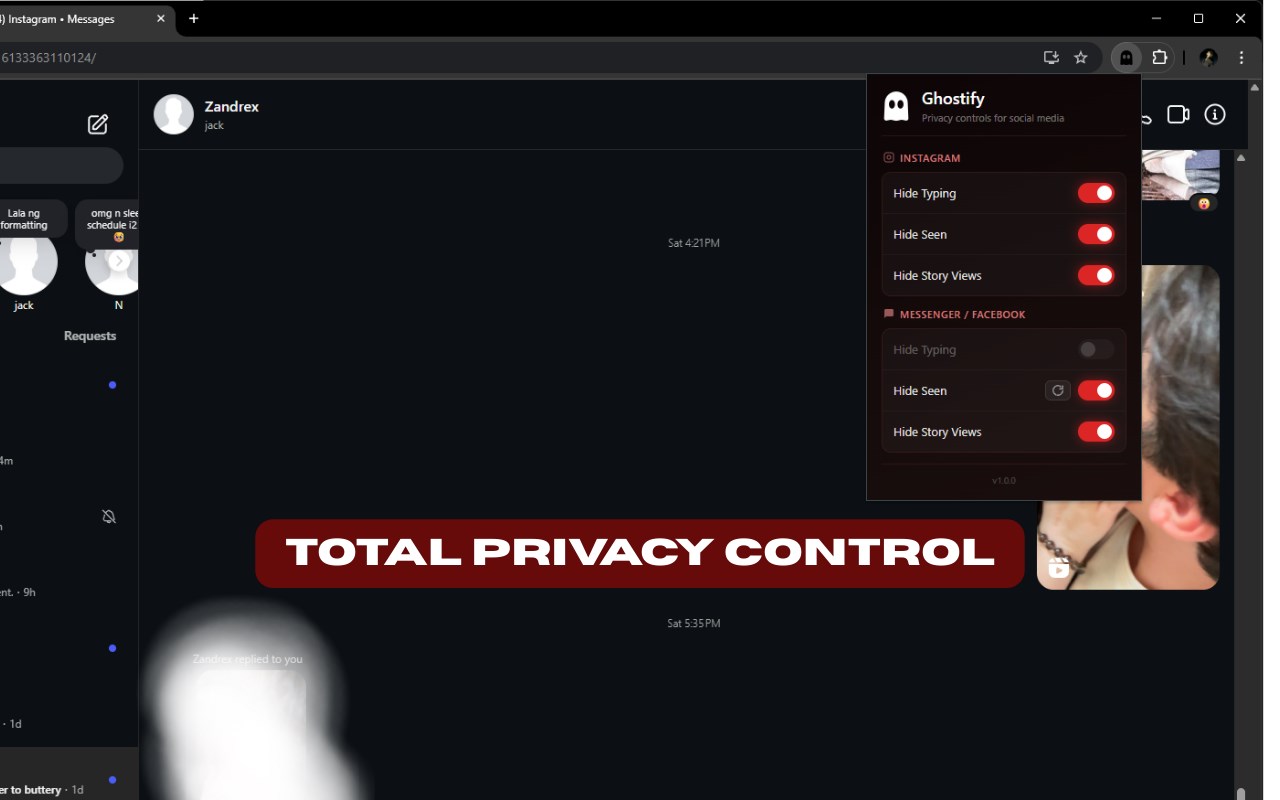
Be invisible. Browse undetected.
Ghostify lets you browse Instagram Stories and read Messenger chats completely anonymously. See everything, leave no trace.
📸 Instagram Features
• Hide “Seen” — Read DMs freely without notifying the sender
• Anonymous Stories — View anyone’s Story without appearing in their viewer list
• Hide Typing — Type replies without showing the “Typing…” indicator
💬 Messenger & Facebook Features
• Read Unseen — Read messages while keeping them marked as Unread for the sender
• Stealthy Stories — Watch Facebook Stories without anyone knowing
• Block Typing Indicator — Prevent the “Typing…” bubble while you write (always-on protection)
🛡️ Privacy First
• Local & Secure — Runs 100% on your device. No tracking. No servers.
• Open Source — Code is publicly available on GitHub for full transparency
• Zero Impact — Lightweight and battery-friendly
📢 Important Note (Messenger)
To ensure your privacy, Block Typing is always active.
Before turning the "Hide Seen" off in Messenger:
• Click the refresh button 🔄 in the extension popup
• Or reload your Facebook/Messenger tab
Changes apply instantly.
⚠️ Disclaimer
Ghostify is an independent project and is not affiliated with, endorsed by, or certified by Meta Platforms, Inc., Instagram, or Facebook.