
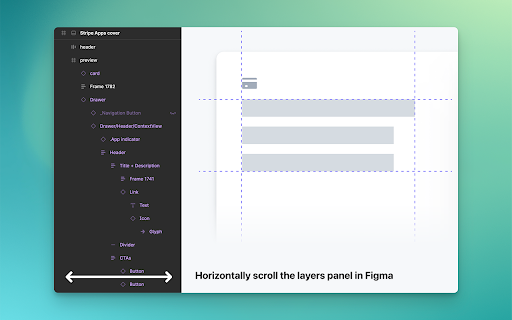
Horizontally scroll the layers panel in Figma
Extension Delisted
This extension is no longer available in the official store. Delisted on 2026-04-19.
Extension Actions
CRX ID
mifpcoaffgjahdmbmempammljmldcaab
Description from extension meta
This extension allows for horizontal scrolling in Figma's layers panel.
Image from store
Description from store
這個擴充套件可以在 Figma 的圖層面板中實現橫向捲動的功能,以解決 Figma 用戶一直以來的困擾。
安裝套件後,請重新整理頁面。如要進行橫向捲動,請將滑鼠游標移至圖層面板區域,然後使用觸控板或滑鼠滾輪加上 Shift 鍵。如果第一次無法運作,再次嘗試重新整理頁面。
This extension allows for horizontal scrolling in Figma's layers panel, solving a persistent issue for its users.
After installing, refresh your page. To scroll horizontally, move the mouse cursor to the layers panel area and use the touchpad or mouse wheel + Shift key. If it doesn't work the first time, try refreshing the page.