
Picture-in-Picture Shortcut
Extension Actions
Switch videos to Picture-in-Picture mode with a keyboard shortcut or toolbar button.
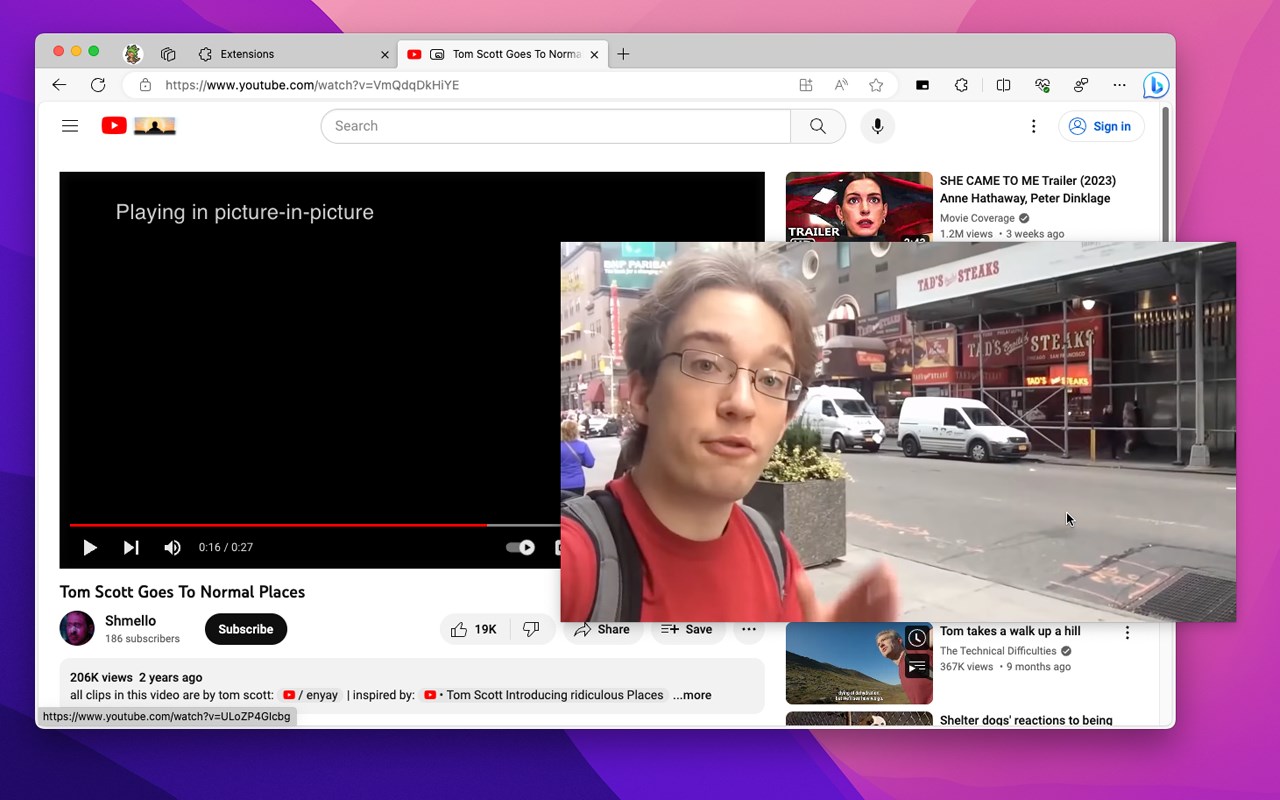
Picture-in-Picture Shortcut adds a keyboard shortcut and toolbar button for switching video players to the Picture-in-Picture mode in web browsers. The default keyboard shortcut is Ctrl+Period (Command+Period on Mac), but it can be changed from the browser settings. The Picture-in-Picture Shortcut extension button in the browser's toolbar can be used to toggle PiP mode.
Chromium browsers have a built-in Picture-in-Picture button in the default media controls, but it isn't always available and requires multiple mouse clicks. Picture-in-Picture Shortcut also overrides sites that don't normally allow Picture-in-Picture mode, and attempts to add a play/pause button to the PiP popup. However, this may not always work for sites and players not originally built for PiP mode.
This extension is open-source under the GPLv3 license, the code is available on GitHub: https://github.com/corbindavenport/pip-shortcut
Picture-in-Picture Shortcut is built to be private and secure. Check the Privacy Policy for more information: https://github.com/corbindavenport/pip-shortcut/blob/main/PRIVACY.md
Latest reviews
- Vitor
- Fast, customizable and does not require permission to view and edit everything