
Screenshot to Text(OCR) - Image text extractor
Extension Actions
Optical Character Recogition(OCR). Extract text from screenshot with 1 click. Export text from images, PDFs, etc.
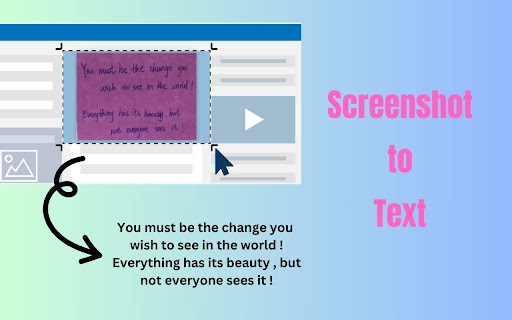
Screenshot to Text (OCR) is a tool for extracting text from images, allowing you to effortlessly grab text from any webpage with just a few clicks. Simply take a screenshot of the desired portion of the webpage, and the tool will recognize and extract the text from the image.
**Features:**
1. **Simple Interface**: Screenshot to Text (OCR) boasts a sleek and intuitive interface, making it incredibly easy for users to select and capture specific areas of a webpage.
2. **OCR Technology**: Powered by cutting-edge Optical Character Recognition (OCR) technology, this extension accurately converts captured images into editable text.
3. **Customizable Capture**: Tailor your text extraction experience by selecting the exact portion of the webpage you want to capture. Whether it's a paragraph, a headline, or a snippet of text, Screenshot to Text (OCR) delivers precise results every time.
4. **Instant Clipboard Copy**: Once the text is extracted, Screenshot to Text (OCR) automatically copies it to your clipboard, saving you valuable time and effort.
5. **Efficient Workflow**: Streamline your workflow and boost productivity with this seamless text extraction tool. Whether you're conducting research, compiling notes, or simply need to save snippets of information, Screenshot to Text (OCR) has you covered.
**How to Use:**
1. Install Screenshot to Text (OCR) from the Chrome Web Store.
2. Pin the extension, click the extension icon.
2. Select the area of the webpage you want to capture.
3. Let Screenshot to Text (OCR) work its magic – sit back and watch as the text is extracted.
4. Paste the extracted text wherever you need it – it's that simple!
**Why Choose Screenshot to Text (OCR)?**
- **Efficiency**: Say goodbye to manual transcription and hello to effortless text extraction.
- **Accuracy**: With advanced OCR technology, Screenshot to Text (OCR) ensures precise and reliable results.
- **Convenience**: Seamlessly copy extracted text to your clipboard for easy pasting into documents, emails, and more.
Experience the power of Screenshot to Text (OCR) and revolutionize the way you extract text from webpages. Download now and unleash the full potential of your browsing experience!
Feel free to contact us at [email protected] if you have any issues or feature requests!
Latest reviews
- Sunena Shetty
- WORKS WELL!
- Anywhere Used
- Almost good for simple works.
- Sadjad Rezvani
- useful
- Mihai Popa
- Ignore the illiterate 1 star reviews, give it a try and see for yourself. Works great, very easy to use. Thanks!
- Timur Naumov
- It does not work ! Click the icon = 0 result
- Vlas Bashynskyi
- Cool extension, thank you!
- ray sabag
- perfect
- Ajay
- Usefull but not fully accurate
- Tatyana Lizneva
- catch err:Could not establish connection. Receiving end does not exist.
- Rit Patidar
- Doesn't work. Just use Google Lens from the chrome menu.
- Sylvain Koam BADOHOUN
- This extension is so good.
- Meme Coman
- not working
- Emanuel Quezada
- I don't know what people are complaining about, you just have to be smart to use this, I had a screen shot from a webpage I wanted to extract the text from, if you right click the screen shot it allows you to "open image in new tab", from there then you can use this tool to isolate the text from that screen shot. Worked like a charm, no issue.
- Z Hyper
- unusable
- zhuang yuanqin (Keen)
- didn't work
- 王海鹏
- The capture button is a bit redundant. It would be better to directly enter the screenshot state after clicking the extension.
- Soumya S Nair
- No selection tool appearing when clicking capture.
- fx noob
- I recently discovered that this extension stores tab URLs and titles in its API, which raises significant privacy concerns for users. While the extension may offer useful features, the collection of sensitive browsing data without clear user consent is alarming. I urge the developers to prioritize user privacy and transparency by implementing robust data handling practices and providing clear disclosures about data collection and usage. Until these concerns are addressed, I cannot recommend this extension to others.