
PDF 합치기
Extension Actions
CRX ID
nbhibnjbbdkflfklbdpgbifkhcielgcm
Description from extension meta
PDF파일을 합치는 가장 쉬운 방법
Image from store
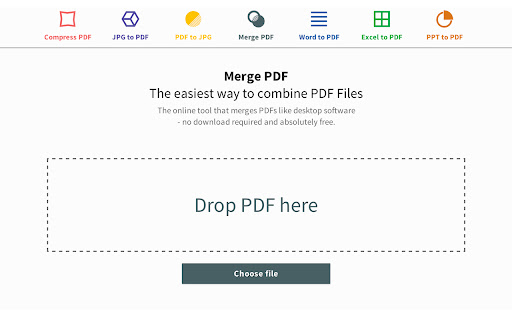
Description from store
Smallpdf 도구 "PDF 합치기"는 온라인에서 무료로 PDF 파일을 결합할 수 있게 합니다.
드래그 앤 드롭 또는 전통적인 업로드 방법을 통해 쉽게 여러 PDF 파일을 업로드하고 파일이 업로드되는 동안 바로 시작하실 수 있습니다. 결과에 만족하시면, PDF를 생성할 수 있으며, 그것은 자동으로 하드 디스크에 다운로드됩니다.
- 파일 및 페이지 미리보기를 사용한 아름다운 그래픽 인터페이스
- 쉽게 페이지를 삭제하고 문서의 모든 단일 페이지 순서를 변경
- 간접 비용없는 무료 도구
- 이미지에 광고 워터 마크 없음
- 무제한 업로드 또는 파일 크기
업로드되어 사이트 상에 생성된 파일은 업로드된 후 1시간 안에 서버에서 영구적으로 삭제됩니다.
응용 프로그램의 사용이 즐거우셨다면, 여기 크롬 스토어에 리뷰를 남겨 주십시오. :)
Latest reviews
- Isla Stanger
- Really simple to use and quick!
- Kelli Jade Hammer
- Just merged two PDF files together in seconds! Wow! I'm impressed...for free!!!
- Harry Lancaster
- so comfortable
- Andrew Stacks
- you did what no one else did!!! i got 3 VERY large PDF files to merge FOR FREE!!! Everyone else has file size restrictions the norm doesnt notice.
- Marvin Pflaum (TheOtherBum)
- Couldn't be easier. Selected a group of files and they were merged in a few seconds. Downloaded. When used as a free service, there appears to be a limit to the number of files that can be merged. Not certain. I don't need this functionality often but when I do, I will use this again. Will pay.
- Nataraj
- Clear & easy thanks
- Eric Zosso
- Wow for combining pdfs, this was a lifesaver.
- Randy “Randroid” Lutcavich
- Don't waste your time with the other apps/sites. This is the fastest and simplest.
- Vijaya Vamsi Krishna Alla
- This is an app hence cannot find it under Extensions. Go to chrome://apps to find it. Had trouble finding it after install but worked like charm for me after finding.
- Kassim Muhammad
- ok
- Mahendra Tharshanan
- Neat implementation. I was able to reorder docs after uploading. Very easy to use.
- GimmeaMinute
- Nice...so relieved this app was available! It made my workload much easier to face and whittled my "to-do" pile down a lot quicker. Thank you!!
- Douglas Castetter
- Screw your ad-ware Adobe DC! This right here is where it's at.
- Anonymous
- Great App, Thank you.
- Elton Broderick
- One of the best apps around. Easy to use, flexible with lots of options and has produced excellent results 100% of the time.
- Glenda Hill
- great app. works fast no problems
- Stephen Ali
- Merged three files quickly and accurately. Securely - it removes the merged file within the hour. And saved it to the folder on Google Drive for convenience.
- Paul Swann
- Not free at all, the free download is only a demo version and stamps "Sample" on your scan. Bigger problem was that it only merged the first two pages of the six pages that I placed in the merge box.
- D. Anne Ferdinand (Doris Anne)
- This was easy to understand and is an excellent product. I will recommend to my business associates.
- Punit soni danwar
- i like this.
- Terry Bean
- big watermark!
- Jakub Żgiet
- Easy to use, but I'm disappointed of limited number of files to create.
- Michael Steiner
- They lead you to believe that this tool is free. IT'S NOT. The free version allowed me to merge 2 pdf files each with one page of text. I don't know anything about this company's other products or other paid versions of MergePDF. The company ought to be direct with its prospective customers. I can't wait to delete this s/ware.
- Nancy Ellen Peden
- this worked well when i merged several pdfs. if it can do conversions, i will give it 10 stars. i am on a chromebook btw.
- Salajan Vivian Stefan
- Great app.Used it couple of times ... fast and reliable !
- Giang Ngo Van
- Good
- G
- Free, easy to use, and effective. Easy five stars.
- Mats Borgersen
- very quick and helpfull
- Παναγιώτης Αδάμ
- Very usefull tool!! well done!!
- Tuấn Nguyễn Tài
- Very usefull
- Sandeep Nunna
- Awesome Application! I've just discovered it. I've used the merge and compress options. The easy preview which provides the flexibility to rearrange the pdfs before the merge is simiply terrific. I would recommend this app to anyone.
- Marius FROISSART
- It changed my life
- Jim Raynor
- It, not an app, this will take you to a website, you download a program to install it. Then after installing it, its a sample version, so the stamp shows on your work. It's a waste of time
- Radoslav Keremidov
- It's great!
- Morgan Ferguson
- Great app. I use it daily. Have never had a problem with it. Super fast and easy to use. I'd recommend this app to anyone that needs to merge multiple PDFs together, remove specific PDF pages from a PDF document, convert a word file to a PDF file, a PDF to a word file, etc. It has more features, but those are the only ones I've used. They've been all been flawless.
- John Pallone
- comes up as "free" but of course it isn't
- cory brawn
- This app was awesome! after searching everywhere i came across this app and it fixed my headache! i never give reviews but this one was worth it! thanks Merge!
- Anonymous
- Really useful app. Simple to use.
- Jerry
- Took a long time to upload the files I dropped in the dialog box. Ended up with a "reload" the page twice. I gave up.
- Steve Symekah
- Great, speedy, super convenient and easy to use!
- Pasha Shaik
- Great work
- Anonymous
- great!
- Y
- Great app! Very easy to use.
- Rahul Bagecha
- Effective and efficient tool, which is definitely recommended for professionals. Kudos! to its developers
- Scott Stephens
- So far so good!
- Cletus Flynn
- This app just works. I was able to combine and split PDF's quickly. It sends to Google Drive or to your device. Simplicity is a beautiful thing.
- Kimberly Goun
- Easy to use and very convenient. Thank you!
- John Erickson
- Merged the PDFs total size was about 80MB but when It downloads it tells me the file size is 1GB?!
- Debbie Burger
- like it
- Wade Fox
- Works great! Windows 10 AutoCAD 2016