
ORGanizer for Salesforce
Extension Actions
ORGanizer - The best Salesforce Extension ever
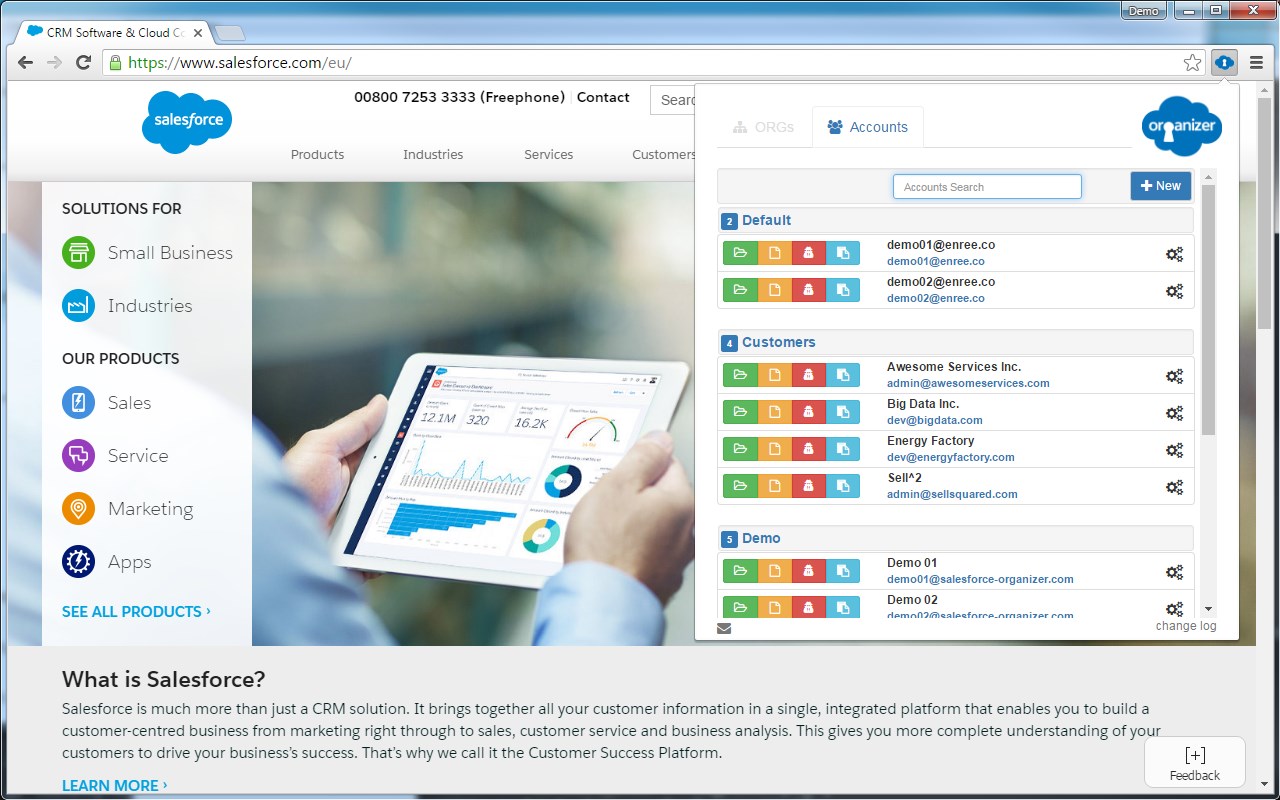
The ORGanizer for Salesforce Extension (BETA) lets you forget about your Salesforce.com® username and passwords and help you to recognize Salesforce.com® tabs on your browser.
With Salesforce ORGanizer you can:
- Store your frequently used accounts (basic encryption for password, details on the guide): username / password / login url / landing page
- Login an account on a new tab, window and window on incognito mode or get the full login URL for other browsers
- Change an ORG tab and title to instantly recognize which tab belongs to which ORG
- Use the built in Quick Link tool to quickly access your most used standard Salesforce links
- Create your personal ORG's quick link library to handle special links
- Use the Quick Links tool to make a global search or open a custom relative link (e.g. from a copied Salesforce ID) or login to another ORG
- Use the Quick Console right inside your Salesforce tab to have quick access to describe manager, queries, execute anonymous and other handy tools
More and more features to come in the next releases!
Latest reviews
- 滝沢
- Salesforce Extension用のORGanizer(BETA)は、Salesforce.com®のユーザー名やパスワードを忘れることを可能にし、ブラウザ上でSalesforce.com®のタブを認識するのに役立ちます。 Salesforce ORGanizerを使うと次のことができます: - よく使うアカウントを保存する(パスワードには基本的な暗号化、詳細はガイド参照):ユーザー名 / パスワード / ログインURL / ランディングページ - 新しいタブ、ウィンドウ、シークレットモードのウィンドウでアカウントにログインする、または他のブラウザ用に完全なログインURLを取得する - ORGタブとタイトルを変更して、どのタブがどのORGに属しているかを瞬時に認識する - 組み込みのクイックリンクツールを使って、最もよく使う標準Salesforceリンクに素早くアクセスする - 個人用ORGのクイックリンクライブラリを作成し、特別なリンクを管理する - クイックリンクツールを使用して、グローバル検索を行ったり、カスタム相対リンク(例:コピーしたSalesforce IDから)を開いたり、別のORGにログインする - Salesforceタブ内でクイックコンソールを使用して、Describe Manager、クエリ、匿名実行などの便利な機能に素早くアクセスする。 ★日本語への切替方法がわかりませんでした。 日本語で表示できた方が、日本人には使い易いと思いました。 By DLTX