
JSON Editor
Extension Actions
A tool to view, edit, format, repair, query, transform, and validate JSON
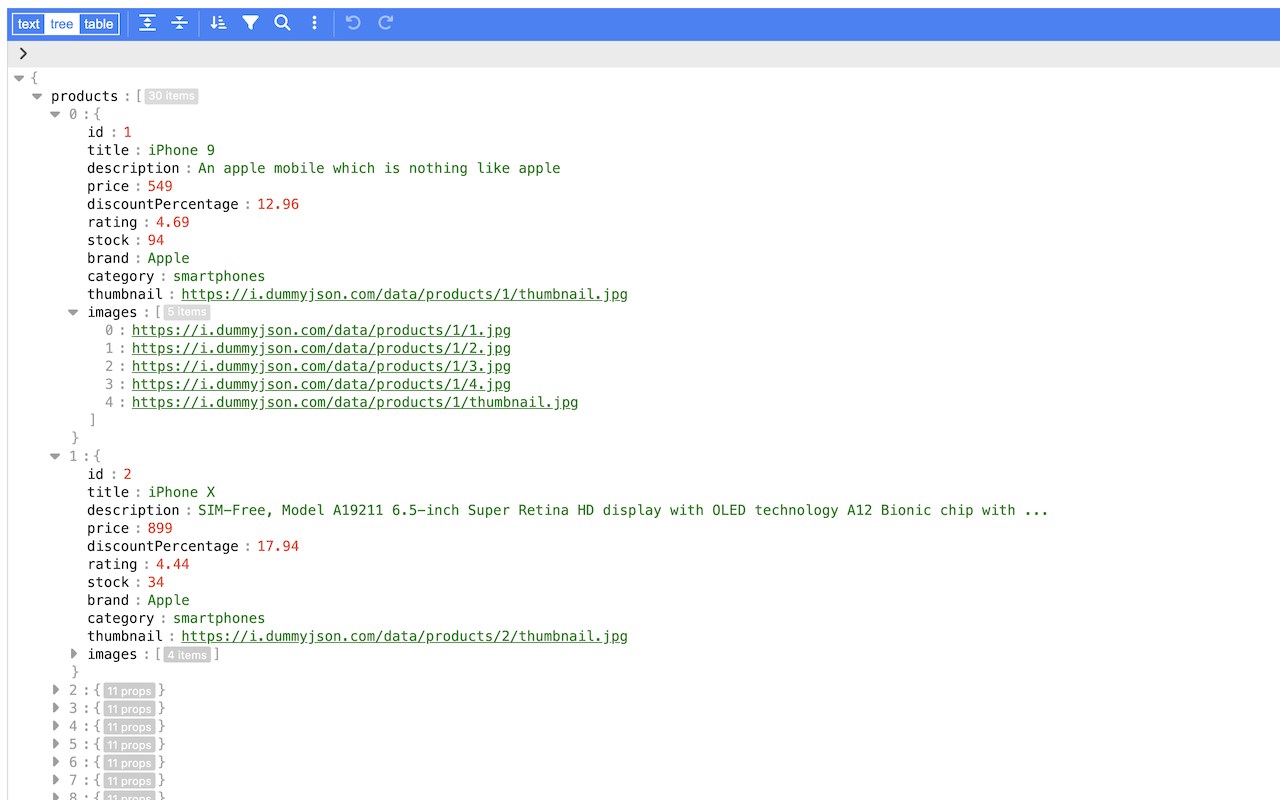
Open web pages with JSON content or JSON files to view, edit, format, repair, query, transform, and validate JSON directly on the browser.
Features:
* View JSON as a tree. The JSON tree view utilizes right-click to open the context menu, and double-click to start editing a key or value. It supports copy/paste from and to the system clipboard.
* View JSON as formatted text.
* View JSON as a table, for top-level arrays or nested arrays.
* Search and replace
* Undo and redo actions
* Edit the JSON keys, and values, copy, paste, duplicate, insert, or remove
* JSON formatting and minifying
* Query JSON with plain JavaScript or using the built-in form
* Sort, filter, and transform JSON
* Handle large JSON documents up to 512 MB
It uses the powerful https://github.com/josdejong/svelte-jsoneditor/ and the Manifest V3 for enhanced security, privacy, and performance.
Make sure to disable any other JSON viewing built-in into the browser or other JSON viewer extensions.
Latest reviews
- asplumes
- 添加到工具栏按钮,一点怎么就跳这里来了?
- dan
- 半天没研究出来怎么触发
- 浩
- NICE PLUGIN!! First, disable the built-in JSON Viewer in Edge: "edge://flags/#edge-json-viewer". Also, would like to add a feature to click on the icon and jump to an empty editor page.