
Markdown Editor for Edge™
Extension Actions
Create and view markdown files easily from anywhere with our simple, GitHub-flavored markdown editor.
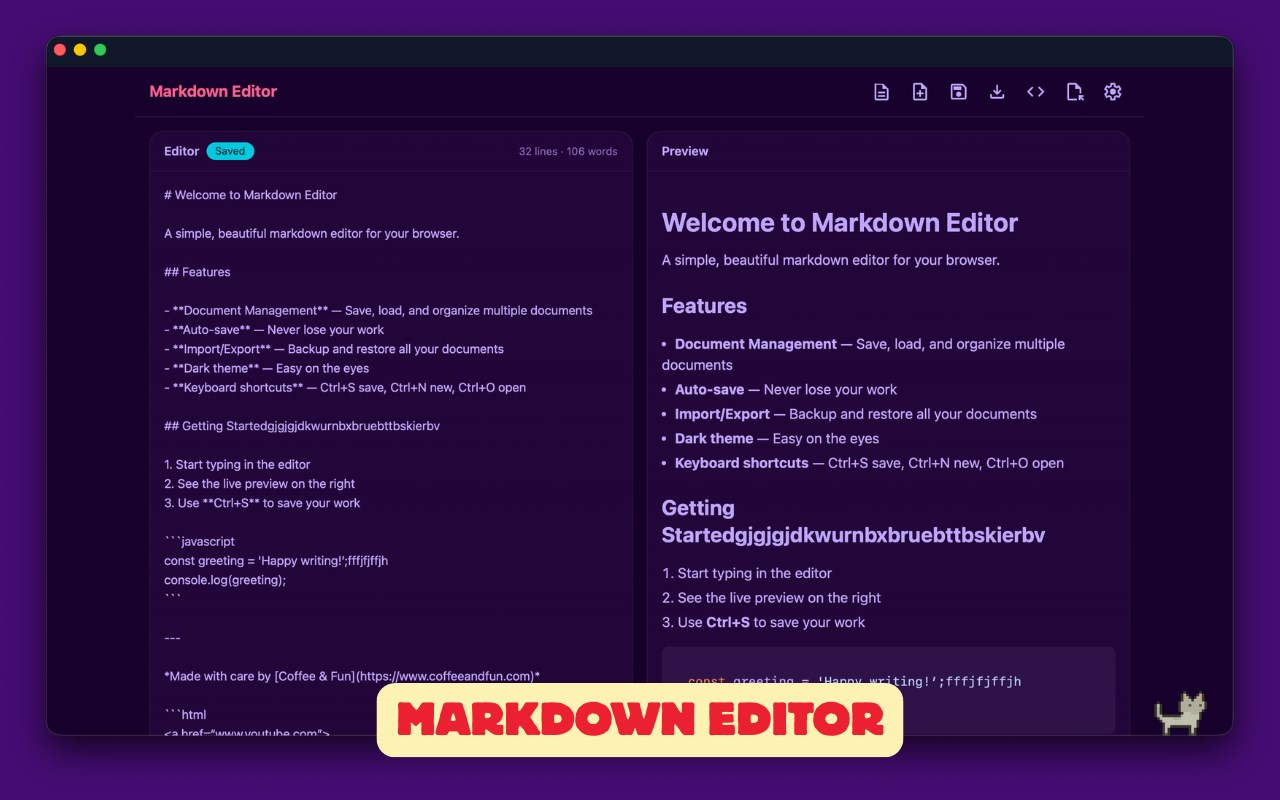
Say hello to your new favorite Markdown editor, designed to make your writing experience smooth and enjoyable on Microsoft Edge.
With our editor, you can write in Markdown and see your text transform in real-time. Plus, converting your work to HTML is just a click away! It supports various file formats to keep things flexible for you.
What's special about our editor? We respect your privacy – no data tracking here. Enjoy a simple and secure Markdown editing experience.
🌟 Features
🔹 Real-time Preview: See your changes as you type.
🔹 Drag and Drop: Easily import your .md files.
🔹 Print to PDF: Use Edge's native printer.
🔹 Local Downloads: Save your files directly to your device.
🔹 Github Flavored Markdown: Full support for Github Markdown syntax.
🔹 Code Highlighting: Supports multiple languages in both editor and preview modes.
🔹 Offline Mode: Works perfectly even without an internet connection.
🌐 Supported Languages
🔹 JavaScript
🔹 HTML
🔹 SQL
🔹 Ruby
🔹 Python
🔹 PHP
🔹 Perl
🔹 Objective-C
🔹 JSON
🔹 Java
🔹 HTTP
🔹 CSS
🔹 C#
🔹 C++
🔹 CoffeeScript
🔹 Bash
🔹 Apache
🔹 XML
🔹 Shell Session
❓ Questions?
Have any questions or requests? Reach out to us at [email protected].
Latest reviews
- Евгений
- How to rename saved documents?
- Schreiber,
- First, the most egregious problem: Constant crashes make this plug-in impossible to use for Markdown documents of any length. In addition, the preview window does not stay synchronized with the editor window. It scrolls off to completely different parts of the document while editing.
- Jun
- It would be perfect if we can edit the CSS formating ourself.
- jflajflk
- 编辑功能没问题,但是打开文件会出错