Reload All Tabs
Extension Actions
CRX ID
niokfnmopmbfdmlmdnnndbbkgfgifgpp
Status
- Extension status: Featured
Description from extension meta
Reload all tabs using keyboard shortcut or toolbar button.
Image from store
Description from store
Reload All Tabs is a lite extension that lets you easily reload all tabs with a click of a button.
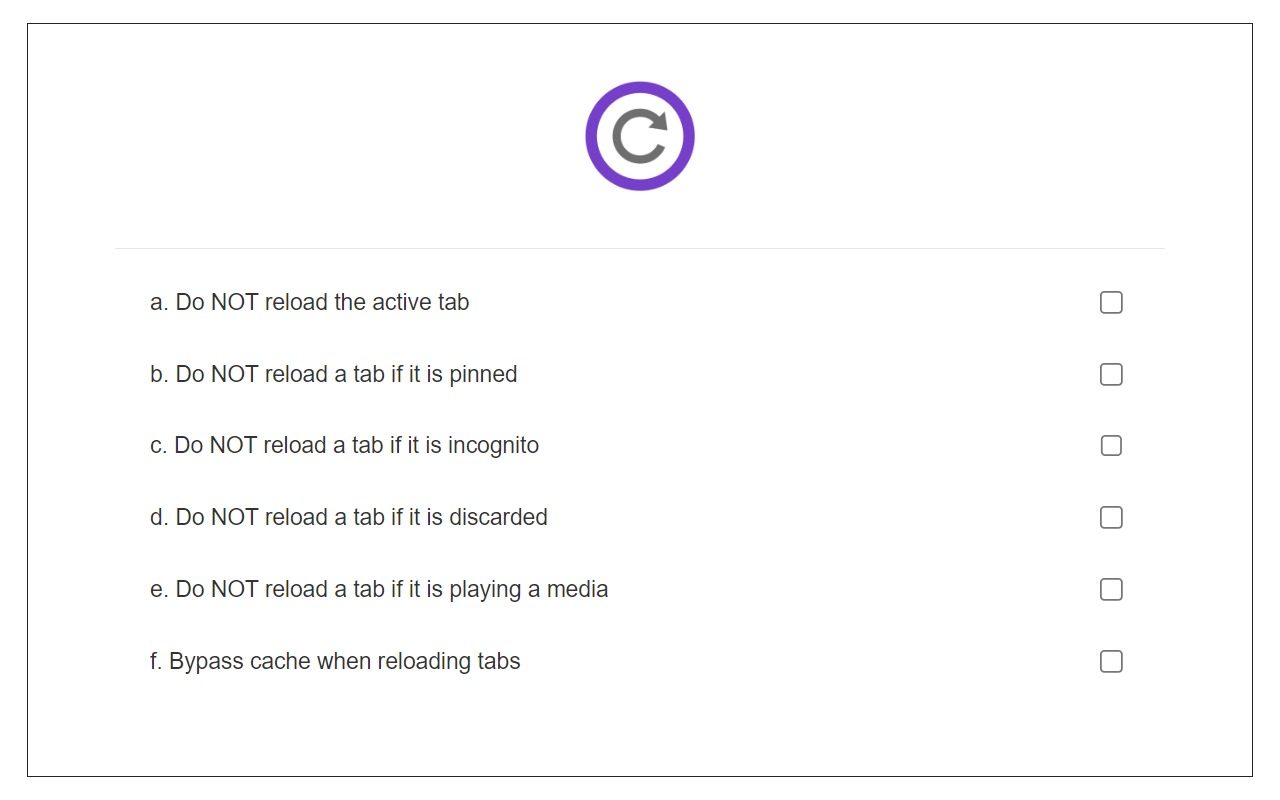
Simply add this addon to your browser and click on the - Reload All Tabs - toolbar icon. All open tabs will be reloaded upon clicking on the toolbar button. You can exclude tabs based on pin, active, audible, discard, or private states. If you want to exclude certain tabs from reloading, please visit the options page and mark the desired option. Please note that you cannot exclude a tab based on the URL.
If you have a feature request, or you want to report a bug, please fill the bug report form on the addon's homepage (https://mybrowseraddon.com/reload-all-tabs.html).
Latest reviews
- Vishal
- Really works
- Steve
- It works. Better than the "accepted" MS Edge method of "click all your Tabs while holding Shift then right click and Reload". Cant believe that this feature got *removed* from Edge. At least we have this extension to enable it again. Thanks, extension developer :)
- 加藤隆一
- 全タブリロード機能をありがとう。一点の要望があります。オプション追加で、ウィンドウ内の全タブ、全ウィンドウの全タブを選べるようにしてほしいです。例としてリロードすると消音となるページを常に開いているためです。そのページだけはリロードしてほしくないです。
- Anton
- It`s just work. Nice. Thx dev`s. Please, add customizable hotkey for this (for use in macros on mouse)
- Dave
- Locked up my browser and sent my machine 100% busy. Garbage! Uninstalled and had to kill Edge to even do that!