
Skooly
Extension Actions
- Live on Store
Skooly provides software tools to help Skool community owners scale faster.
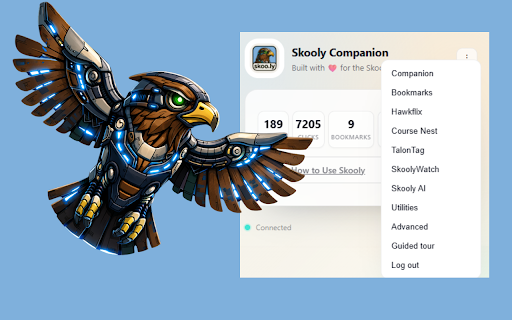
# Skooly Companion Chrome Extension
Shorten links, save bookmarks, build courses, and track member progress inside Skool!
Seamlessly connect your skoo.ly account to create, copy, and manage bookmarks and short links — plus Hawkflix GIFs, Course Nest course generation, and Hawkeye analytics across your Skool communities.
## Key Features
- One‑click short links from the popup, context menu, or Skool pages.
- Save links as bookmarks to your skoo.ly account with pinned favorites.
- Works when logged out: stores pending bookmarks and syncs after login.
- Clean inline UI on Skool posts with lightweight styles.
- Automatically keeps your skoo.ly web session in sync.
- Hawkflix GIF library: save, tag, and reuse GIFs (public or private) from a Skool picker.
- Course Nest: generate Skool-ready courses and organize classroom sorting.
- TalonTag: capture member lists and save reusable tags for outreach.
- Perch Guard: hide posts, comments, or both from selected members in your feed.
- SkoolyWatch: run member profile scans and export watchlists.
- Privacy controls: mask tiers, prices, and analytics on demand.
- Hawkeye analytics: captures per‑member course completion with 24h/7d deltas.
- Member view: see each member’s average completion and drill into course‑level progress.
- Course view: see courses, module counts, popularity (active members), and average completion.
- Accurate progress: computes completion as `user_completed / num_modules` when available.
## How It Works
- Click the extension to shorten the current tab, save a bookmark, or use inline buttons on Skool.
- Sign in once to skoo.ly in the popup to enable bookmarks, Hawkflix, Course Nest, and other VIP tools.
- Any links saved as a guest are synced to your account after login.
- Right‑click GIFs on Skool to send them to Hawkflix, or use the studio to upload and stylize.
- Open Course Nest to generate a course draft or re-order classroom lessons.
- Use TalonTag to capture member lists and reuse them across outreach or moderation.
- Set up Perch Guard to suppress posts/comments from selected members.
- Run SkoolyWatch scans from the Watch panel to review profiles and export results.
- Visit your Skool community’s Members or Classroom pages; the extension fetches per‑member course progression and sends snapshots to your skoo.ly dashboard.
- Open Tools → Hawkeye in skoo.ly to review Member or Course views and refresh rollups.
## Privacy
- Stores only necessary data locally (auth, preferences, pending items, and saved lists).
- Communicates with skoo.ly solely to create links, sync bookmarks/GIFs, and record Hawkeye snapshots.
- Captures course progress only for communities you view, using your existing session.
- No ads and no third‑party data sharing.
Latest reviews
- Heather Di Rocco
- I love this app! I love it for the GIFs and for staying organized and just useful tools! If you are thinking about a skool tool to get, invest your money here!