
Custom Dark Mode
Extension Actions
Customize your dark mode for the web!
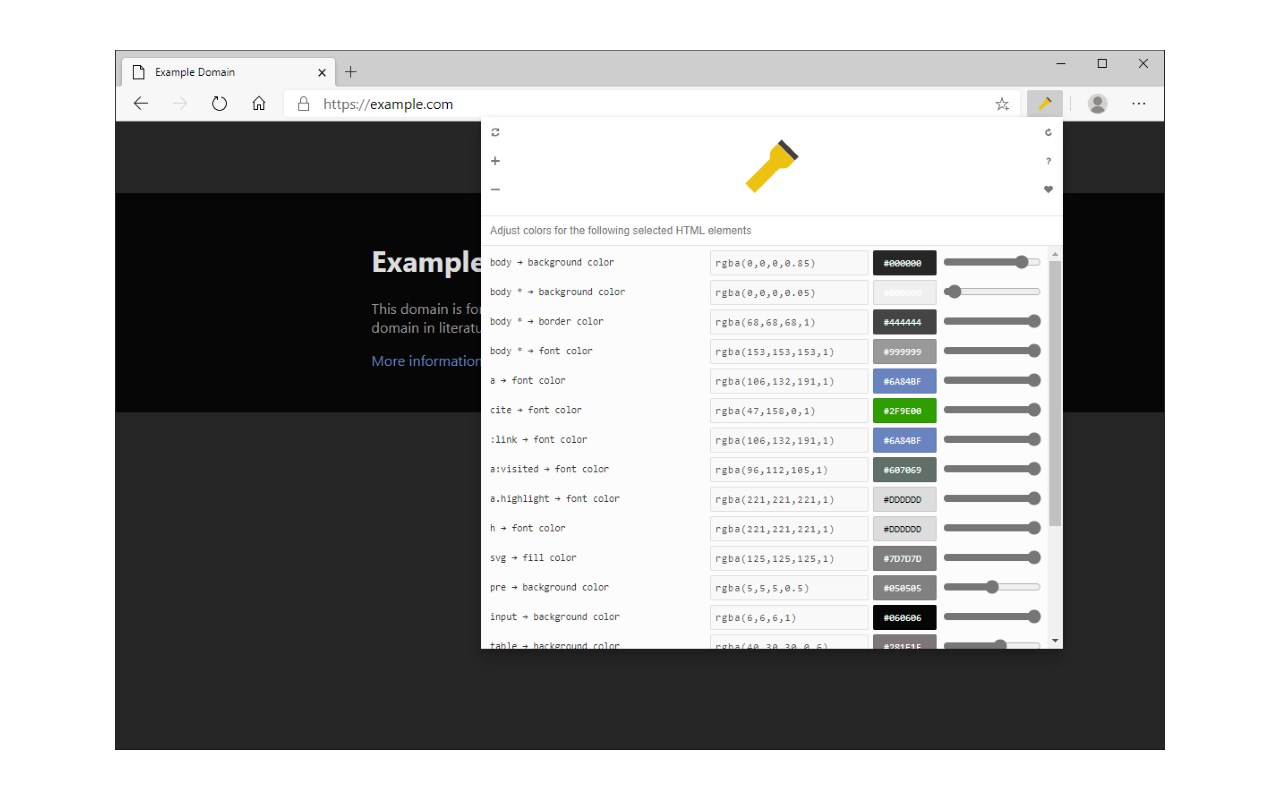
Custom Dark Mode is a browser add-on that helps you design your dark style for the web.
Simply open toolbar popup UI and then adjust the color settings. There are a variety of options available to choose from. From document body's "background-color" to "font-color", "header-color" and etc. Moreover, you can adjust the opacity for all HTML elements.
All the settings in toolbar popup are auto-saved to the memory. There is also a (+/-) button with you can use to whitelist the desired domain(s) from dark mode. Please note that, at the current version of the add-on, there is no option to see the whitelist table. You can only add or remove websites from toolbar popup UI. To turn the add-on ON/OFF, you can use the big "torch" button at the top center in the popup.
If you found a bug to report, or have a feature request, please fill the bug report form in the add-on's homepage (https://mybrowseraddon.com/custom-dark-mode.html).
Latest reviews
- [email protected]
- wish there was an option to whitelist through typing in domain names, i believe the + button is broken
- Preda,
- This is great. I love the controls. Please dont start charging 10 bucks a year.
- Benjamin
- Works best compared to the others.
- Jon
- works better than any other darkmode extension I have tried.
- 庭弼
- 我测试了几款免费的,这个是兼容性最好的
- Luiz
- Não faz nada...
- Levi
- doesn't even work on microsoft.com where it's loaded, the damn thing isn't even dark itself, the app is white!
- Douglas
- Diferente da maioria das extensões que negativam a página, essa mexe diretamente no css. Muito mais util.