
Turbo Query for Azure DevOps
Extension Actions
Instantly retrieve work items from Azure DevOps.
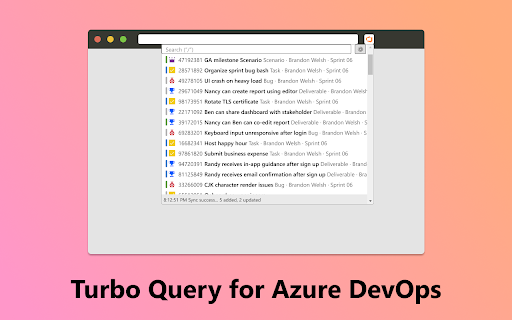
This extension helps you search and filter up to 20,000 work items, with zero latency. You can query work items by any of these fields, in any order:
- Title
- Tags
- State
- ID
- Type
- Assigned to
- Iteration path
You can seamlessly copy-paste item links into Azure DevOps, Teams, Outlook, and other software with the perfect formatting. The IDs can be pasted into Azure DevOps to speed up these workflows:
- Adding work items to a Pull Request.
- Referencing work items in the Description field using #<ID> syntax.
- Adding links to a work item.
- Setting the Parent of a work item.
To help you stay in the flow, the entire UI can be navigated using Tab and Arrow keys. For power users, VIM keys (H, J, K, L) are also supported and mouse interaction is optional.
You can view the full list of features and shortcuts on the extension's options page.
This extension respects your privacy. It does not collect any telemetry and will only communicate to Azure DevOps for querying purposes.
This is a free and open-source project. Visit https://github.com/chuanqisun/turbo-query for source code or bug reports.
Latest reviews
- Ravi Shan
- Working perfectly as expected 👍
- Ravi Shan
- Working perfectly as expected 👍