
AdvancedFind
Extension Actions
对网页文字进行高级搜索,大小写匹配/全字符匹配/正则表达式 | Search Text on Webpage, Case Sensitive/Whole Word/Regex
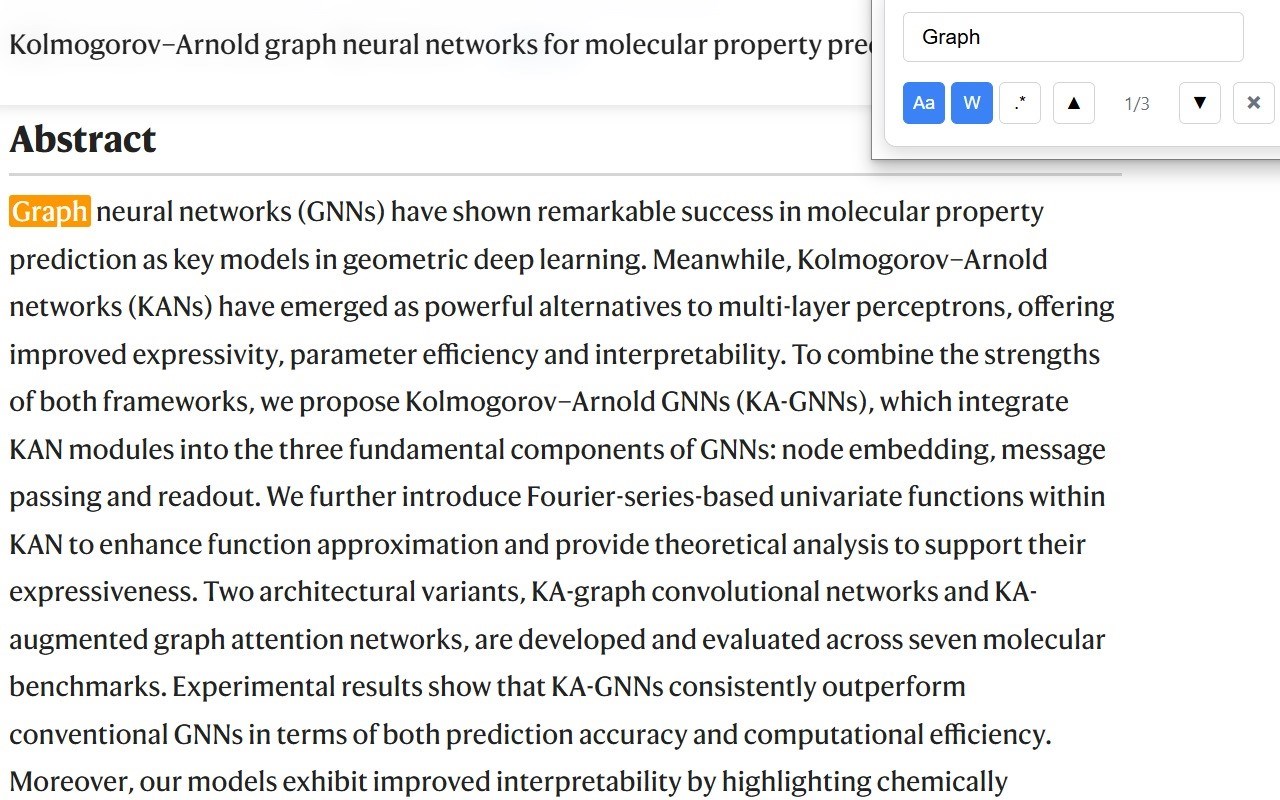
An advanced search tool that extends the built-in search functionality of the Edge browser, providing a search experience similar to that of VSCode.
Features
Click the extension icon to pop up a small search interface
Real-time search of text content on web pages
Supports case-sensitive matching, whole word matching, and regular expression matching
Highlights all matches
Provides navigation for previous/next matches
Displays the current match index and total number of matches
Instructions
Click the AdvancedFind extension icon in the upper right corner of the browser
Enter the text to search in the pop-up search box
Click the case-sensitive match (Aa), whole word match (W), or regular expression (.*) button as needed
Use the up and down arrow buttons to navigate to the previous or next match
The current match will be specially highlighted and automatically scroll to the center of the view
Click the close button or press the ESC key to close the search interface
Notes
The regular expression pattern must comply with JavaScript regex syntax
Large files or complex pages may cause brief performance delays
The search box will hide when the ESC key is pressed or the close button is clicked