
Debloat — Hide AI Clutter
Extension Actions
Hide AI panels, sponsored blocks and browser clutter. Keep search pages clean without telemetry or tracking.
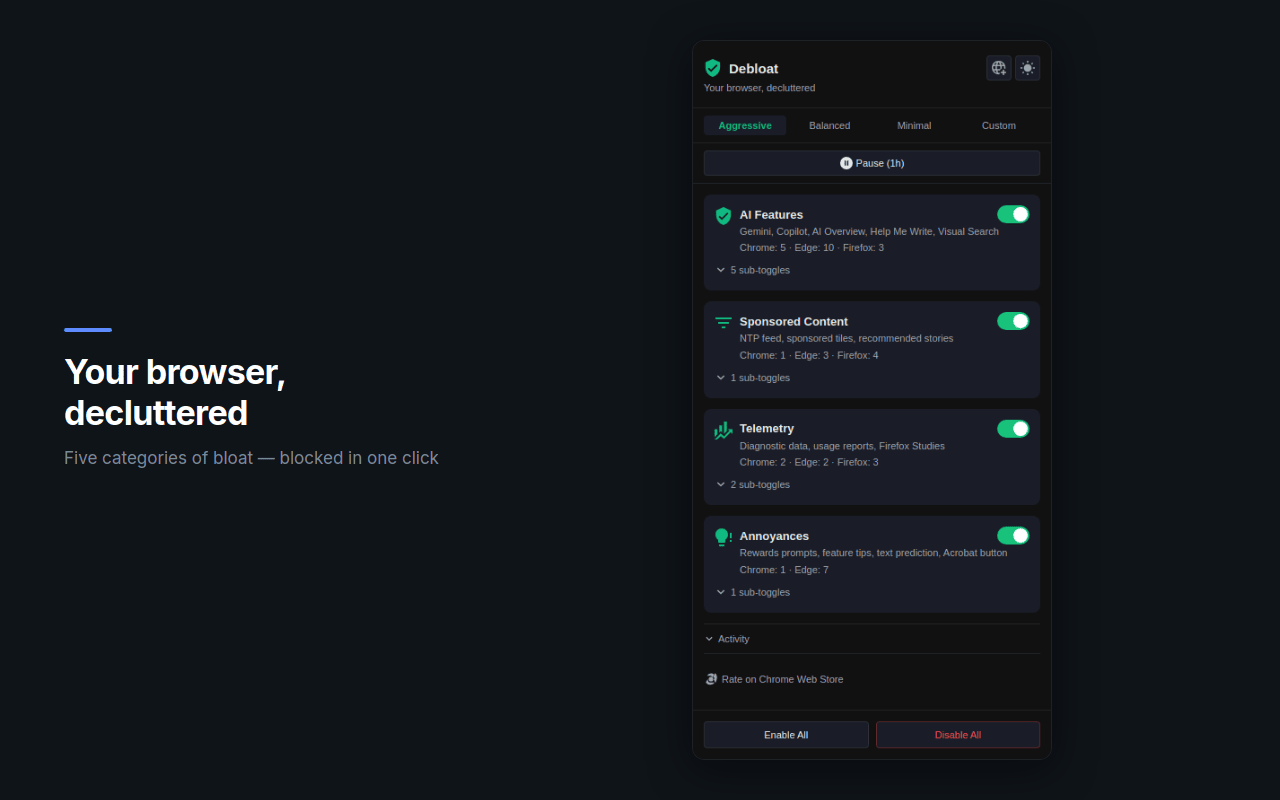
Debloat hides AI panels, Copilot widgets, sponsored modules and other interface clutter from search engines and Microsoft Edge pages.
Modern browsers increasingly integrate AI assistants, recommendation widgets and promotional modules directly into the interface. These elements can push useful content down the page and make browsing more distracting.
Debloat helps restore a cleaner browsing experience.
What Debloat can hide
Debloat can remove or suppress:
• Copilot panels and AI widgets
• sponsored and promotional blocks
• shopping and comparison modules
• recommendation widgets
• browser interface clutter
Cleaner search results
Debloat reduces visual noise while keeping the original page structure intact.
Search results remain focused on actual content.
Adapts to evolving AI interfaces
Search engines and browsers regularly experiment with new AI features.
Debloat maintainers use an internal detection pipeline called AI Scout to identify new interface elements and release updates when layouts change.
Privacy first
Debloat operates entirely inside your browser.
• No telemetry
• No browsing history collection
• No remote page analysis
All page changes happen locally.
Lightweight
Debloat simply keeps pages cleaner and easier to read.