
QR Code Reader
Extension Actions
A chrome extension for reading QR code from webpage.
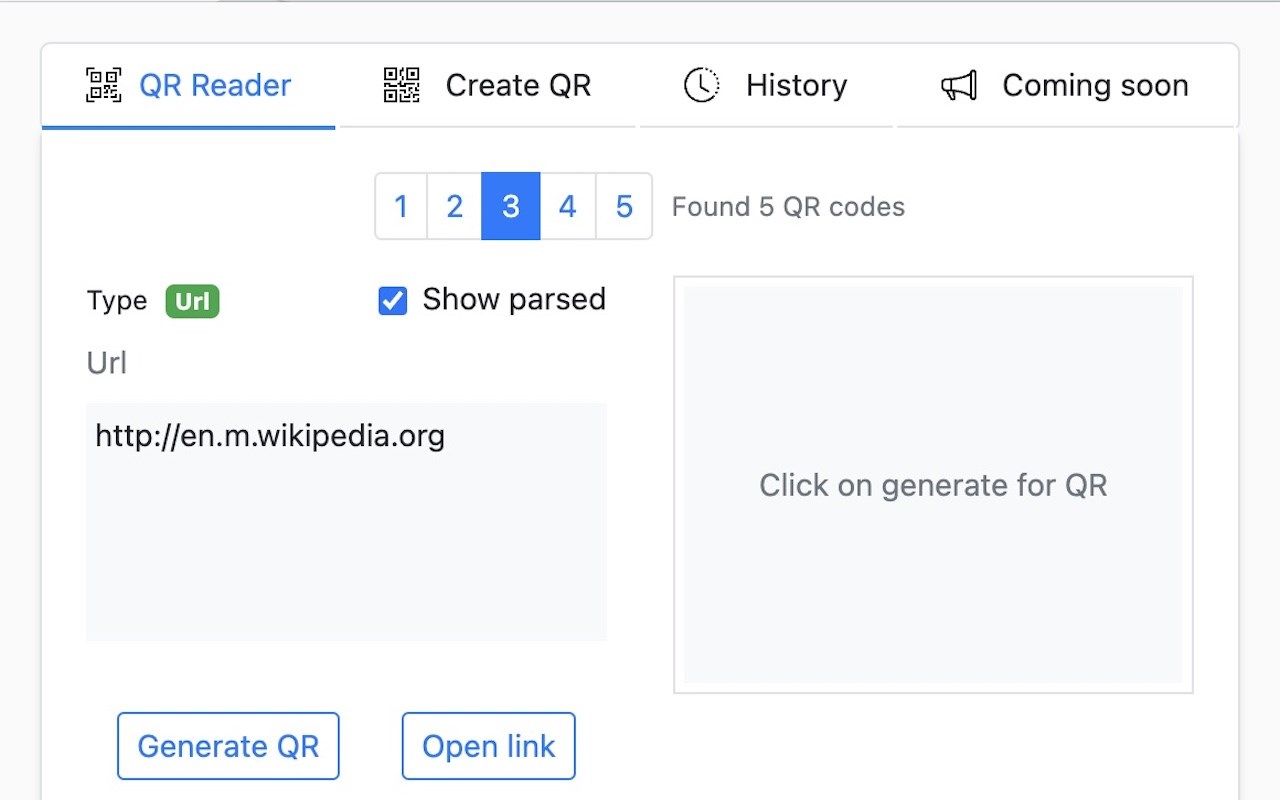
QR Code Reader - Your All-in-One QR Code Solution for Edge**
Instantly scan, decode, and create QR codes directly from your browser! QR Code Reader is a powerful yet easy-to-use Edge extension that brings comprehensive QR code functionality to your fingertips.
### 🔍 KEY FEATURES
**Smart QR Code Detection**
• Automatically detects and decodes QR codes on any webpage
• Support for multiple QR code detection (up to 10 codes)
• Advanced offline and online decoding capabilities
• Instant results with one click (Ctrl+Shift+S / Cmd+Shift+S)
**QR Code Generator**
• Create QR codes for URLs, text, SMS, email, phone numbers, and more
• Customizable QR code design (colors, error correction, margins)
• Support for multiple image formats (PNG, JPEG, WebP)
• Dynamic QR codes with short URLs and analytics (coming soon)
**Intelligent Content Recognition**
• Automatically parses and displays formatted content for:
- URLs and web links
- Email addresses
- Phone numbers
- SMS messages
- Geographic locations
- WiFi credentials
- Calendar events
**History & Management**
• Comprehensive history tracking for scanned and created QR codes
• Customizable history limit (1-500 items)
• Auto-save scanned QR codes
• Easy export and sharing options
**Context Menu Integration**
• Right-click on any image to scan for QR codes
• Generate QR codes from selected text or links
• Upload and decode local image files
• Quick access to all features
**Advanced Options**
• Enable online decoding for complex QR codes
• Customize QR code appearance (foreground/background colors)
• Adjustable error correction levels (Low/Medium/Quartile/High)
• Configure maximum QR codes to display
### 🌍 MULTI-LANGUAGE SUPPORT
Available in 40+ languages including:
English, Spanish, French, German, Italian, Portuguese, Chinese (Simplified & Traditional), Japanese, Korean, Russian, Arabic, Hindi, and many more!
### 🚀 UPCOMING FEATURES
• User accounts with cloud sync
• Advanced analytics and reporting (10+ metrics)
• Custom short links and branded QR codes
• 8+ additional QR code types
• Enhanced security features
• Password-protected QR codes
• QR code expiry dates
• Scan count and location tracking
### 🔒 PRIVACY & SECURITY
Your privacy is our priority:
• No personal data collection
• Secure processing on trusted cloud platforms
• Optional online decoding (user-controlled)
• No tracking or monitoring of your activities
• Full transparency in data handling
### ⚡ QUICK START
1. Install the extension
2. Click the QR Code Reader icon in your toolbar
3. Choose "QR Reader" to scan QR codes on the current page
4. Choose "Create QR" to generate your own QR codes
5. Access "History" to view previously scanned or created codes
### 💡 USE CASES
Perfect for:
• Digital marketers tracking campaign QR codes
• Business professionals creating contact cards
• Event organizers managing registrations
• Students sharing study materials
• Developers testing QR code implementations
• Anyone who frequently works with QR codes
### 🛠️ TOOLS & INTEGRATIONS
Access additional tools:
• Upload and decode QR code images
• Live camera scanning (web-based)
• Create short links with analytics
• Bulk QR code processing
Latest reviews
- Aruna
- One of the finest and advanced QR code, with many great options! 👏