
Screenshot Tool by cloudHQ
Extension Actions
Take a screenshot, markup and annotate it. Easy share, anywhere
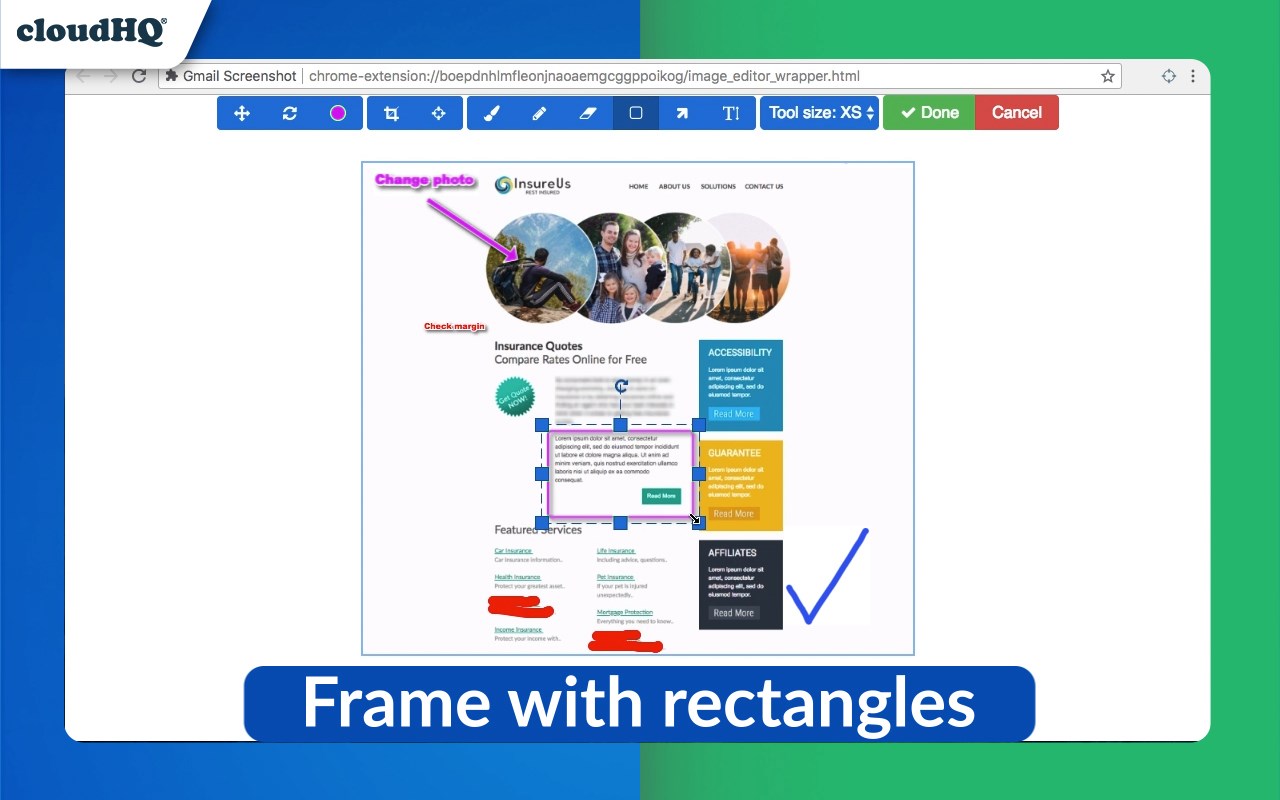
Capture your screen, annotate, and share straight from email with this streamlined Edge addon, enabling you to:
- Add text overlays
- Trim and modify dimensions
- Draw arrows
- Blur out confidential details
- Insert shapes like rectangles or lines
- Generate and distribute a link to your annotated screenshot
- Facilitate sharing and collaboration on screen captures
- Capture complete Gmail messages or conversation threads in screenshots
- Send emails or conversation threads as screenshot attachments
- Store screen captures on cloud services like Google Drive, Dropbox, Box
- Convert and save screenshots in PDF format
An indispensable tool for graphic designers, virtual teams, project managers, and anyone looking to enhance their communication capabilities.
cloudHQ. Helping your productivity, 1 click at a time.
Website: https://www.gmail-screenshot.com/
Pricing: https://www.gmail-screenshot.com/pricing
Support page: https://support.cloudhq.net/category/browser-extensions/gmail-screenshot/
Blog: https://blog.cloudhq.net
Latest reviews
- Eliza
- Dead simple for what it does. Click the icon, select the area, annotate if you want, and share. No account setup, no watermarks. Just works.
- Favour
- The cloud storage integration is a nice touch. All my screenshots automatically save to Google Drive so I never lose them. Used to have hundreds of random screenshots cluttering up my desktop.
- hart
- Really like that you can screenshot an entire Gmail conversation. Had to document an email thread for a client dispute and was able to capture the whole thing in one shot instead of scrolling and taking multiple screenshots.
- Rosline
- Our design team shares feedback through screenshots all the time and this has made the process so much smoother. Capture, annotate, generate a share link, done. No more emailing giant image files back and forth.
- femi
- Use this constantly for bug reports. Take the screenshot, draw an arrow pointing to the issue, add a text note explaining what's wrong, and send it straight from Gmail. My developers actually understand my reports now lol.
- Ruby
- The blur tool alone makes this worth installing. Half the screenshots I take have sensitive info that needs to be hidden before I can share them. Being able to blur it out right in the tool instead of opening a separate editor saves a lot of steps.