
CRX id
omdigdhondiofoncicdakjopkjgebaee
omdigdhondiofoncicdakjopkjgebaee
Description from extension meta
HR Black List - feedback about IT specialists from their previous employers
Image from store
Description from store
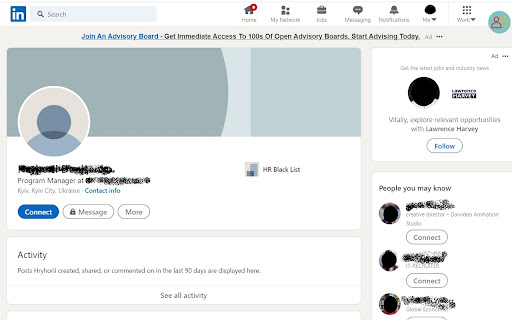
HR Black List is the easiest way to check the feedback about a person in LinkedIn from their previous employers.
This extension check the working history about a person based on their LinkedIn profile. It highlights if the person had any negative feedbacks from his/her previous employers.
How to use the extension tool?
1) Download the extension in the Google Chrome store.
2) Use LinkedIn to find candidates for your position.
3) View a profile on LinkedIn and our extension will highlight in red the candidate that has any negative feedbacks.
4) If the HR Black List icon is red you can click on it and read the feedback about the candidate on our website.
We will appreciate if you share with us your thoughts on how we can be improve our product in order to meet
Please rate us if extension are helpful!