
ReSearch
Extension Actions
- Live on Store
Advanced Search with Regular Expressions
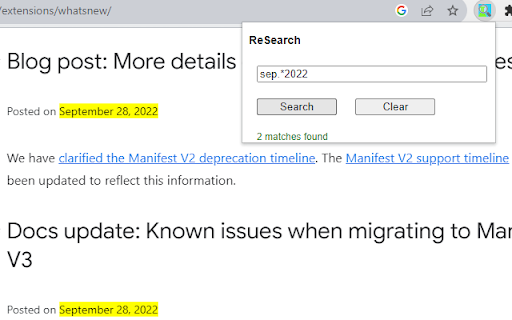
Use Regular Expressions to power-up your search through web pages.
You can try it yourself - just input "\bthe\b" (without quotes) in the search field and find all "the" as a separated word.
Or you can use it just as a regular search - try "the" (without quotes).
The extension uses JavaScript Regular Expressions, for more information please review an official documentation:
https://developer.mozilla.org/en-US/docs/Web/JavaScript/Guide/Regular_expressions
https://developer.mozilla.org/en-US/docs/Web/JavaScript/Guide/Regular_expressions/Cheatsheet
Pay attention, that JS regex implementation has some differences with other popular implementations such as Python regex. For example:
"\w+" also finds all separated digits as "12" or "2022".