ZooMumba
Extension Actions
Экзотические животные, их забавные детёныши и увлекательные аттракционы -<br>чего только нет в твоём онлайн-зоопарке!
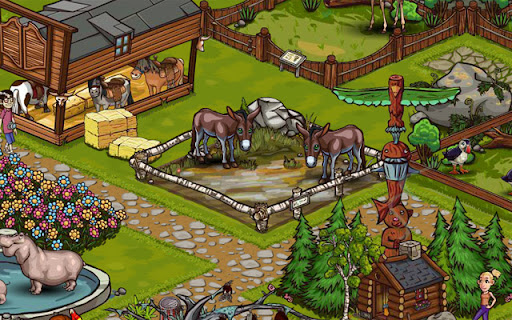
Go wild and take a trip to the online zoo!
Do you love animals? Know everything there is to know about meerkats, penguins, lions, and elephants? Then what are you waiting for? Build your own zoo with exotic animals from around the world. Come on down to Zoomumba!
Watch as your cute and cuddly animals grow and attract visitors. Personalize your zoo with new animal habitats and various attractions. Make your zoo famous the world over!
- Lively animated game world
- Lifelike animal sounds and adorable graphics
- Zoo assistants, tons of attractions, and baby animals
- Loads of zoo visitors
- Tutorial and intuitive user interface
Latest reviews
- Anna Wolfová
- I love that game, but it's not work. Why? It is that - adobe flash player can has malware? So it was deleted? Are you working for fix that, or is it your plan for future?
- Tennille Waddel
- Really cool game. Dont understand why it doesnt work for some... Really cool with the different variaties of animals! :3 (5Stars!)
- Jackson Lumsden
- It makes you have to put in your email address,username and password. I hate this game!!!!!!!!!!!!!!!!!!!!!!!!!!!!!!!!!!!!!
- Danny Simomoto
- Its not even working it just shows the screen and won't load.
- Ila James
- didnt even work...
- Akita
- It was horrible, didn't even work. I just sat there waiting for it to start working, but it never did.
- gtgrhdngbg
- Your avatar can only be white, and one gender gets more options
- bailey
- I CANT PLAY IT, IT IS STUPED
- Risma Wati
- i like the game
- Suzanne “Suzan”
- Love the game~
- Huy Đức
- great
- Lilly Greenan
- okay good but i didnt like the sound
- vittoria mn
- Nice but a bit repetitive
- Tobius Holmes
- Good game, especially good for kids..
- bernalyn cuevas
- it is super beautiful for me
- Luis Manarang
- I recommend you to do this for faster loading. For Windows: 1. Right-click on the game. 2. Click "Settings..." 3. Click the 3rd tab on the settings. 4. Drag the bar to the right. 5. Click "Close" For Mac: 1. Control-click on the game. 2. Click "Settings..." 3. Click the 3rd tab on the settings. 4. Drag the bar to the right. 5. Click "Close"