
AstroGlyph
Extension Actions
- Extension status: In-App Purchases
AstroGlyph lets you quickly copy astrological symbols to your clipboard from a convenient popup.
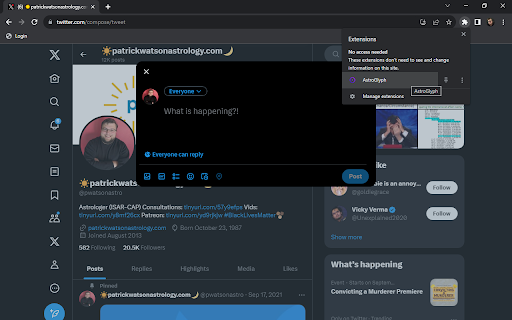
AstroGlyph is a simple Chrome extension that makes it really easy to input astrological symbols in your social media posts, emails, blogs, wherever.
How does AstroGlyph work?
1. When you have a browser compatible with Chrome extensions open, click on the AstroGlyph icon from your extensions menu and a popup appears with astrological symbols and glyphs on it.
2. When you press a symbol on the popup, it gets automatically copied to your clipboard.
3. Paste the symbol wherever you need it using Ctrl+V, or Command+V, or right-click>Paste, or Edit>Paste, or however else you like to paste.
Why do I need this?
1. Write more clearly and concisely
Astrological jargon is often awkward and character-intensive. Why write "Sun in Libra opposite Jupiter retrograde in Aries" when you could just type "☉♎︎☍♃℞♈︎" with AstroGlyph?
2. Save yourself the time and frustration
Finding and copying and pasting astrological symbols online is a bit of a chore. Give yourself a break by having AstroGlyph at the ready.
Are there any special features?
Yes! Press the checkbox at the bottom of the popup to "Open in a new window". This will open a new tab with the popup in it so you don't have to keep re-opening the extension to copy a symbol.
Latest reviews
- Jorge Roque
- I love it, the only wish I have is to be able to select a different symbol for Pluto.
- Anthony Wardwillis
- Simple and easy to use, and what a boon !
- Debbie Krupski
- Great and so easy to use - thank you, Patrick! Where has this been all of my astrological life?!
- dsmc718
- Easy to use. Happy to discover that AstroGlyph works beyond the Internet so you can use it in your documents. I successfully used it in a WordPad document and then converted that document to a PDF and there were no glitches. I highly recommend this very cool and useful extension1