
Flowster Capture: screenshots, training, SOPs
Extension Actions
Automate screen capture & screenshots for training & standard operating procedure (SOP) workflows.
Note: this extension is currently in BETA. That means there could be some bugs, but there's an easy-to-use button to submit any questions or concerns to support :)
Are you looking for a super fast way to document your processes?
We have good news! With the Flowster Capture extension, creating your own fully-customized workflows has never been easier or faster.
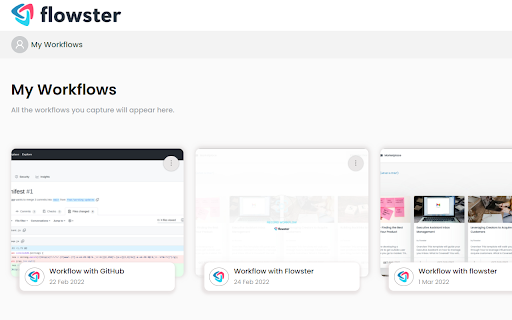
Flowster Capture generates screenshots each time you click your mouse or use your keyboard. These screen grabs are more easily-editable than screen recordings, plus if you pair Flowster Capture with Flowster.app (optional), you can build out fully-functional templates and SOPs.
The Flowster Capture Chrome Extension is way less time-consuming than recording yourself talking over video, or taking screenshots and manually annotating them. Plus, by avoiding video-based screen recordings and workflows, you will also avoid the painful process of having to re-shoot or edit all your videos to keep them up-to-date.
Ready to speed up your business process creation? Start using Flowster Capture today!
Note: Flowster Capture does not require you to have a separate account at Flowster.app; however, if you do decide to get a free account at Flowster.app, you will unlock even more functionality and get access to hundreds of pre-made (fully customizable) workflow templates.
Latest reviews
- Jyoti Rawat
- A big time saver. Highly recommended.
- Jyoti Rawat
- A big time saver. Highly recommended.
- Liz Dyrsmid
- Quick & easy screen capture; easily imports into Flowster.app for full featured process management
- Liz Dyrsmid
- Quick & easy screen capture; easily imports into Flowster.app for full featured process management
- Veranika Vouk-Karacheuskaya
- I really enjoyed using Extension. Highly recommend for creating step-by-step guidelines. Quickly, precisely and easy
- Veranika Vouk-Karacheuskaya
- I really enjoyed using Extension. Highly recommend for creating step-by-step guidelines. Quickly, precisely and easy
- Muhammad Anas
- Very helpful and easy to use. I created workflows today and it was quick.
- Muhammad Anas
- Very helpful and easy to use. I created workflows today and it was quick.
- Karla Rubio
- The Flowster chrome extension just made my life so much easier! First of all, it saves me so much time. One of my biggest tasks every week is documenting our processes, and before Flowster I was spending hours on this. Now that's down to 15 minutes or so (especially because you can simply copy and paste everything into your templates). It's like magic: I'm literally just clicking around using this tool while I work, and then when I need to create those SOPs, I just paste what Flowster has saved into our template and boom—done! And it's really easy to use! Not a lot of extra steps or complicated UI. It just works like you expect it to.
- Karla Rubio
- The Flowster chrome extension just made my life so much easier! First of all, it saves me so much time. One of my biggest tasks every week is documenting our processes, and before Flowster I was spending hours on this. Now that's down to 15 minutes or so (especially because you can simply copy and paste everything into your templates). It's like magic: I'm literally just clicking around using this tool while I work, and then when I need to create those SOPs, I just paste what Flowster has saved into our template and boom—done! And it's really easy to use! Not a lot of extra steps or complicated UI. It just works like you expect it to.
- Raja Musa Khan
- Very easy to use! In just a few clicks I had a ready-made workflow. Just point and click. Exactly what I was looking for!
- Raja Musa Khan
- Very easy to use! In just a few clicks I had a ready-made workflow. Just point and click. Exactly what I was looking for!