
Zoho Annotator
Extension Actions
- Extension status: Featured
The most elegant and efficient annotation tool.
The most elegant and efficient annotation tool.
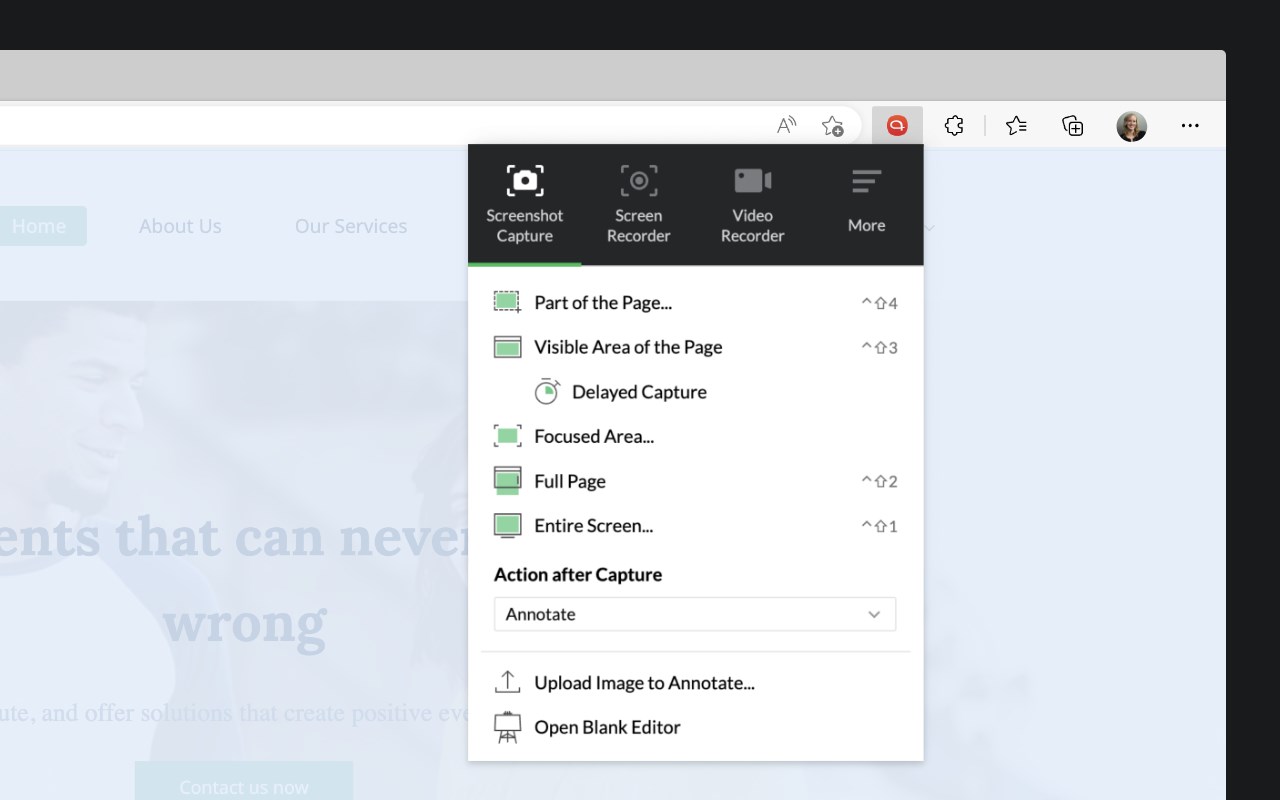
Capture screenshots or recordings of your web page or desktop screen. Add annotations to the captured screenshot of your web pages or images on your desktop, such as design mockups, illustrations, and diagrams, by uploading the respective image. Check out the features below.
SCREENSHOT CAPTURE
- Capture the full page, the visible area of a page, or only part of the page..
- Capture the whole desktop screen or an application window.
- Use delayed capture to screenshot sections that appear only after clicking a link or button within the page.
SCREEN RECORDER
- Record the visible screen of a page or part of the page.
- Record the whole desktop screen or an application window.
VIDEO RECORDER
- Record a video with your webcam to share your knowledge with your target audience.
IMAGE ANNOTATION
- Use square and circle shapes to mark areas to comment.
- The freehand drawing tool enables you to circle portions correctly without disturbing other parts of the document.
- The highlighter pen emphasizes the content that needs attention.
- Add contextual comments to the highlighted areas.
- Use tagging tools to number the places to comment and describe them in any of your communication apps after completion.
- Blur or smudge private or confidential data.
SHARING & UPLOAD TO CLOUD
- Get a shareable link and share it in social media (Facebook, Twitter, and WhatsApp) and other websites/applications.
- Upload the files to your Zoho WorkDrive, Google Drive, OneDrive, and Dropbox accounts.
- Share the files in Zoho Cliq, Zoho Connect, Zoho Projects, and Zoho Sprints.
PREFERENCES
Customize the default values, such as Line Color, Font Family, Text Color, etc., as per your preference.
SUPPORT
For any questions or help, send an email to [email protected].
Latest reviews
- Chris
- Extremely easy to use, on the mark and amazingly accurate as well as fun. This is a must have for everyone!
- Cory
- Totally on the mark . . . the best of em' all.
- Krishnendu
- Super cool annotator and screen recorder
- Dastin
- Awesome update with tons useful features. Video recording PIP Scree/video recorder
- Ajith
- The Best Online Image Annotator on the Chrome store. Gosh, the process of annotating screenshots is so fluid with this simple yet feature rich tool. Its sooo good!