AppBlock - Block sites & Stay focused
Extension Actions
- Extension status: Featured
Block distracting webs and stay focused on your work.
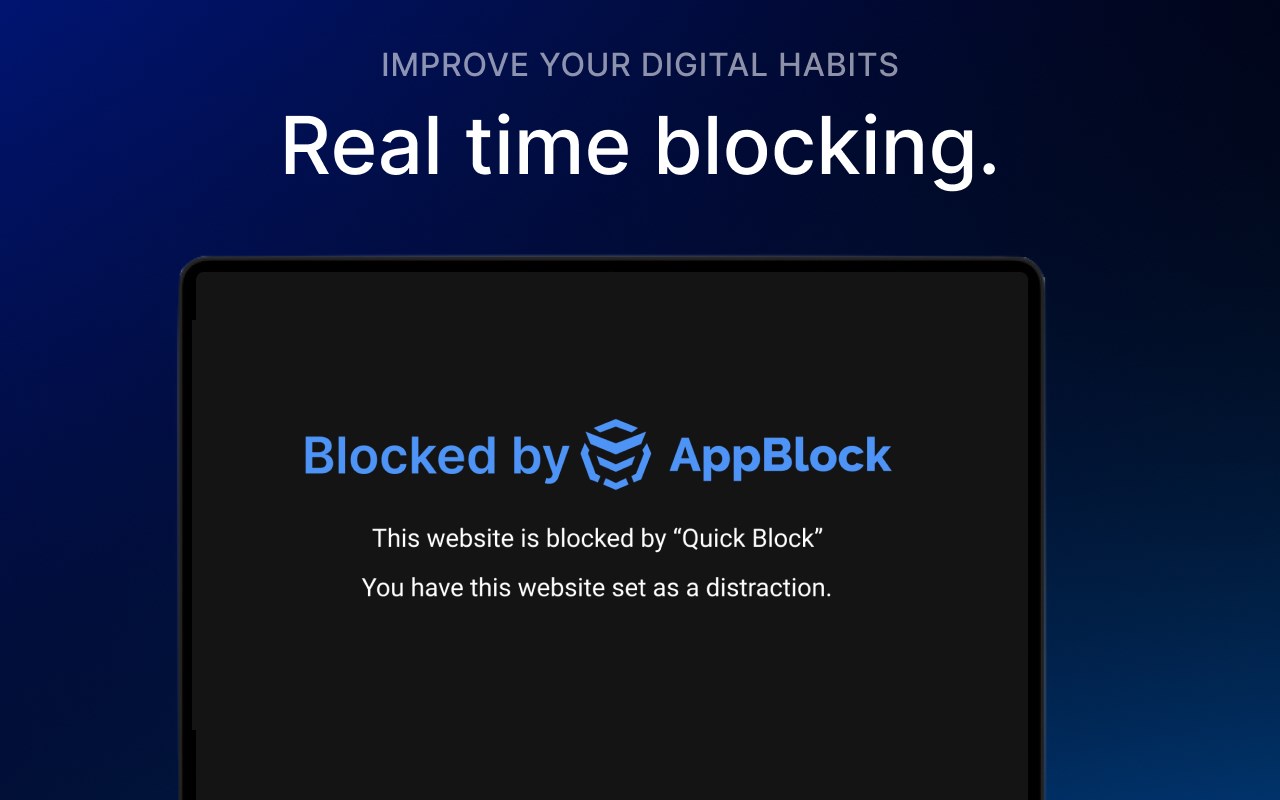
Block distracting websites and stay focused on your work. AppBlock is a powerful website blocker that helps you stay focused and on task by blocking distracting websites on your computer. With AppBlock, you can easily block any website with just a few clicks and even block websites based on keywords. Whether you're trying to focus on work, study, or just want a break from social media, AppBlock makes it easy to stay on track and achieve your goals.
New Features:
- Strict Mode: Enhance your digital discipline across all platforms with Strict Mode, now available in our extensions. This robust feature solidifies your commitment by preventing any changes to your established blocking parameters, ensuring uninterrupted focus and productivity.
- Allowlist: Introducing Allowlist, a new addition that lets you choose the sites you want to keep accessible, automatically blocking all others for focused browsing sessions.
- Schedules Redesign: We've revamped the Schedules, making them more user-friendly and easier to customize. Enjoy the same intuitive design familiar from our mobile app, now on your web extension for seamless scheduling of your blockings. You can still set specific times and days for blocking websites or keywords
- Keyword Blocking: Enhanced blocking based on keyword appearance within URL or website text.
- Timer Quick Block: Quick Block feature now supports a timer for temporary blocking.
- Pause for Schedules: Users can set a temporary pause on scheduled blocking, giving more flexibility during the workday.
- Instant Blocking
This version of the AppBlock extension for Microsoft Edge brings the same functionality to your browser that you know from the mobile app, now enriched with new features. Keep your time and focus in check with easy browser-based website blocking. Use your time more efficiently and increase productivity with AppBlock, which blocks distracting websites. This extension is easy to use and highly customizable, making it the perfect tool for anyone looking to increase their productivity and stay focused while working on their computer.
Did you know that up to 20% of all adults procrastinate? For students, it's up to 95%! That's a lot, and you're missing out on precious free time that you could be spending with your family or on self-development. Luckily, there's AppBlock! With AppBlock for Microsoft Edge, you can easily set up sites that distract you and start blocking at the touch of a button. While the block is active, you won't be able to visit the sites of your choice, so you can focus on work or studying. Download AppBlock today and get your free time back.
AppBlock is also available for iOS and Android devices, where you can block entire apps in addition to websites to streamline your experience by blocking on all your devices.
AppBlock, stay focused, stay productive!
Latest reviews
- KJ
- Fantastic and very helpful but you need to stick to the rules you set, otherwise its easy to unblock the distractions
- Daniel
- Uso en el teléfono, la versión de paga, pero la extensión de la computadora es fácil desinstalarla o desactivarla, sería bueno que se pudiera instalar y configurarse para que no se pueda desinstalar.
- Luis
- Útil para controlar tu consumo. Pero tienes que ser consciente, la tentación de desbloquear las redes va a estar ahí, el bloqueo solo será un muro y de ti depende decidir no saltarlo.
- Yusuf
- I was trying to see if the Extension could be removed while the Strict Mode is active and it can be removed. I love the mobile app and I wanted to give the Desktop extension a try. It works well, but the extension can be easily removed even if Strict Mode is active. It would be great if you guys can add a feature so that the extension could not be removed while Strict Mode is Active.
- Ricardo
- Very useful, works super fast.
- PRIYA
- extension is good but, if the mobile and web accounts could be synchronized some way it would be cool! also please add the option to block apps in desktop version
- Pablo
- Muy intuitivo y util, ya que estoy con un curso online se me hace muy facil abrir youtube, instagram o tiktok y perder mucho tiempo, con esto puedo hacerme un horario donde me bloquea estas paginas e impide me distraiga, muy muy util la verdad
- L
- This is very helpful ❤️
- Abiroop
- I have paid for subscription in mobile and all the website blocking features available on phone are not here, and there is no way for us to sign into my premium account either. Also a general list of websites with a option to remove like youtube.com, instagram.com, facebook.com is requested instead of adding each manually.
- ZHIBIN
- very good
- Pooja
- Worst extension ever, I have had encountered better extension than these like "Block these URL Keywords or Domain" Didn't they test it before releasing, It unecessary blocks some of my websites even if no keyword is present. LOL I dont know how does this even work
- Darvin
- For some reason, Appblock seems flaky in Edge. It loads the screen, which often then goes blank, I'm not sure why. It works flawlessly on my Android phone. I wish that there could be a central login across devices, with the setting stored in the cloud, and acting consistently. If I have 4 different time settings in a schedule, the last thing I want to do is replicate that across 3 devices if I change it. But generally, a great idea in today's world of distractions. So I'd give this a 3 on Edge, and 5 on Android, hence review of 4 stars here. It needs work, devs!
- Lukasz
- Update 2: 5 stars if it doesn't break again, let's hope it keeps working. Updated: this extension keeps breaking and I lose all my setup. A pity... A richer set of features than some of the competing extensions. The extension seems free, while the corresponding Android app has a subscription (still worth it for me). Downsides: - I don't see the ability to log to an online profile shared across extension and app. - The extension broke once, had to reinstall it, and rebuild my blocking schedules.
- sabah
- nice
- Lukáš
- Great tool. Helps me to stay productive. Good job!
- Apetit
- Amazing app, I bought premium on android and installed in browser on pc. Absoultely improved the quality of my life. I wish the creators of this app to become billionaires because the world NEEDS such great projects.
- Antonio
- Funciona muy bien y no tiene las limitaciones premium que tiene la versión para Android, sin embargo, me acabo de percatar de que hay un detalle en el bloqueo de sitios por palabras clave, ya que, por ejemplo, si quiero bloquear "****+locura" (sin comillas), solamente se agrega a la lista de palabras clave "****". Se que con bloquear "****" en automático se bloquea "****+locura", sin embargo, también bloqueará otros sitios que incluyan la palabra "****", por ejemplo "comPUTAdora". Ojala arreglen esto en futuras versiones, ya que en Android si funciona bien. En cuanto se solucioné este problema estaré encantado de darles 5 estrellas. PD: Agradezco al equipo de soporte de AppBlock por responder mi reseña anterior. Ahora entiendo que la prevensión de la desinstalación de la extensión es imposible debido a las políticas de Microsoft. Esperaré con ansias su versión de escritorio.
- Martin
- The best add-on in the segment. Does everything it promises. I can recommend it to anyone who has a problem with procrastination.
- André
- Full of bugs. Won't allow you to pick the times you actually want for schedules, because it insists in filling the end time with the current time. Also, if you add too much schedules it can suddenly delete all your schedules.
- Simona
- Great extension! If you get easily distracted on websites, this is a great tool to prevent yourself from procrastinating!