Gulp Devtools
Extension Actions
CRX ID
ojpmgjhofceebfifeajnjojpokebkkji
Status
- No Privacy Policy
- Live on Store
Description from extension meta
An extension to run gulp task from chrome devtools
Image from store
Description from store
Quick setup :
-------------------
- Download the gulp devtools extension from the Chrome Web Store.
- If not already installed, run `npm install -g gulp-devtools`
- Export gulp from your gulpfile.js by adding `module.exports = gulp;`
- Run `gulp-devtools` in a directory with a gulpfile!
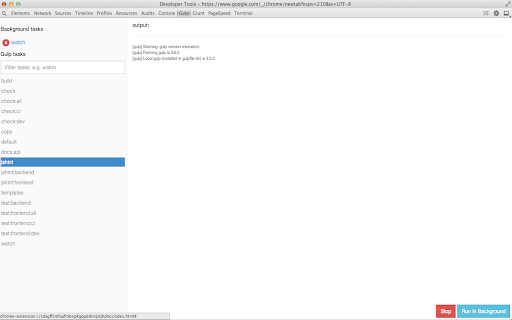
- Open Chrome Dev tools, find the Gulp tab. Your gulp tasks should now be accessible from Chrome.
Project page:
-------------------
- https://github.com/niki4810/gulp-devtools
Latest reviews
- Joe Medley
- As far as I can tell this just reprints in DevTools what would otherwise be in my console window. I'm not really sure how that's useful.
- Chee Fainder
- Awesom !
- Chee Fainder
- Awesom !
- Daniel Gombert
- Useful for quickly rerunning gulp after changing unwatched files. Thanks
- Daniel Gombert
- Useful for quickly rerunning gulp after changing unwatched files. Thanks