
GPT Workspace
Extension Actions
- Extension status: Featured
- Extension status: In-App Purchases
Esegui GPT in Google Workspace: usa ChatGPT in Google Slides, Docs, Sheets, Drive e Gmail.
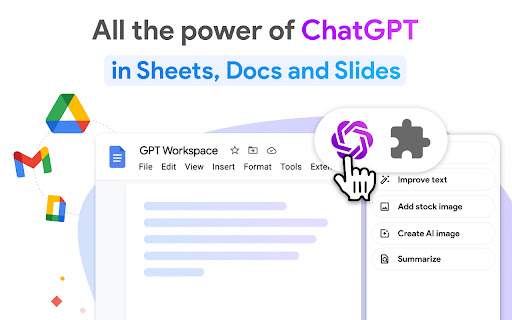
ChatGPT per Google Sheets, Docs, Slides, Gmail e Drive.
✓ Nessuna registrazione richiesta. ✓ Gratuito con funzionalità premium. ✓ Nessuna chiave API necessaria.
GPT Workspace è un potente agente di ragionamento basato su GPT-5, utile per ogni tipo di attività di analisi su testi e dati: scrittura, modifica, estrazione, pulizia, traduzione, sintesi, strutturazione, spiegazione e altro.
● FUNZIONALITÀ
🟩 Per Google Sheets:
Crea, completa e analizza intervalli di dati: seleziona l’intervallo, inserisci un prompt e l’IA farà automaticamente il resto.
• Analizzare, riassumere, classificare, categorizzare, normalizzare, estrarre
• Pulire liste, estrarre entità, uniformare formati (nomi, indirizzi, email, aziende, date, importi, numeri di telefono)
• Classificare grandi dataset tramite categorie di attributi
• Testare rapidamente diverse versioni di un prompt
• Lavorare su metadati SEO (titoli, descrizioni) e testi pubblicitari (PPC, Meta Ads)
• Gestire e pulire cataloghi prodotti per e-commerce (Shopify / Amazon)
• Modificare il formato del testo nelle celle: MAIUSCOLO / minuscolo / capitalizzazione / inversione
• Suddividere il contenuto delle celle in più colonne usando qualsiasi separatore
• Tradurre grandi quantità di testo
• OCR (riconoscimento ottico dei caratteri) da PDF a Google Sheets
GPT for Sheets include 6 formule potenti:
=GPT per ottenere un risultato in una sola cella
=GPT_LIST per ottenere un elemento per riga
=GPT_TABLE per creare una tabella completa
=GPT_TRANSLATE per tradurre grandi quantità di testo
=GPT_FILE per estrarre testo o dati da più file o immagini
=GPT_IMAGE per generare grandi quantità di immagini
🟦 Per Google Docs:
• Riscrivere, parafrasare, ampliare
• Strutturare e sviluppare contenuti
• Scrivere email, blog, articoli, saggi
• Riassumere note lunghe
• Tradurre documenti interi
• Cambiare lo stile del testo
• OCR da PDF a Google Docs
🟨 Per Google Slides:
• Generare presentazioni complete con immagini e animazioni
• Modificare contenuto, layout e stile delle slide con un singolo prompt
• Inserire immagini generate dall’IA
• Creare una presentazione da un testo o da un documento
• OCR da PDF a Google Slides
🟥 Per Gmail:
• Generare risposte automaticamente
• Modificare tono, correggere grammatica e ortografia
• Autocorrezione
• Analizzare grandi quantità di email e allegati
🟪 Per Drive:
• Riassumere un file con i punti chiave
• Generare Slide da PDF, Google Docs o Google Sheets
• Generare Sheets da PDF o file audio
• Generare Docs da Google Slides o file audio
● SUPPORTO
Documentazione: https://support.gpt.space/
Supporto: https://gpt.space/support
● GUIDA RAPIDA
1️⃣ Apri Google Sheets / Docs / Slides / Drive o Gmail
2️⃣ Apri l’estensione GPT Workspace
3️⃣ Prova le varie funzioni mostrate nell’estensione Chrome.
Canale YouTube: https://www.youtube.com/@gpt-for-google-workspace/videos
● PREZZI
GPT Sheets Docs Slides offre un ampio piano gratuito e un piano Premium illimitato a partire da soli 9 $ al mese.
● I NOSTRI UTENTI SONO
• Analisti e professionisti dei dati che devono migliorare rapidamente i loro fogli di calcolo
• Proprietari di e-commerce che devono arricchire i fogli con dati provenienti da altri documenti
• E anche startup, agenzie di marketing digitale e società di consulenza
Questa estensione è stata sviluppata da Qualtir.com
Latest reviews
- Jordan Gallegos
- The bulk file processing is great. I summarized 50 meeting notes in one go and created a quarterly review from them.
- monica blanco
- helpful
- Yuvraj Ghurde
- usefull
- Mathew Ligouri Kurniawan
- best thing ever
- Evan Thompson
- I like this has everything you can ask for in ai
- Daniil Kubyshkin
- Pretty good extension good ai and very useful.
- Egor Zhigalov
- GPT Workspace in Google Sheets is a lifesaver. I use the AI formulas to analyze data that would take me hours manually.
- Todd
- I use GPT Workspace in Docs, Sheets, Slides, and Gmail every day. It's become an essential part of my workflow.
- gohar fayyaz
- cool app 👾👍🏼
- vickey gong
- powerful useful
- Contato BC PORT S/A
- The AI is surprisingly good at understanding what I want even with vague prompts. Generates useful Sheets formulas every time.
- Mireille Jansen-Jakobs
- GPT is very great to use, always stable since I've been using GPT models. This is a very innovating AI
- Fábio Freitas
- The AI helped me organize 3 years of messy Drive files into a clean, logical folder structure. Took minutes instead of days.
- Samantha Tomlin
- THIS EXTENTION IS A GAME CHANGER! cant live without it!
- Axel Quoy
- great addon
- armen
- Great updates and google configurations
- wee cash
- good
- 王亮
- Very good
- Kilian Löfstrand Lund
- perfect
- Nguyễn Thị Hồng Ngọc Andes E&C
- Very good
- Mithilesh Chauhan
- great work and response
- Jennifer B.
- The AI-generated follow-up emails are perfect. It references the previous conversation naturally and doesn't sound pushy.
- Josh Olinger
- I am able to build a template for my idea company. I am happy with the outcome so far.
- Pamela Ladner
- It's very helpful. I like how easily it works with docs.
- Yun-Ning Xu
- Super convenient!
- Levi Abidoye (LEGAschooler)
- very useful trust
- Trendy Meziane OFF
- REALLY GOOD QND HELPFUL
- Angel Hebbe
- So slick!
- LINEUP GREEK
- Incorporating GPT workspace into my workflow has significantly improved my productivity. Utilizing this technology has allowed me to manage my workload more effectively.
- For Gpt
- GPT Workspace in Gmail is a must-have. I reply to emails in seconds with perfectly written responses.
- Jalisa Franklin
- I love this feature. it helps me with my school work tremendously!
- Handyman Support
- I would not want to not have it, but I feel its capable of so much more
- RGM G
- great
- Baseneed Steven Smith
- Top
- Subhash Singh
- Amazing experience with GPT workplace this helped me lot in my work Thanku GPT Workspace
- Ренессанс Косметик
- great
- Audrius Goštautas
- Great
- Gleda Hermansky
- Reviewing for the credits!
- Pala Vaituu
- love the fast action. on point and smart. understands and comes up with the best answers.
- Anonymous “Dev”
- this is SO good!!
- Karim Raef
- Super easy to install and use. No learning curve at all. My non-technical colleagues picked it up in minutes.
- Miguel Menegusto
- The most excellent tool out there for automated workflows
- Patrik Peniak
- fine
- Viet Nguyen
- OK
- Sarah Hubbard
- Love how it enhances my productivity! So easy to use!
- Luke Noll
- My most used and best Chrome extension!
- Joshua Gabriel Agathon Pello
- Best productivity tool of the year for me. I can't believe I used to do everything manually before GPT Workspace.
- Catalina Charles
- GPT Workspace is a game changer. Saves me so much time and allows me to spend more time with my students and patrons at the library.
- Akein Vithanage
- Love it
- ELINK EXPORT
- amazing ai assistance